
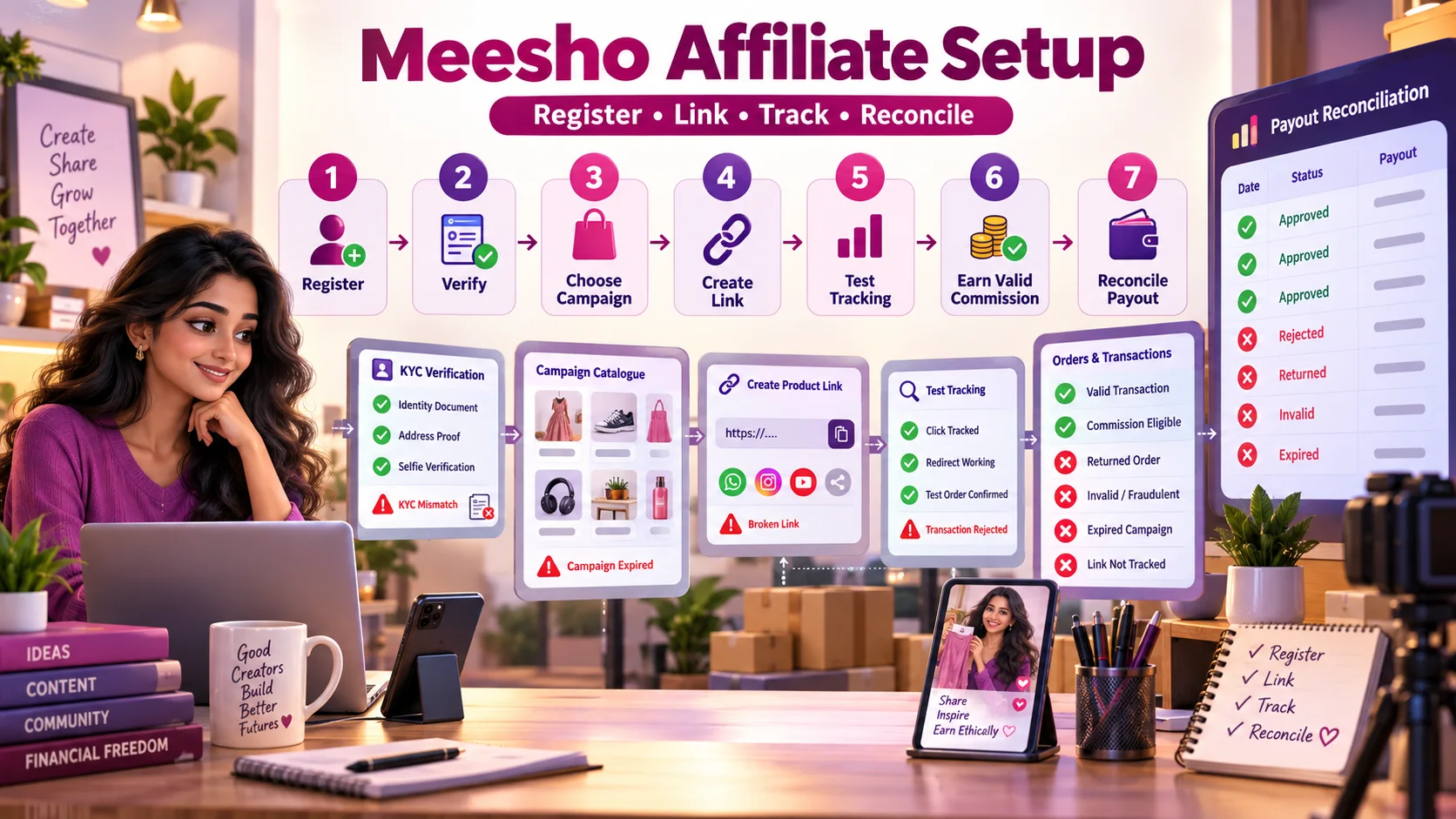
Meesho Affiliate Registration से Payout तक: Complete Step-by-Step Guide
Meesho affiliate registration, KYC, campaign selection, product-link creation, tracking test, rejected transactions और payout reconciliation का practical Hindi workflow।
Affiliate marketing शुरू करने वाले creators अक्सर registration और link generation तक तो पहुंच जाते हैं, लेकिन बाद में यह समझ नहीं आता कि click track क्यों नहीं हुआ, transaction reject क्यों हुई या dashboard balance bank payout से match क्यों नहीं कर रहा। Meesho affiliate workflow को सही तरह चलाने के लिए registration से payout तक हर stage का evidence रखना जरूरी है।
Meesho का affiliate portal online उपलब्ध है, लेकिन programme rules, approval, eligibility, commission और campaign availability समय के साथ बदल सकते हैं। Third-party affiliate networks दूसरी campaigns aggregate कर सकते हैं; उन्हें direct Meesho programme का automatic replacement या official representative मानना सही नहीं होगा। Join करने से पहले programme operator और current terms verify करें।
यह guide पिछले Meesho affiliate earnings guide की duplicate नहीं है। वह article income calculation और content funnel समझाता है; यह article registration, KYC, link QA, transaction validation और payout reconciliation का operational playbook है।
Registration से payout तक पूरा workflow
| Stage | Creator action | Evidence रखें | Common failure |
|---|---|---|---|
| Programme verification | Domain, operator और terms check | Terms date और programme URL | Fake signup page |
| Registration | Accurate profile details submit | Application ID/email | Incomplete या inconsistent data |
| KYC/bank | Required documents verify | Submission receipt/status | Name/PAN/bank mismatch |
| Campaign | Active campaign terms पढ़ें | Rate, dates, exclusions snapshot | Expired/ineligible campaign |
| Link creation | Approved URL convert करें | Original और tracking link map | Wrong deep link |
| Tracking QA | Redirect और click test | Timestamp/device/test result | Broken redirect या app handoff |
| Transaction | Pending से approved status monitor | Transaction ID/status history | Cancelled, returned या rejected order |
| Payout | Statement को bank credit से match | Payout ID, tax और bank reference | Threshold/KYC/reconciliation issue |
Step 1: सही programme और domain verify करें
Meesho affiliate portal affiliate.meesho.com पर उपलब्ध है और JavaScript-based application है। Login या documents submit करने से पहले browser address bar में exact domain, HTTPS और certificate देखें। Sponsored search result या forwarded shortened link पर credentials न डालें।
Direct programme और affiliate network में अंतर
| Point | Direct programme | Affiliate network |
|---|---|---|
| Relationship | Merchant/platform के अपने portal से | Network multiple advertisers/campaigns aggregate करता है |
| Account | Merchant-specific | एक account में कई campaigns हो सकती हैं |
| Tracking | Merchant programme rules | Network और advertiser दोनों की tracking chain |
| Payout | Direct programme schedule | Network threshold और reconciliation |
| Support | Programme support | Network support advertiser से coordinate कर सकता है |
| Rates | Direct schedule | Network rate/terms अलग हो सकते हैं |
Affiliate network के alternative campaigns, approval rules और rates को current dashboard में verify करें।
Step 2: Registration से पहले profile readiness
Application submit करने से पहले creator profile coherent होनी चाहिए। Follower count अकेला quality signal नहीं है; niche consistency, recent content, genuine engagement और clear contact details भी महत्वपूर्ण हो सकते हैं। Exact approval criteria publicly fixed न हों तो किसी blog की threshold को guarantee न मानें।
- Creator/brand name सभी profiles पर consistent रखें।
- Primary niche और audience clearly describe करें।
- Recent original posts public और accessible रखें।
- Fake followers या engagement exchange से बचें।
- Contact email professional और accessible हो।
- Profile bio में misleading “official partner” claim न करें।
- Traffic source सच बताएं—Instagram, YouTube, blog, Telegram आदि।
Step 3: KYC और bank verification safely करें
KYC requirements programme और payout entity के अनुसार अलग हो सकती हैं। केवल portal में मांगे गए documents दें। OTP, online-banking password, card PIN या screen-sharing access KYC का normal हिस्सा नहीं है।
| Mismatch | Possible impact | Action |
|---|---|---|
| Profile name बनाम PAN name | Verification hold | Legal name और allowed format check |
| Bank holder name mismatch | Payout failure | Correct beneficiary details use करें |
| Unreadable document | Manual review/rejection | Clear, complete image upload करें |
| Expired/invalid proof | KYC rejection | Currently valid document दें |
| Wrong tax details | Tax statement mismatch | Professional guidance के साथ correct करें |
| Shared bank account | Ownership query | Programme rules और proof verify करें |
Sensitive files को email/WhatsApp पर भेजने से पहले official support channel verify करें। Document copy पर purpose/date watermark लगाना तभी करें जब portal उसे accept करता हो।
Step 4: Campaign terms कैसे पढ़ें?
“Up to” rate देखकर campaign activate न करें। Campaign detail में eligible user, category, device, geography, order type, attribution window, validation period, cancellation/return treatment और cap देखें।
Campaign snapshot sheet
| Field | क्या record करें? |
|---|---|
| Campaign name | Exact dashboard label |
| Active dates | Start, end और timezone |
| Eligible traffic | Allowed social, website, app या paid channels |
| Commission basis | Percentage, flat amount या user/category condition |
| Attribution | Click window और last-click rules |
| Exclusions | Coupon, self-order, cancelled, COD, category आदि |
| Validation | Pending से approved होने की expected अवधि |
| Payout | Threshold, cycle और required documents |
Terms बदल सकती हैं। हर major campaign launch से पहले current snapshot रखें ताकि बाद में rejected transaction investigate की जा सके।
Step 5: Product link सही तरीके से बनाएं
- Product listing active, available और relevant है, यह check करें।
- Original product URL copy करें; unnecessary tracking parameters हटाएं यदि tool ऐसा निर्देश देता है।
- Approved link generator में URL paste करें।
- Generated link को content ID या campaign ID से map करें।
- Incognito और mobile device पर redirect test करें।
- Wrong product, homepage fallback या login loop तो नहीं, verify करें।
- Published post में disclosure link से पहले या clearly visible जगह रखें।
Short link को बार-बार दूसरे shortener से wrap करने पर trust और tracking दोनों प्रभावित हो सकते हैं। Programme rules के बाहर URL cloaking न करें।
Step 6: Tracking test कैसे करें?
Real purchase manipulate करने की जरूरत नहीं है। Allowed test method programme documentation से देखें। Basic QA में link redirect, correct destination, click registration delay, device/browser behaviour और app deep-link check किया जा सकता है। Self-order या test order policy violate कर सकता है।
| Test | Expected result | If failed |
|---|---|---|
| Desktop click | Correct product page | Original URL और campaign status देखें |
| Mobile browser | Correct responsive destination | Redirect chain inspect करें |
| App installed | Expected deep-link behaviour | App/web attribution rules check करें |
| Social in-app browser | Page opens without loop | Platform-specific restriction देखें |
| Dashboard click | Reporting delay के बाद increment | Wait window और support docs देखें |
| Expired campaign | Link status clearly known | Post update या alternative दें |
Step 7: Content और disclosure
ASCI influencer guidance affiliate relationship को material connection मानती है। Disclosure upfront, clear और easy to understand होनी चाहिए; hashtags के cluster में छिपी नहीं। Applicable label “Affiliate” use किया जा सकता है। Video में disclosure format और duration content length के अनुसार रखें।
Example: “Affiliate link: इस link से eligible purchase होने पर मुझे commission मिल सकती है।”
Product use नहीं किया तो first-hand review का दावा न करें। Price, availability और commission बदल सकती है—content में permanent guarantee न दें। Content strategy और realistic income math के लिए earnings and influencer guide पढ़ें।
Step 8: Transaction status समझें
| Status | Meaning | Creator action |
|---|---|---|
| Clicked | Tracking click registered | Order assume न करें |
| Pending | Transaction attribution दिखी, validation बाकी | Approval window तक monitor करें |
| Approved | Programme conditions के अनुसार valid | Payout batch track करें |
| Rejected | Condition पूरी नहीं हुई | Reason code और terms compare करें |
| Reversed | पहले tracked, बाद में invalid/returned | Return/cancellation timeline देखें |
| Paid | Payout statement में included | Bank और tax record reconcile करें |
Transaction reject होने के common कारण
- Order cancelled या returned हुआ।
- Product/category campaign में eligible नहीं थी।
- Attribution window के बाहर purchase हुआ।
- दूसरे affiliate/coupon को final attribution मिला।
- Self-order, duplicate या suspicious activity detect हुई।
- Campaign expire/pause हो चुकी थी।
- Traffic source programme policy के अनुसार allowed नहीं था।
- Tracking blocked, app handoff fail या link गलत था।
- New-user condition existing user पर apply नहीं हुई।
हर rejection fraud नहीं और हर missing transaction network error नहीं होती। Transaction ID, click date, order date, campaign snapshot और allowed evidence के साथ support query बनाएं। Customer की private order information बिना consent collect न करें।
Step 9: Payout reconciliation
Dashboard total और bank credit directly equal न भी हों क्योंकि pending transactions, reversals, tax deductions, minimum threshold या multiple payout batches हो सकती हैं।
| Reconciliation field | Purpose |
|---|---|
| Transaction ID | Order-level trail |
| Click/order date | Attribution check |
| Campaign और rate | Expected commission basis |
| Status/date history | Pending, approved, reversed timing |
| Approved commission | Gross payable base |
| Tax/adjustment | Net difference explain करना |
| Payout ID/date | Batch mapping |
| Bank reference | Actual receipt confirmation |
Tax, TDS, GST और record-keeping creator की circumstances पर depend करते हैं। Qualified professional से advice लें और statements सुरक्षित रखें।
Small creator rejection के बाद क्या करे?
Application reject होने पर fake followers खरीदना या details बदलकर repeated accounts बनाना सही solution नहीं। Rejection reason available हो तो profile quality, niche clarity, recent content और engagement improve करें। Alternative affiliate networks explore किए जा सकते हैं, लेकिन उनके campaigns, fees, rates और payout terms independently verify करें।
Alternative networks पर उपलब्ध marketplace campaigns, rates और availability की guarantee नहीं होती; current dashboard में status देखें। एक audience के लिए unrelated merchants promote करने से trust कम हो सकता है।
Affiliate network compare करने का neutral framework
| Criterion | Question |
|---|---|
| Campaign relevance | आपकी niche के active merchants हैं? |
| Transparency | Rates, exclusions और validation साफ हैं? |
| Tracking quality | Click और transaction reports export हो सकती हैं? |
| Support | Missing transaction escalation process है? |
| Payout | Threshold, method और timeline practical हैं? |
| Compliance | Traffic और disclosure rules clear हैं? |
| Security | KYC और bank data handling explained है? |
| Stability | Campaign pause/changes timely communicate होते हैं? |
30-day operational setup
Days 1–5: Verify and register
Official domain, terms, profile readiness, KYC और bank details complete करें। Application evidence save करें।
Days 6–10: Campaign and link QA
एक relevant campaign चुनें, terms snapshot लें, 3–5 products shortlist करें और device-wise links test करें।
Days 11–20: Publish and track
Clear disclosure के साथ original content publish करें। Content ID, link ID, clicks और product availability track करें।
Days 21–30: Validate and reconcile
Pending/rejected transaction reasons समझें, broken links update करें और payout ledger का structure बनाएं।
Operational mistakes जिनसे बचना चाहिए
- Search ad देखकर fake domain पर KYC upload करना।
- Blog में लिखी commission को permanent rate मानना।
- Campaign terms का snapshot न रखना।
- Generated link publish करने से पहले test न करना।
- Self-order से tracking test करना जबकि policy allow न करे।
- Disclosure को bio या hashtag cluster में छिपाना।
- Pending earnings को paid income बताना।
- Expired product links पुराने videos में छोड़ना।
- Rejected transaction का reason analyse न करना।
- Bank credit को payout statement से reconcile न करना।
निष्कर्ष
Meesho affiliate workflow registration form से शुरू होकर payout reconciliation पर खत्म होता है। सही programme verify करें, consistent details के साथ KYC complete करें, current campaign terms पढ़ें, हर link test करें, disclosure prominently रखें और pending से paid status तक transaction trail संभालें।
Direct programme में approval न मिले तो alternative network explore किया जा सकता है, लेकिन हर platform को rates और claims के बजाय transparency, tracking, support और payout reliability पर compare करें। Sustainable affiliate operation content quality और audience trust के साथ disciplined records पर बनता है।
Article at a glance
| Written by | Diya Shah |
|---|---|
| Published | 27 Sep 2026, 11:40 PM IST |
| Reading time | 9 minutes |
| Topic | Ecommerce research and practical guidance |
Frequently Asked Questions
Meesho affiliate registration कहां करें?
Current direct affiliate portal affiliate.meesho.com पर उपलब्ध है। Credentials या KYC submit करने से पहले exact HTTPS domain verify करें और forwarded unknown link से बचें।
Meesho affiliate approval की guarantee है?
नहीं। Approval current eligibility, profile review और programme rules पर निर्भर हो सकता है। Third-party blogs की follower threshold को guaranteed criterion न मानें।
Affiliate link बनाने के बाद क्या test करना चाहिए?
Desktop, mobile browser, social in-app browser और app deep-link पर correct product destination देखें। Dashboard click reporting delay और current campaign status भी verify करें।
Transaction pending क्यों रहती है?
Order की delivery, cancellation, return window और programme validation पूरी होने तक transaction pending रह सकती है। Exact validation period campaign terms में देखें।
Affiliate transaction reject क्यों होती है?
Cancellation, return, ineligible category, attribution expiry, another final click, campaign expiry, restricted traffic या suspicious/self-order activity कारण हो सकते हैं।
Third-party network और direct affiliate programme same हैं?
नहीं। Direct programme merchant-specific portal से चलता है, जबकि third-party affiliate network multiple campaigns aggregate कर सकता है। Terms और payout entity अलग हो सकती हैं।
Affiliate payout reconcile कैसे करें?
Transaction ID, approved commission, reversals, tax adjustment, payout ID और bank reference को match करें। Pending balance को bank-received income न मानें।
Affiliate content में disclosure कैसे रखें?
Affiliate relationship clear और prominent रखें। ASCI-approved label जैसे Affiliate use किया जा सकता है; इसे hashtag cluster, bio या hidden area में न रखें।

Diya Shah
Digital Shopping WriterDiya writes accessible guides about safer product discovery, comparison and decision-making across online shopping platforms.
View author profileRead More Blogs
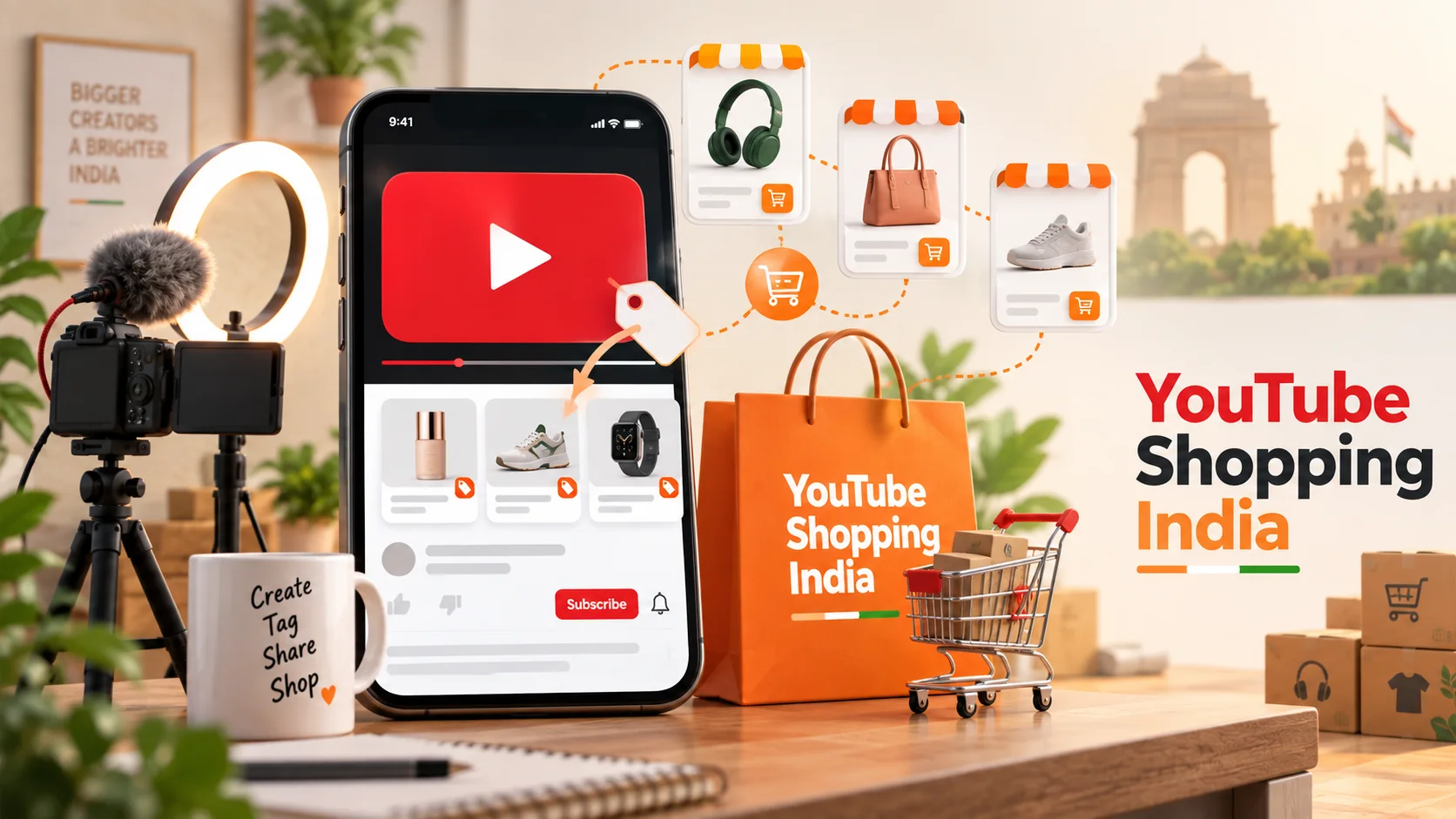
भारत में YouTube Shopping का बड़ा विस्तार: Amazon, AJIO और Meesho जुड़ने से क्या बदलेगा?
YouTube Shopping Affiliate Programme भारत में Amazon, AJIO, Meesho, Snapdeal और Tata CLiQ जैसे नए retail partners के साथ बढ़ रहा है। आसान भाषा में समझिए कि creators, brands और खरीदारों के लिए इसका क्या अर्थ है।
16 · Read blog
Meesho Affiliate Marketing से कमाई कैसे होती है? Influencers के लिए Complete Guide
Meesho products पर affiliate content बनाकर earnings कैसे calculate और track करें? Influencers के लिए content funnel, commission validation, returns, disclosure, payout और fraud safety की practical Hindi guide।
11 · Read blog
Instagram Algorithm 2026 कैसे काम करता है? Feed, Reels, Stories और Explore की Complete Guide
Instagram Feed, Reels, Stories और Explore की ranking को समझने, reach diagnose करने और data-driven content strategy बनाने की detailed Hindi guide।
4 · Read blog
Instagram से पैसे कैसे कमाएं? India के लिए Complete 2026 Guide
India में Instagram audience को brand deals, affiliate, UGC, services, digital products और own-store sales से monetise करने की practical Hindi guide।
3 · Read blog
Comments 0
No comments yet. Be the first to share a useful thought.
Leave a comment
Your email address will not be published. Comments are reviewed before appearing. Web addresses are displayed as plain text and are never clickable.