
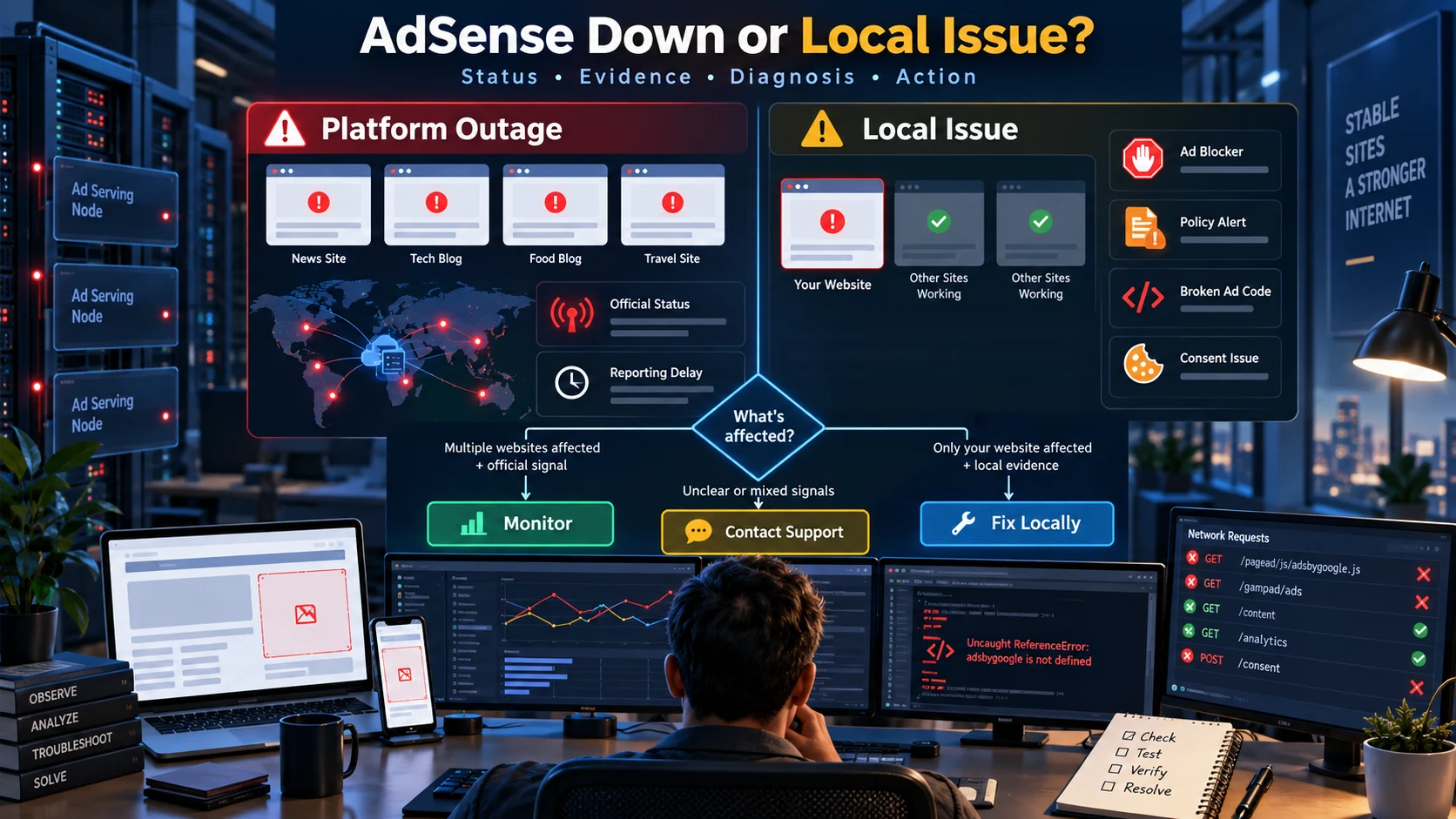
Google AdSense Down है या आपकी Website में Problem? Complete Outage Troubleshooting Guide
AdSense dashboard, ads या reports काम न करें तो platform outage और अपनी website, account, browser या ad code की problem में फर्क कैसे पहचानें—यह practical Hindi incident-response guide पढ़ें।
AdSense dashboard न खुलना, ads अचानक गायब होना या earnings report देर से update होना देखकर तुरंत यह मान लेना आसान है कि पूरी service down है। लेकिन एक ही symptom के कई कारण हो सकते हैं—platform incident, browser ad blocker, account review, policy restriction, गलत ad code, consent setup, unfilled inventory या आपकी website का technical issue। सही diagnosis के बिना code हटाना, site दोबारा submit करना या ad units बदलना समस्या को और जटिल बना सकता है।
यह guide आपको evidence के आधार पर तय करना सिखाती है कि issue global है, regional है, account-specific है या केवल आपकी site तक सीमित है। अगर आपके AdSense review में खास तौर पर “Site down or unavailable” लिखा है, तो पहले हमारी site availability और crawler troubleshooting guide देखें। यहां focus ad-serving outage, dashboard access और report delay पर है।
सबसे पहले symptom को सही नाम दें
| Symptom | इसका अर्थ क्या हो सकता है | पहला check |
|---|---|---|
| Dashboard login नहीं हो रहा | Platform login incident, session, browser या account issue | Incognito और दूसरे network से login test |
| सभी websites पर ads गायब | Platform, account या publisher-code level issue | Official publisher status और account alerts |
| केवल एक website पर ads गायब | Site approval, code, CSP, consent या inventory issue | Network request और site status |
| Ads दिख रहे, report update नहीं | Reporting delay या timezone lag | Ad request evidence और report timestamp |
| Impressions अचानक कम | Traffic, viewability, policy, consent या fill-rate change | Analytics, policy center और ad requests |
| Mobile पर ads नहीं, desktop पर हैं | Responsive width, layout, consent या browser issue | Mobile console और container width |
Outage और local issue में मुख्य अंतर
| Signal | Platform outage की संभावना | Local issue की संभावना |
|---|---|---|
| Scope | कई publishers या कई आपकी sites प्रभावित | एक site, page, browser या ad unit प्रभावित |
| Official status | Incident या service disruption दर्ज | कोई active incident नहीं |
| Account alerts | सभी accounts में similar behavior | Policy, approval या verification alert |
| Ad request | Requests fail या delay across sites | Request बन ही नहीं रही या केवल एक site पर fail |
| Device test | Multiple devices और networks पर same issue | एक browser, extension या network तक सीमित |
| Recent deployment | आपकी deploy timing से संबंध नहीं | Theme, consent या code change के बाद शुरू |
Evidence की सही priority
Community reports useful early warning हो सकती हैं, लेकिन वे अकेले outage का proof नहीं हैं। पहले authoritative और directly observable evidence देखें।
- Official publisher status dashboard: active incident, affected product, start time और recovery update देखें।
- AdSense account: Sites, Policy Center, Payments, verification और notification banners जांचें।
- Browser Network panel: ad request बनी या नहीं, status code क्या है और request block तो नहीं हुई।
- Cross-device test: incognito, दूसरा browser, mobile data और अलग device से compare करें।
- Website evidence: deploy log, consent change, CSP, cache, plugin और server errors देखें।
- Independent reports: इन्हें supporting signal मानें, final diagnosis नहीं।
Official status को कैसे पढ़ें?
| Status | क्या समझें | आपको क्या करना चाहिए |
|---|---|---|
| No active incident | Known platform-wide incident दर्ज नहीं | Local और account checks शुरू करें |
| Service disruption | कुछ functions या users प्रभावित हो सकते हैं | Changes रोकें, evidence save करें, updates monitor करें |
| Service outage | Major availability problem | Wait और monitor; unnecessary site changes न करें |
| Recovery in progress | Service लौट रही है, data lag रह सकता है | Reports को catch up होने का समय दें |
| Resolved | Incident officially closed | अपने account और ads को फिर verify करें |
Status dashboard पर incident न दिखना यह guarantee नहीं कि कोई छोटा account-specific issue नहीं है। इसी तरह social reports बढ़ना यह guarantee नहीं कि हर publisher प्रभावित है। Scope और direct evidence को साथ पढ़ें।
15-minute rapid diagnosis
Minute 0–3: scope तय करें
- क्या dashboard खुल रहा है?
- क्या ads सभी sites पर गायब हैं या एक पर?
- क्या issue सभी devices और networks पर है?
- क्या ads दिख रहे हैं लेकिन report रुकी है?
Minute 3–6: official और account signals
- Official publisher status देखें।
- Account notifications और Policy Center देखें।
- Sites section में status Ready, Getting ready, Requires review या Needs attention है, यह note करें।
- Identity, address, payment या tax verification pending तो नहीं, check करें।
Minute 6–10: browser evidence
- Incognito window खोलें और extensions बंद रखें।
- Developer Tools में Network tab खोलकर page reload करें।
ads?filter से ad request खोजें।- Console में blocked script, CSP, width, consent और JavaScript errors देखें।
Minute 10–15: isolate और record
- दूसरे device और mobile network पर test करें।
- हाल की theme, plugin, consent या cache changes note करें।
- Screenshot, timestamp, URL, browser और response code incident log में save करें।
- Evidence platform issue दिखाए तो configuration न बदलें; local issue हो तो targeted fix करें।
Chrome DevTools से ad request जांचें
Page खोलकर Developer Tools के Network panel में reload करें और ads? search करें। ads?client जैसी request दिखना बताता है कि page ने ad request भेजी। Request बिल्कुल नहीं दिखती तो implementation, consent, JavaScript, extension या container problem की संभावना बढ़ती है।
| Network result | Likely meaning | Next action |
|---|---|---|
| कोई ad request नहीं | Code execute नहीं हुआ, consent रोक रहा या blocker active | Source, console, CMP और extensions check करें |
| ERR_BLOCKED_BY_CLIENT | अक्सर ad blocker या privacy extension | Clean incognito profile में retest करें |
| 403 response | Site/account approval, policy या authorization issue संभव | Sites status और Policy Center देखें |
| 200 response, blank slot | Unfilled inventory, ads.txt, layout या eligibility | Fill, slot size और account signals inspect करें |
| Script CSP से blocked | Security policy resource रोक रही | CSP directives को minimally correct करें |
| Container width zero | Responsive slot size calculate नहीं कर पा रहा | Layout और visible width fix करें |
Dashboard नहीं खुल रहा तो क्या check करें?
| Test | अगर काम करे | Interpretation |
|---|---|---|
| Incognito login | Normal profile fail, incognito works | Cookie, extension या cached session issue |
| दूसरा browser | दूसरे browser में works | Browser-specific configuration |
| Mobile data | Wi-Fi fail, mobile works | DNS, firewall या ISP route issue |
| दूसरा device | एक device fail | Local device issue |
| दूसरा account | एक account fail | Account permission या verification issue |
Password बार-बार बदलना या account recovery शुरू करना तभी उचित है जब login credentials या security का real evidence हो। Platform incident के दौरान repeated login attempts diagnosis को आसान नहीं बनाते।
Ads नहीं दिख रहे: seven common causes
1. Site अभी Ready नहीं है
Sites section में Requires review, Needs attention या Getting ready status होने पर ads का expected behavior अलग हो सकता है। Site हटाकर तुरंत दोबारा add करना review को तेज नहीं करता और processing delay बढ़ा सकता है।
2. Policy या account restriction
Policy Center, invalid traffic notification और account-level warning देखें। केवल blank ad देखकर policy conclusion न निकालें; account evidence जरूरी है।
3. Ad blocker या privacy protection
Extensions, browser shields, DNS filtering और corporate firewall ad scripts block कर सकते हैं। Clean browser profile और alternate network सबसे तेज comparison देते हैं।
4. Ad code implementation
Publisher ID, script placement, duplicate scripts, escaped markup, delayed loader और theme optimization check करें। Cache में पुराना HTML रह सकता है।
5. Consent platform
Consent state गलत हो तो request delay या suppress हो सकती है। Region-specific behavior compare करें और CMP events verify करें। Privacy compliance को bypass करके test न करें।
6. Responsive layout
Hidden tab, collapsed parent या zero-width container responsive ad को usable size नहीं देता। Mobile और desktop दोनों viewport में element dimensions देखें।
7. Unfilled inventory
Successful request के बाद भी हर impression पर ad guarantee नहीं होती। Traffic geography, advertiser demand, page context और eligibility fill को प्रभावित कर सकते हैं।
Reports रुकी हैं लेकिन ads चल रहे हैं
Ad serving और reporting एक ही चीज नहीं हैं। Ads page पर render हो सकती हैं जबकि dashboard में impressions या earnings देर से आएं। पहले page पर real ad request और render verify करें, फिर reporting timestamp note करें।
| Observation | Likely scenario | Action |
|---|---|---|
| Ads render, report flat | Reporting delay | Timestamp save करें और wait करें |
| Ads और requests दोनों absent | Serving या implementation issue | Network/console diagnose करें |
| Today low, yesterday normal | Timezone, traffic या partial-day data | Comparable time window देखें |
| Page views normal, ad impressions low | Consent, viewability या fill issue | CMP और ad request ratio compare करें |
| Only one ad unit drops | Placement, size या unit-specific issue | Element dimensions और unit config देखें |
Incident log बनाएं
एक छोटा incident log support और future troubleshooting दोनों में मदद करता है। अनुमान की जगह repeatable evidence रखें।
| Field | Example |
|---|---|
| First noticed | Date, time और timezone |
| Affected scope | All sites, one site, one page या one device |
| Account status | Ready, policy alert या review state |
| Official status | No incident, disruption या recovery |
| Network evidence | Request URL pattern और response code |
| Console evidence | Exact error text |
| Recent changes | Theme, CMP, CSP, plugin या deployment |
| Tests | Browser, device, network और result |
Issue के दौरान क्या नहीं करना चाहिए?
- हर कुछ मिनट में site remove और re-add न करें।
- बिना evidence सारे ad units regenerate न करें।
- Working code को panic में पूरी तरह न हटाएं।
- अपने ads पर click करके test न करें।
- Firewall और security को पूरे internet के लिए disable न करें।
- Consent requirements bypass न करें।
- Community report को official outage proof न मानें।
- Today की partial report को full-day earnings से compare न करें।
- एक browser test को global availability conclusion न बनाएं।
- Incident resolved होते ही data reconciliation के लिए कुछ समय दिए बिना code changes न करें।
24-hour monitoring plan
| Time | Check | Decision |
|---|---|---|
| 0 minute | Scope, status, account alert, network request | Outage या local path चुनें |
| 15 minute | Second device/network और logs | False local signal हटाएं |
| 1 hour | Status update और ad serving | Monitor या targeted fix |
| 4 hours | Reports और affected pages | Reporting lag अलग करें |
| 12 hours | Stable request/render trend | Recovery validate करें |
| 24 hours | Incident summary और remaining gap | Support case की जरूरत तय करें |
Support से कब contact करें?
Official status पर incident नहीं है, issue multiple clean tests में repeat होता है, account alerts कारण नहीं बताते और targeted checks के बाद भी ad requests fail हैं—तब available support channel या troubleshooter use करें। Support message में publisher ID publicly share न करें; account के secure channel में ही दें।
Case में affected URL, exact timestamp with timezone, browser/device, response code, screenshots, account site status, policy status और आपने किए tests की concise list जोड़ें। “Ads काम नहीं कर रहे” से बेहतर है “तीन browsers और दो networks पर ad request 403 दे रही है; site Ready है और कोई active policy alert नहीं” जैसी evidence-based summary।
Final decision checklist
- कई sites/users प्रभावित और official incident है: monitor करें।
- केवल आपका browser प्रभावित है: extension, session या network fix करें।
- केवल एक site प्रभावित है: approval, policy, code, consent और layout check करें।
- Ads चल रहे लेकिन reports late हैं: reporting delay record करके wait करें।
- Evidence mixed है: incident log पूरा करें और unnecessary changes रोकें।
- Issue repeatable है लेकिन कारण नहीं मिला: support case में evidence भेजें।
निष्कर्ष
AdSense outage diagnose करने का सबसे सुरक्षित तरीका scope, official status, account state, browser network evidence और cross-device tests को एक साथ पढ़ना है। Platform issue में wait और monitoring सही action है; local issue में targeted fix। दोनों स्थितियों में random configuration changes नुकसान कर सकते हैं।
पहले यह तय करें कि क्या प्रभावित है, फिर evidence collect करें और उसी layer पर action लें। इसी disciplined process से downtime कम होगा, गलत fixes बचेंगे और support को उपयोगी technical details मिलेंगी।
Article at a glance
| Written by | Priya Deshmukh |
|---|---|
| Published | 28 Sep 2026, 12:40 AM IST |
| Reading time | 10 minutes |
| Topic | Ecommerce research and practical guidance |
Frequently Asked Questions
कैसे पता करें कि Google AdSense down है?
Official publisher status, कई websites का behavior, multiple devices और networks, account alerts तथा ad-request evidence compare करें। केवल community reports को final proof न मानें।
Ads नहीं दिख रहे लेकिन official outage नहीं है, क्या करें?
Sites status, Policy Center, browser extensions, consent platform, ad code, CSP, responsive container width और Network panel में ad request check करें।
ERR_BLOCKED_BY_CLIENT का क्या मतलब है?
यह अक्सर ad blocker, privacy extension या browser protection के कारण आता है। Clean incognito profile और दूसरे network में retest करें।
Ad request 403 दे तो क्या कारण हो सकता है?
Site approval, account authorization या policy-related state संभव है। Sites section, account notifications और Policy Center verify करें।
Ads दिख रहे हैं लेकिन earnings update नहीं हो रही, क्या यह outage है?
यह reporting delay हो सकता है। Page पर ad serving verify करें, report timestamp note करें और comparable time window में monitor करें।
क्या outage के दौरान site remove करके दोबारा add करनी चाहिए?
नहीं। Platform incident या reporting delay में repeated removal और resubmission processing को जटिल कर सकता है। Evidence के बिना configuration न बदलें।
Support ticket में क्या information भेजनी चाहिए?
Affected URL, exact time with timezone, device, browser, network result, response code, site status, policy status, screenshots और किए गए tests की list दें।
एक site पर ads नहीं और दूसरी पर चल रहे हैं तो क्या global outage है?
आमतौर पर local site-level issue की संभावना अधिक है। उस site का approval, code, consent, CSP, layout और ad requests inspect करें।

Priya Deshmukh
Editorial Research WriterPriya turns research, public data and practical checks into clear articles for AFShop readers.
View author profileRead More Blogs
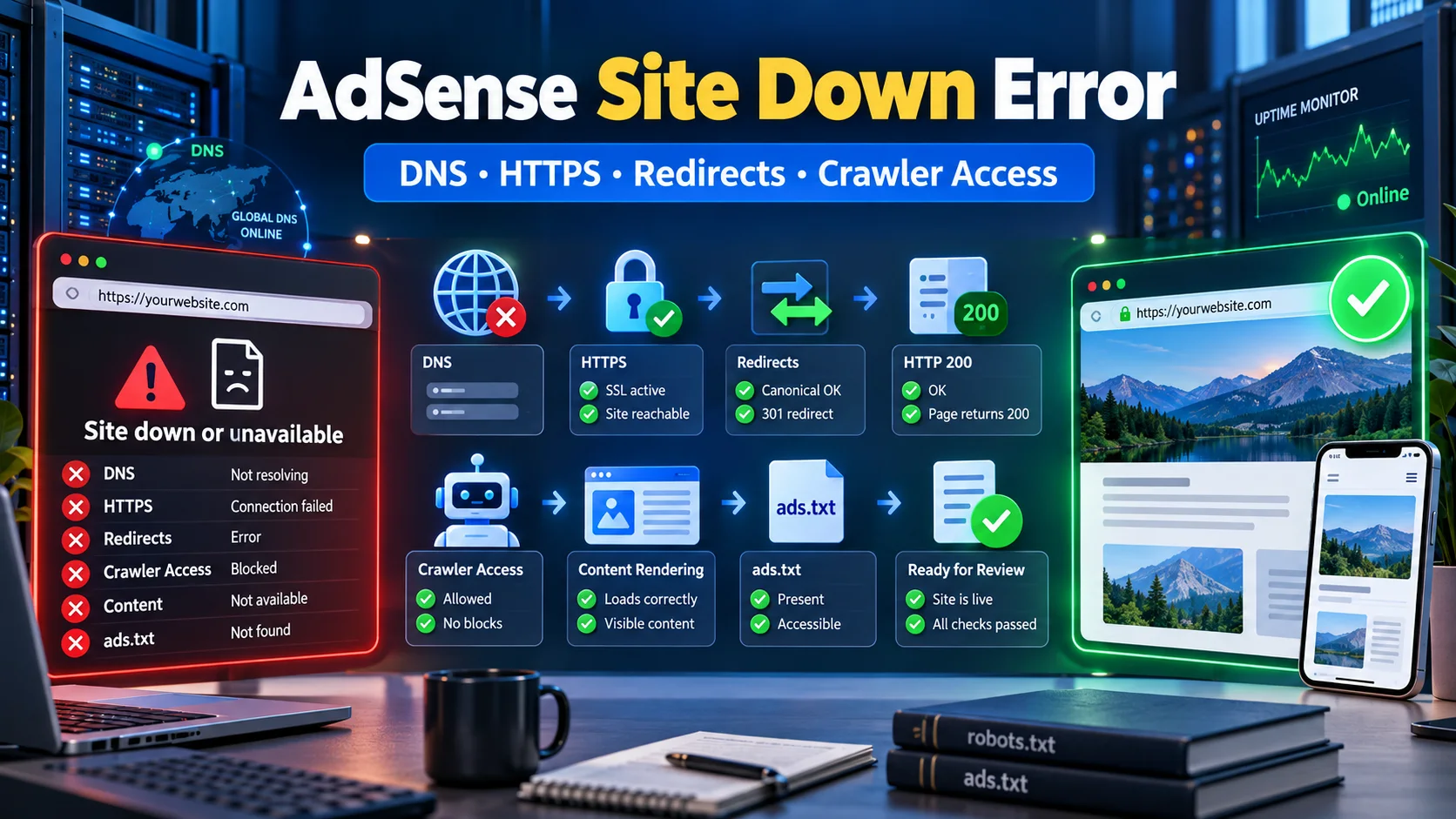
Google AdSense “Site Down or Unavailable” Error कैसे Fix करें? Complete Guide
AdSense review में Site down or unavailable error आने पर DNS, HTTPS, www redirects, HTTP status, robots.txt, firewall, rendering, ads.txt और review readiness को step-by-step diagnose करें।
6 · Read blog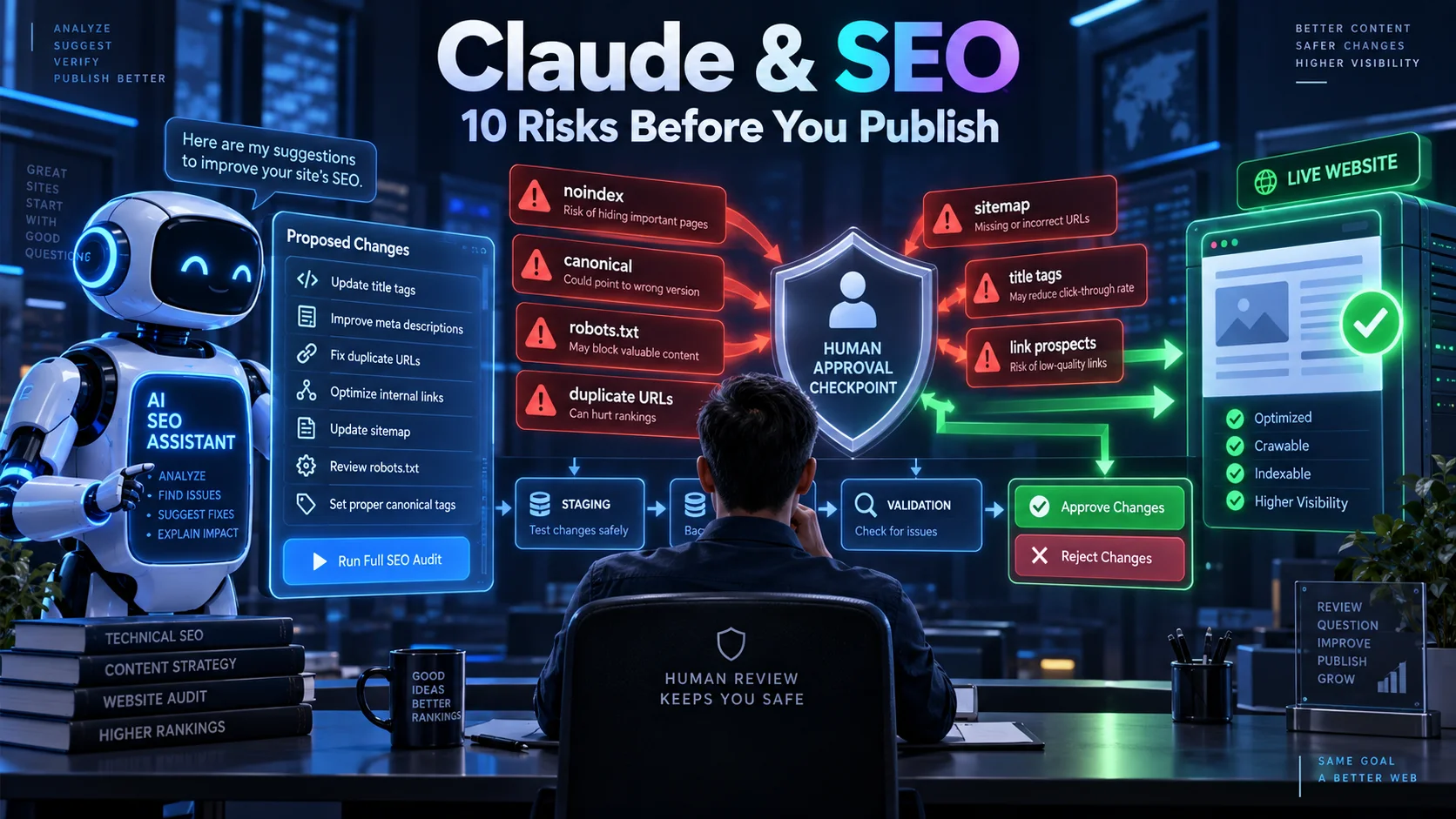
Claude से SEO कराते समय ये 10 गलतियां आपकी Rankings बिगाड़ सकती हैं
Claude keyword research, technical audit और content planning को तेज कर सकता है, लेकिन बिना verification उसके noindex, canonical, sitemap, title और link-building सुझाव rankings को नुकसान पहुंचा सकते हैं। जानिए 10 बड़े risks और सुरक्षित AI SEO workflow।
5 · Read blog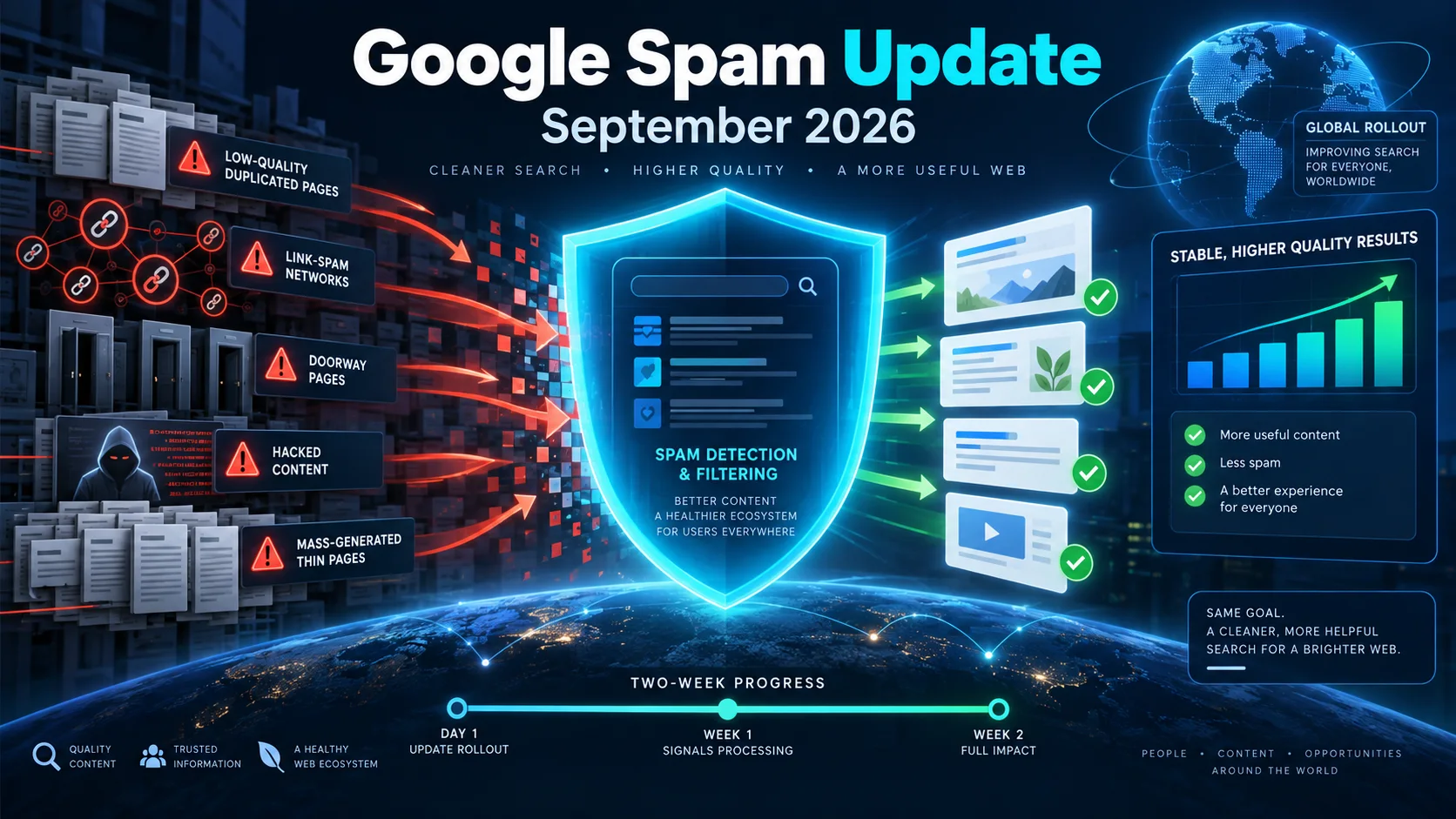
Google September 2026 Spam Update शुरू: Website Owners और SEO Professionals को क्या करना चाहिए?
Google ने September 2026 spam update का global rollout शुरू कर दिया है। यह सभी देशों और भाषाओं पर लागू है तथा पूरा होने में दो सप्ताह तक लग सकते हैं। जानिए rankings बदलने पर क्या जांचें, किन spam practices से बचें और recovery के लिए सही action plan क्या है।
5 · Read blog
AI Search Engines के लिए Website कैसे Optimize करें? Complete AEO/GEO Guide 2026
Google AI Overviews, AI Mode, ChatGPT Search और Bing में website की discoverability बढ़ाने के लिए technical SEO, content, entities, structured data और measurement की practical Hindi guide।
4 · Read blog
Comments 0
No comments yet. Be the first to share a useful thought.
Leave a comment
Your email address will not be published. Comments are reviewed before appearing. Web addresses are displayed as plain text and are never clickable.