

Google News Publisher Guide 2026: Website को News में कैसे लाएं?
Google News के current automated discovery system, Publisher Center changes, News sitemap, article schema, transparency, editorial quality और Search Console tracking की complete Hindi guide।
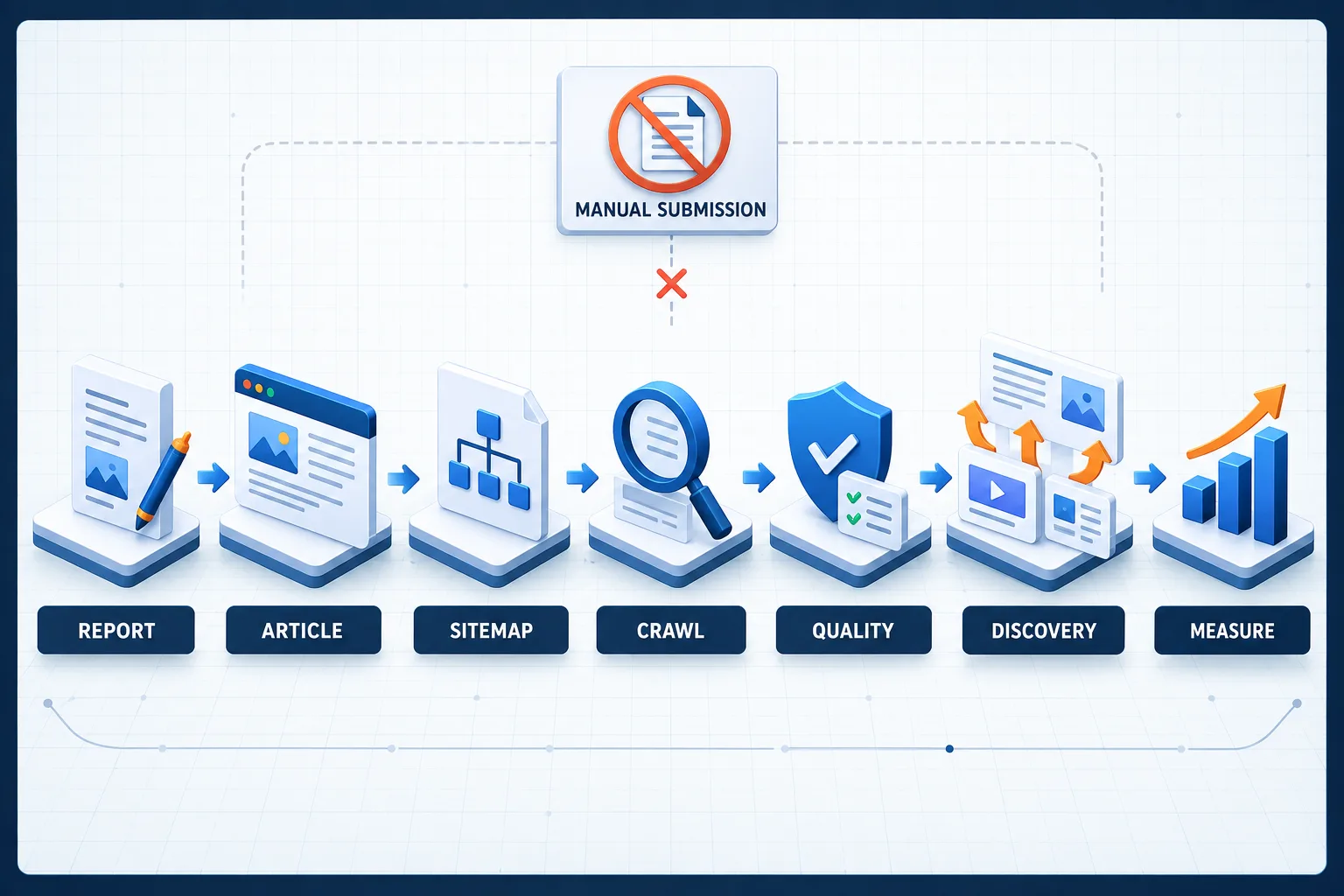
Google News में website लाने का process अब पुराने “publication बनाएं, RSS section जोड़ें और review के लिए submit करें” workflow जैसा नहीं है। March 2025 से Google News publication pages automatically generate होती हैं। Publisher Center में manually created publication pages, custom sections और submitted RSS or web locations अब Google News landing pages के लिए use नहीं होते।
इसका मतलब यह नहीं कि publishers के लिए Google News बंद हो गया है। Eligible web content को Google के automated systems discover और consider करते हैं। अब focus Publisher Center form भरने से अधिक website crawlability, original reporting, editorial transparency, accurate dates, permanent URLs, News sitemap, structured data और policy compliance पर है।
सबसे पहले: 2025 में क्या बदल गया?
| Old workflow | Current workflow |
|---|---|
| Publisher manually Google News publication page बनाता था | Publication pages automatically generated हो सकती हैं |
| RSS feeds और web locations से custom sections बनते थे | Submitted feeds/locations publication landing page के लिए use नहीं होते |
| Google News tile में sections customize होते थे | Google News tile और nonessential customization discontinued है |
| Publisher Center logo and publication title control करता था | Site favicon और site-name signals अधिक important हैं |
| “Apply for inclusion” primary action माना जाता था | Compliant web content automatically consideration के लिए eligible है |
हर eligible article का Google News में दिखना guaranteed नहीं है और हर publication को automatically generated landing page मिलना भी guaranteed नहीं है। Discovery और ranking algorithmic हैं।
Publisher Center अब किस काम आता है?
Publisher Center पूरी तरह बंद नहीं हुआ है। Current official overview के अनुसार इसका उपयोग publication and organization की basic information, verified website properties और contact details manage करने के लिए किया जा सकता है। Reader Revenue Manager और Google News Showcase जैसे eligible products भी Publisher Center से manage हो सकते हैं।
इसे CMS, article submission tool या guaranteed News approval dashboard न समझें। केवल publication record बनाना ranking signal या inclusion guarantee नहीं है।
Google News Eligibility कैसे काम करती है?
News surfaces पर आने के लिए content को Google Search policies, spam policies और Google News-specific content policies follow करनी होती हैं। Automated systems relevance, prominence, authoritativeness, freshness, usability, location और language जैसे factors use कर सकते हैं। Advertising program में participation ranking improve नहीं करता।
Practical workflow इस प्रकार है:
- Original and useful news content publish करें।
- Article को crawlable, indexable and technically clear बनाएं।
- Dates, author, publisher and contact transparency provide करें।
- News sitemap and internal HTML links से discovery support करें।
- Structured data से article facts clarify करें।
- Search Console में indexing and performance monitor करें।
Step 1: Clear Publication Identity बनाएं
Google और readers को यह समझना चाहिए कि website कौन operate करता है और editorial responsibility किसकी है। कम से कम ये pages रखें:
- About: publication का purpose, coverage and ownership.
- Contact: working editorial or support contact.
- Editorial Policy: sourcing, review, correction and update standards.
- Corrections Policy: errors report और correction process.
- Author Profiles: real or transparently disclosed editorial identity, bio and article archive.
- Ownership and Funding: company/network and material relationships जहां applicable हों.
- Privacy and Terms: user data and service rules.
Site name पूरे header, metadata and structured data में consistent रखें। Favicon crawlable, stable और supported format में हो। Publisher Center customization के बजाय Google News publisher logo के लिए site favicon और title के लिए site-name signals use कर सकता है।
Step 2: News Content और Commercial Content अलग रखें
Google News policy paid or sponsored material को independent editorial content की तरह conceal करने की अनुमति नहीं देती। Affiliate, ownership, payment या material support clear disclose करें। Ads और promotional material article के editorial content पर हावी नहीं होना चाहिए।
| Content type | Recommended handling |
|---|---|
| Independent news report | Byline, sources, dates and editorial review |
| Sponsored article | Prominent sponsorship label and relationship disclosure |
| Affiliate buying guide | Affiliate disclosure and honest selection method |
| Press release | Clearly identify supplied statement; add independent reporting if presented as news |
| Opinion | Label opinion and identify author perspective |
| Correction/update | Explain material changes and preserve original URL |
Step 3: Article Page का सही Structure
Googlebot को headline, publication time और main article body easily identify होना चाहिए। एक news page में:
- Unique and permanent URL
- One clear primary headline
- Visible author byline linked to profile
- Clear publication date and time with timezone
- Material update होने पर separate modified date
- Relevant high-resolution lead image and caption
- Main article body available in crawlable HTML
- Sources, context and correction information
- Related internal links
Important article text केवल client-side JavaScript response के बाद load न हो। Article section pages में normal HTML links रखें; image-only or JavaScript-only navigation discovery रोक सकती है।
Headline और URL Guidelines
- Page
<title>, visible H1 और section-page anchor text closely match करें। - Clickbait promise न करें जो article fulfill नहीं करता।
- Headline में unnecessary date, publisher name or author name न जोड़ें।
- हर article का dedicated permanent URL रखें।
- Same story को fresh दिखाने के लिए new URL पर republish न करें।
- Permanent migration पर proper 301 redirect और canonical use करें।
Step 4: Publication Dates को सही रखें
Visible publication date and time ideally headline और article body के बीच हो। वही value structured data और News sitemap में consistent होनी चाहिए। Significant new information जोड़ने पर modified time update किया जा सकता है, लेकिन केवल freshness gain करने के लिए date बदलना artificial freshening है।
Developing story में update log useful हो सकता है। Example:
- Published: 29 September 2026, 10:00 IST
- Updated: 29 September 2026, 14:30 IST
- Update note: Added the regulator statement and revised affected-user count.
Step 5: Google News Sitemap बनाएं
News sitemap Google को fresh news URLs और publication information discover करने में मदद करती है। Separate News sitemap tracking आसान बना सकती है। इसे Search Console में submit करें, लेकिन याद रखें कि sitemap indexing or placement guarantee नहीं देती।
Official guidance के अनुसार News sitemap में पिछले दो दिनों में published recent article URLs रखें। एक sitemap में अधिकतम 1,000 <news:news> entries हो सकती हैं। पुरानी URL को general sitemap में रखा जा सकता है, लेकिन दो दिन बाद News-specific metadata remove करें। हर update पर नया sitemap file न बनाएं; existing file refresh करें।
<?xml version="1.0" encoding="UTF-8"?>
<urlset xmlns="http://www.sitemaps.org/schemas/sitemap/0.9"
        xmlns:news="http://www.google.com/schemas/sitemap-news/0.9">
  <url>
    <loc>https://example.com/news/sample-story</loc>
    <news:news>
      <news:publication>
        <news:name>Example News</news:name>
        <news:language>hi</news:language>
      </news:publication>
      <news:publication_date>2026-09-29T10:00:00+05:30</news:publication_date>
      <news:title>Sample News Headline</news:title>
    </news:news>
  </url>
</urlset>
Publication name article/site identity से match करे, language सही ISO code में हो और date original publication time हो—sitemap में add करने का time नहीं।
Step 6: NewsArticle Structured Data
Article or NewsArticle structured data Google को headline, image, author and dates समझने में मदद करती है। Google News eligibility के लिए schema mandatory नहीं है और markup inclusion guarantee नहीं देता। Visible page और JSON-LD values match करनी चाहिए।
{
  "@context": "https://schema.org",
  "@type": "NewsArticle",
  "headline": "Sample News Headline",
  "image": [
    "https://example.com/images/story-16x9.jpg",
    "https://example.com/images/story-4x3.jpg",
    "https://example.com/images/story-1x1.jpg"
  ],
  "datePublished": "2026-09-29T10:00:00+05:30",
  "dateModified": "2026-09-29T14:30:00+05:30",
  "author": {
    "@type": "Person",
    "name": "Author Name",
    "url": "https://example.com/authors/author-name"
  },
  "publisher": {
    "@type": "Organization",
    "name": "Example News"
  }
}
Relevant article image use करें, logo को story image के रूप में mark न करें। Image URLs crawlable और indexable हों। Multiple high-resolution aspect ratios—16:9, 4:3 and 1:1—provide करना useful है। Rich Results Test and URL Inspection से markup verify करें।
Step 7: Lead Image और Social Preview
- Image story से directly relevant हो।
- High resolution और reasonable aspect ratio रखें।
- Image article title के पास inline render करें।
- Accurate caption और descriptive alt दें।
og:imageand Article schema image provide करें।- robots.txt, CDN token or hotlink protection crawler को image block न करे।
- Misleading composite or manipulated media को proper context दें।
Step 8: Authors और Editorial Trust
हर article पर named author और profile link रखें। Author page में bio, coverage area, recent articles and contact/correction method हो। Pen name use हो तो readers को mislead न करें। AI-generated portrait or editorial identity का transparent disclosure रखें और fake qualification, employment history or field reporting claim न करें।
Publisher page पर ownership, editorial standards, corrections and commercial relationships clear रखें। यह केवल schema task नहीं है; information users को visible होनी चाहिए।
Step 9: Original Reporting और Source Discipline
Ranking factors में authoritativeness and prominence शामिल हो सकते हैं, लेकिन कोई paid shortcut नहीं है। Original reporting बनाने के लिए:
- Primary documents and direct statements use करें।
- Facts को publish से पहले verify करें।
- Rumour, inference and confirmed fact अलग label करें।
- Source unavailable हो तो limitation state करें।
- Copied article को synonyms बदलकर original न बताएं।
- Data methodology and date range publish करें।
- Corrections visibly और promptly करें।
AI assistance research organization and drafting में useful हो सकती है, लेकिन invented quotes, fabricated sources और unchecked factual claims severe trust risk हैं। Human editorial review mandatory रखें।
Step 10: Language और Section Structure
एक article में language unnecessarily mix करने से classification कठिन हो सकती है। Hindi publication में unavoidable product names and technical terms ठीक हैं, लेकिन complete paragraphs को random languages में switch न करें। Separate language sections के लिए stable paths, appropriate lang attributes and hreflang setup रखें। UTF-8 encoding use करें।
Category and news section URLs permanent रखें, जैसे /news/technology या /news/business। इन pages से latest articles तक static HTML links हों। Infinite scroll use करें तो paginated crawlable fallback भी रखें।
Technical News Audit
| Check | Expected result | Tool |
|---|---|---|
| HTTP response | Canonical article returns 200 | URL Inspection and server check |
| Indexing | No accidental noindex or robots block | Search Console |
| Canonical | Points to permanent article URL | Rendered HTML |
| Main content | Visible crawlable HTML | View source and rendered page |
| Dates | Visible, schema and sitemap agree | Rich Results Test |
| Author | Visible byline and profile URL | Page inspection |
| Lead image | Crawlable, relevant and high resolution | URL Inspection |
| News sitemap | Fresh two-day URLs and valid XML | Search Console Sitemap report |
| Mobile UX | Readable, stable and fast | Core Web Vitals and device tests |
Ads, Affiliate Links और Paywalls
Ads editorial content से अधिक prominent नहीं होने चाहिए। Interstitials article access obstruct न करें। Sponsored material clearly label करें। Affiliate links के लिए disclosure visible रखें। Subscription content में paywall structured data और isAccessibleForFree का accurate use करें; crawler को cloaked full text दिखाकर users को unrelated experience न दें।
Search Console में Google News Performance Track करें
Search Console में dedicated Google News performance report available होने पर clicks, impressions, pages, countries, devices and dates देखें। Search Results report में News search type filter भी useful हो सकता है। Indexing, sitemap और URL Inspection reports technical diagnosis के लिए use करें।
| Metric | Interpretation | Next action |
|---|---|---|
| News impressions | Content surfaced हुआ | Winning topics and formats identify करें |
| Click-through rate | Headline-image relevance | Accuracy बनाए रखते हुए clarity improve करें |
| Indexed recent articles | Discovery health | Sitemap, links and crawl issues inspect करें |
| Top countries/languages | Audience distribution | Coverage and language strategy align करें |
| Returning readers | Publication loyalty | Newsletter, follow and topic depth improve करें |
Article Google News में नहीं दिख रहा तो क्या Check करें?
- क्या URL indexed है? Search Console URL Inspection देखें।
- क्या robots, noindex, login or firewall Googlebot को block करता है?
- क्या article internal HTML link से reachable है?
- क्या publication date visible and consistent है?
- क्या page unique permanent URL पर है?
- क्या headline and main body crawler के लिए clear हैं?
- क्या article original value देता है या thin aggregation है?
- क्या byline, author, publisher and contact transparency complete है?
- क्या sponsored relationship disclosed है?
- क्या Manual Actions या security issue report है?
इन सभी checks के बाद भी inclusion guaranteed नहीं है। Publisher Center support algorithmic ranking override नहीं करता।
Common Myths
- “Publisher Center में RSS डालना जरूरी है”: Google News publication pages अब submitted RSS/web locations use नहीं करतीं.
- “Publication publish button से approval मिलता है”: Manual publication-page review workflow current inclusion model नहीं है.
- “AdSense approval से News ranking बढ़ेगी”: Advertising program participation ranking factor नहीं है.
- “NewsArticle schema लगा दिया तो Top Stories मिलेगा”: Schema understanding में मदद करती है, placement guarantee नहीं देती.
- “हर दिन date बदलना freshness है”: बिना significant update artificial freshening policy issue बन सकती है.
- “News sitemap में पूरी archive डालें”: News-specific entries recent two-day articles तक रखें.
- “ज्यादा ads ज्यादा credibility दिखाते हैं”: Ads content पर हावी नहीं होने चाहिए.
- “Copied news rewrite original reporting है”: Cosmetic rewriting authority and trust नहीं बनाती.
30-Day Google News Readiness Plan
| Week | Focus | Deliverable |
|---|---|---|
| Week 1 | Identity and transparency | About, Contact, Editorial, Corrections and author pages |
| Week 2 | Technical article template | Permanent URLs, dates, schema, images and HTML links |
| Week 3 | News sitemap and Search Console | Valid fresh sitemap, verified property and monitoring |
| Week 4 | Editorial quality and measurement | Original reporting calendar, review process and dashboard |
Final Checklist
- Publisher Center को submission shortcut की तरह treat नहीं किया गया.
- Publication identity and working contact visible हैं.
- Every article has permanent URL, headline, byline, date and time.
- News sitemap last two days के articles automatically updates करती है.
- NewsArticle schema visible content से match करती है.
- High-resolution lead images crawlable हैं.
- Sponsored and affiliate relationships disclosed हैं.
- Original reporting and correction process documented है.
- Search Console reports regularly reviewed हैं.
- Artificial freshness, copied content and misleading previews avoid किए गए हैं.
Final Takeaway
2026 में Google News visibility Publisher Center में sections बनाकर publication submit करने का project नहीं है। यह एक continuous publishing system है: trustworthy editorial identity, original reporting, technically clear article pages, fresh News sitemap, accurate structured data, policy compliance and Search Console measurement।
पहले automation-ready website बनाएं, फिर consistent quality publish करें। कोई form, schema or sitemap inclusion guarantee नहीं देता, लेकिन सही technical and editorial foundation Google को content discover और evaluate करने का सबसे अच्छा अवसर देती है। News and AI discovery को साथ improve करने के लिए AI Search Optimization guide और content-quality risks के लिए Google spam update guide भी पढ़ें।
Article at a glance
| Written by | Devansh Kulkarni |
|---|---|
| Published | 29 Sep 2026, 08:15 PM IST |
| Reading time | 12 minutes |
| Topic | Ecommerce research and practical guidance |
Frequently Asked Questions
क्या 2026 में Google News के लिए website manually submit करनी पड़ती है?
नहीं। Compliant web content automatically consideration के लिए eligible है। Manual publication pages and custom RSS sections current Google News workflow नहीं हैं।
क्या Publisher Center बंद हो गया है?
नहीं। यह basic publication information, verified URLs, contacts, Reader Revenue Manager and eligible News Showcase settings के लिए उपयोग हो सकता है, लेकिन Google News publication-page submission tool नहीं है।
Google News sitemap में कितने दिन के articles होने चाहिए?
Official guidance के अनुसार News-specific metadata में पिछले दो दिनों में published recent articles रखें। Older URLs general sitemap में रह सकती हैं।
एक News sitemap में कितने articles हो सकते हैं?
एक News sitemap में अधिकतम 1,000 news entries हो सकती हैं। अधिक होने पर multiple sitemaps and sitemap index use करें।
क्या NewsArticle schema Google News के लिए mandatory है?
नहीं। यह Google को headline, author, image and dates समझने में मदद करती है, लेकिन eligibility or placement guarantee नहीं देती।
Google News article पर date कैसे दिखानी चाहिए?
Clear visible publication date and time ideally headline and article body के बीच दिखाएं और schema तथा sitemap में same original time रखें।
क्या पुराने article की date रोज बदल सकते हैं?
नहीं। Significant material update के बिना date बदलना artificial freshening माना जा सकता है। Original URL preserve करें और genuine update note दें।
Google News में logo कहां से आता है?
Current automated publication experience site favicon को publisher logo और site-name signals को publication title के लिए use कर सकती है।
क्या AdSense approval Google News ranking बढ़ाता है?
नहीं। Google की guidance के अनुसार advertising program participation Google News ranking को improve नहीं करता।
Google News traffic कैसे track करें?
Search Console के Google News performance report, News search-type filter, URL Inspection, Indexing and Sitemap reports से visibility and technical health track करें।

Devansh Kulkarni
Data and Digital Platforms WriterDevansh explains platform changes, digital measurement and technology trends through practical, evidence-led reporting.
View author profileRead More Blogs
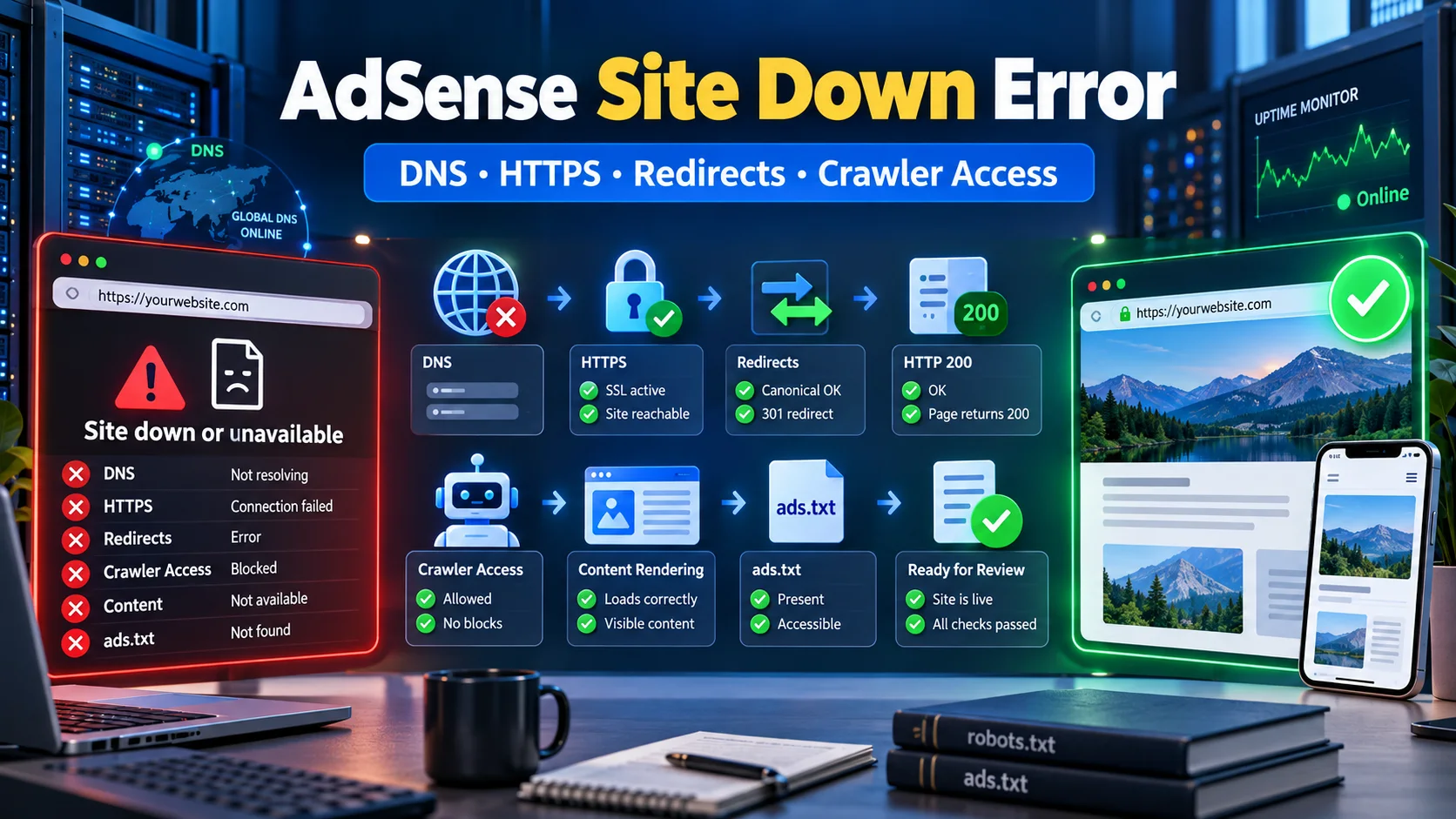
Google AdSense “Site Down or Unavailable” Error कैसे Fix करें? Complete Guide
AdSense review में Site down or unavailable error आने पर DNS, HTTPS, www redirects, HTTP status, robots.txt, firewall, rendering, ads.txt और review readiness को step-by-step diagnose करें।
6 · Read blog
Google AdSense Down है या आपकी Website में Problem? Complete Outage Troubleshooting Guide
AdSense dashboard, ads या reports काम न करें तो platform outage और अपनी website, account, browser या ad code की problem में फर्क कैसे पहचानें—यह practical Hindi incident-response guide पढ़ें।
5 · Read blog
Claude से SEO कराते समय ये 10 गलतियां आपकी Rankings बिगाड़ सकती हैं
Claude keyword research, technical audit और content planning को तेज कर सकता है, लेकिन बिना verification उसके noindex, canonical, sitemap, title और link-building सुझाव rankings को नुकसान पहुंचा सकते हैं। जानिए 10 बड़े risks और सुरक्षित AI SEO workflow।
5 · Read blog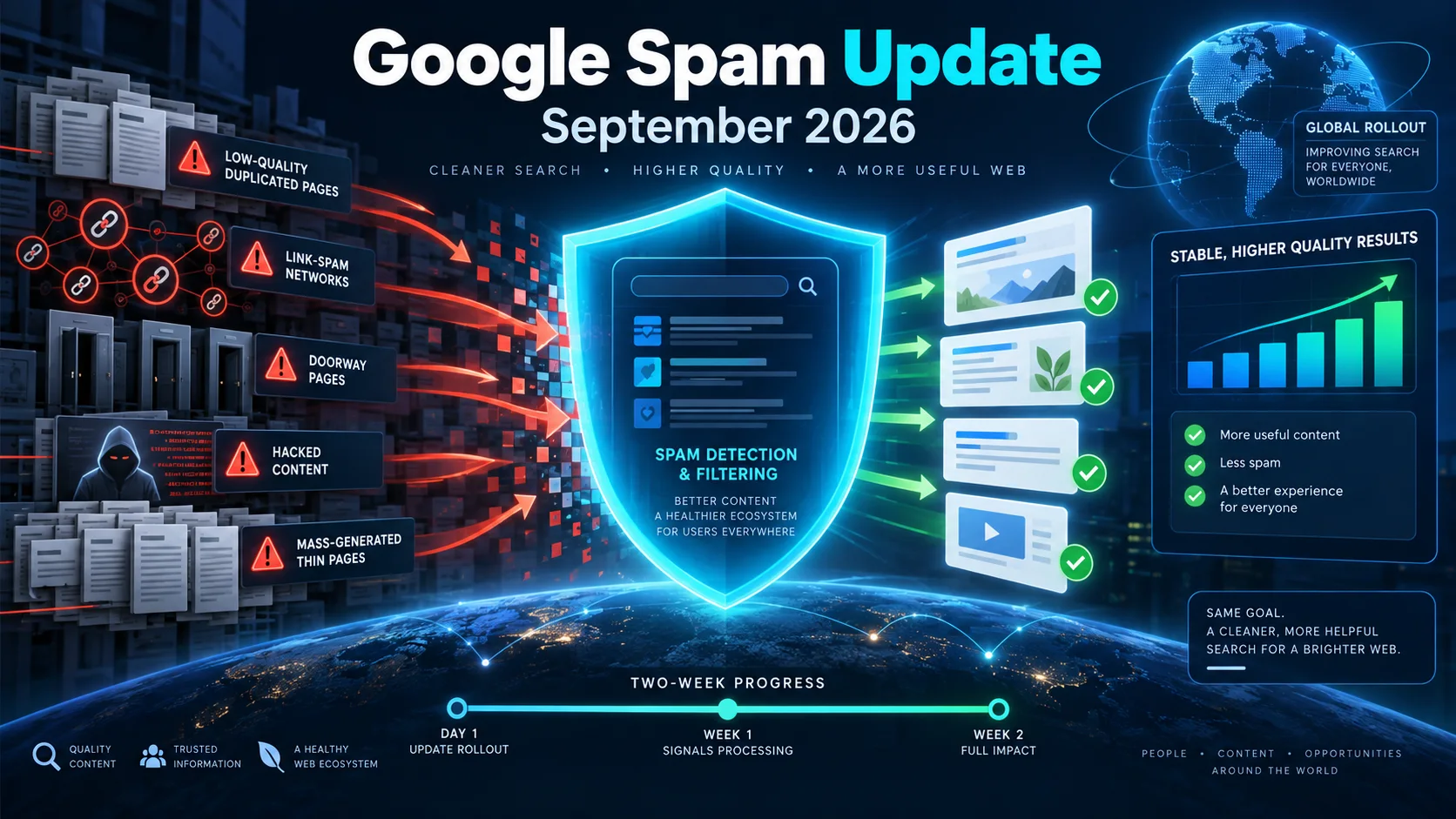
Google September 2026 Spam Update शुरू: Website Owners और SEO Professionals को क्या करना चाहिए?
Google ने September 2026 spam update का global rollout शुरू कर दिया है। यह सभी देशों और भाषाओं पर लागू है तथा पूरा होने में दो सप्ताह तक लग सकते हैं। जानिए rankings बदलने पर क्या जांचें, किन spam practices से बचें और recovery के लिए सही action plan क्या है।
5 · Read blog
Comments 0
No comments yet. Be the first to share a useful thought.
Leave a comment
Your email address will not be published. Comments are reviewed before appearing. Web addresses are displayed as plain text and are never clickable.