
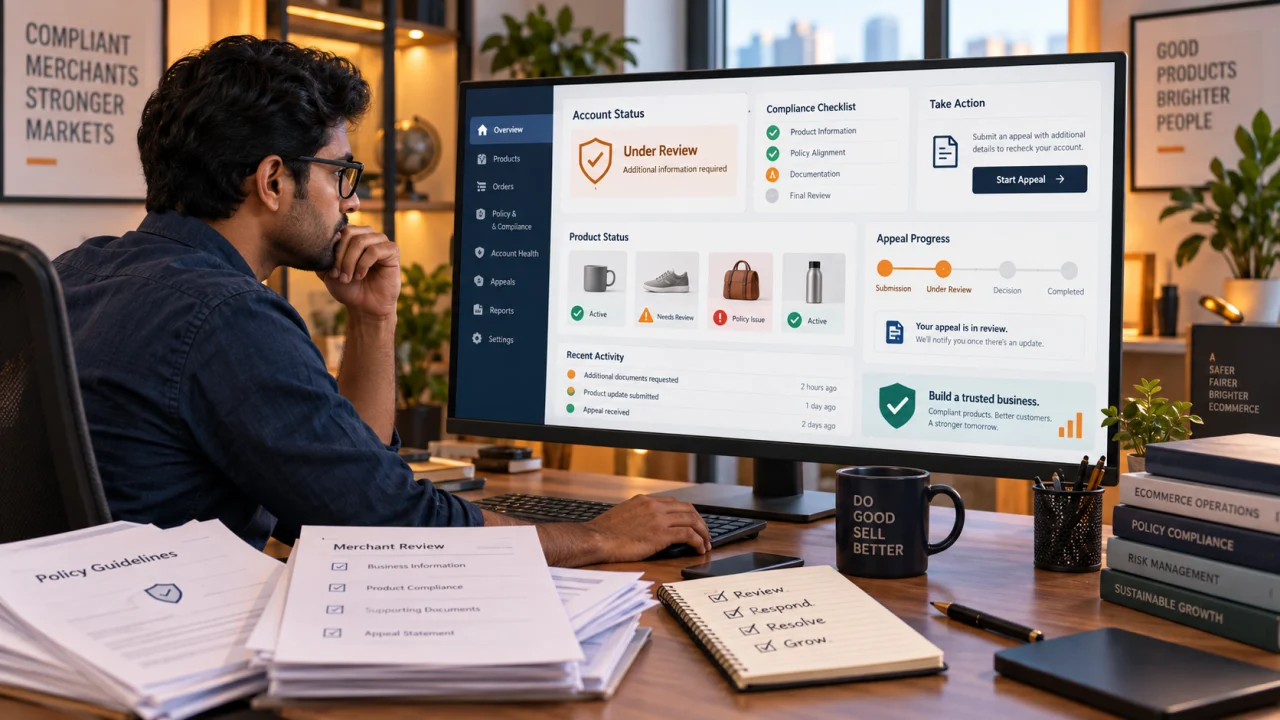
Google Merchant Center Policy Docs Update 2026: Account Warnings, Bulk Appeals और Merchant Action Plan
Google Merchant Center की updated policy documentation में account-level enforcement, bulk appeals, new dashboard workflow और third-party platform instructions को कैसे समझें—Indian merchants के लिए practical Hindi guide।
Google Merchant Center की कई Shopping policy help pages September 2026 के दौरान नए structure और common enforcement workflow के साथ update हुई हैं। इसमें dangerous products, counterfeit goods, dishonest behaviour enabling products, sexual content, editorial and professional requirements, misrepresentation और broader Shopping policies जैसे areas शामिल हैं।
सबसे जरूरी clarification यह है कि documentation update को अपने आप “नई और अधिक कठोर policy” न समझें। Google की official announcement के अनुसार Shopping ads और product listings की policies को एक unified Shopping policy set में organize किया जा रहा है ताकि rules अधिक clear रहें। Official notice इसे substantial policy change या stricter enforcement के रूप में describe नहीं करती।

फिर भी merchants के लिए operational impact महत्वपूर्ण है। Updated help pages account-level warnings, product visibility limits, individual fixes, bulk appeal, new dashboard navigation और third-party platform workflows को पहले से अधिक standardized तरीके से समझाती हैं। यानी rule का core meaning भले वही रहे, लेकिन issue resolve करने और appeal submit करने का process ज्यादा structured हो गया है।
Update में वास्तव में क्या बदला?
| Area | Updated documentation का focus | Merchant implication |
|---|---|---|
| Policy structure | Shopping ads और listings के लिए अधिक unified presentation | एक ही policy family में scope और applicable surface ध्यान से पढ़ें |
| Account impact | Account disapproval और visibility limits अधिक prominently explain किए गए | Issue को केवल एक rejected SKU मानकर ignore न करें |
| Resolution path | Standard dashboard navigation और fix workflow | Correct issue card से evidence और review action लें |
| Appeals | Individual तथा bulk appeal options के लिए clearer steps | Bulk appeal से पहले पूरे affected set को audit करना जरूरी |
| Third-party tools | Connected ecommerce platform users के लिए separate guidance | Feed source में fix करके Merchant Center sync confirm करें |
क्या prohibited-product definitions बदल गई हैं?
इस documentation refresh का broad theme definitions बदलने से ज्यादा enforcement guidance और user-interface instructions को consistent बनाना है। उदाहरण के लिए counterfeit product अब अचानक किसी बिल्कुल नई definition से judged नहीं होगा; dangerous product या misrepresentation का core concern भी वही है—customer safety, authenticity, truthful identity, accurate offer और functional purchase experience।
लेकिन merchant को हर affected policy page का current text पढ़ना चाहिए। एक unified policy set में कुछ rules केवल Shopping ads पर लागू रह सकते हैं, जबकि दूसरे free listings और ads दोनों पर लागू हो सकते हैं। Help page पर surface-specific note को ignore नहीं करना चाहिए।
Product-level issue और account-level issue में अंतर
Product-level disapproval में specific offers ads या free listings के लिए ineligible हो सकते हैं। बाकी compliant products चल सकते हैं। Account-level issue व्यापक visibility, product limits या पूरे account की eligibility प्रभावित कर सकता है। गंभीर या repeated violation में risk अधिक होता है।
| Signal | Product-level | Account-level |
|---|---|---|
| Scope | Selected item IDs | Account, data source या बड़ा product set |
| First action | Affected attributes और landing page fix | Root cause, website trust और full feed audit |
| Review | Data refresh के बाद automatic re-review हो सकता है | Warning deadline, verification या formal review आवश्यक हो सकता है |
| Evidence | Product data और page consistency | Business identity, policies, checkout, feed और affected inventory |
| Risk | Specific offer visibility | Wider account visibility और appeal limits |
Dashboard message की exact wording देखें। “Needs attention”, “limited visibility”, warning deadline और account suspension एक ही severity नहीं हैं। Screenshot के आधार पर random fixes करने के बजाय issue details export करें।
Updated dashboard workflow को कैसे follow करें?
- Products and store area खोलें: Needs attention section में active issue देखें। UI wording account और rollout के अनुसार थोड़ा अलग हो सकती है।
- View fix चुनें: Issue title, affected count, policy scope और deadline note करें।
- Affected products export करें: Item ID, destination, source और current status का working sheet बनाएं।
- Root cause classify करें: Feed-only, landing-page, checkout, business identity या policy eligibility problem अलग करें।
- Source system में fix करें: API, feed file, ecommerce app या manual product—जहां authoritative data है वहीं correction करें।
- Sync confirm करें: Merchant Center में updated value और crawl status आने का इंतजार करें।
- Review path चुनें: एक product fix है तो individual review; systemic affected set है तो verified bulk appeal consider करें।
Bulk appeal क्या है और इसमें सबसे बड़ा risk क्या है?
Bulk appeal बड़े affected product set के review को manage करने का practical option है। लेकिन इसे “सभी items दोबारा check कर दो” button की तरह use करना गलत होगा। Updated guidance merchants को चेतावनी देती है कि appeal से पहले offers review करके policy-violating items हटाएं या ठीक करें। Large set में unresolved violation मिलने पर appeal जल्दी fail हो सकती है और subsequent appeals की availability सीमित हो सकती है।
Bulk appeal से पहले minimum checklist
- Affected item list complete है और duplicate IDs हटाए गए हैं।
- Same root cause वाले products को grouped sample audit मिला है।
- Feed attributes, landing page, structured data और checkout values consistent हैं।
- Unavailable या prohibited offers source से remove किए गए हैं।
- Website crawlable है; robots, firewall या login wall review block नहीं कर रहे।
- Return/refund, shipping, contact और business information live और functional है।
- Third-party connector का latest sync successful है।
- Evidence और correction date internal log में recorded है।
Individual review कब बेहतर है?
जब issue कुछ SKUs तक सीमित हो, products के root causes अलग हों या fix अभी sample stage में हो, individual review safer है। पहले representative items ठीक करके result देखें। अगर वही correction बड़े homogeneous set पर लागू होता है और सभी affected products verify हो चुके हैं, तभी bulk workflow पर जाएं।
| Situation | Suggested path |
|---|---|
| 1–10 products, अलग-अलग errors | Individual fix और product-level review |
| एक template error से hundreds of products affected | Template fix, full sync, sampled QA, फिर bulk appeal |
| Website trust या checkout problem | Account-wide website correction के बाद formal review |
| Unsure कि policy लागू होती है या नहीं | Current policy scope पढ़ें; unsupported appeal न भेजें |
| Third-party app stale data भेज रही है | Connector/source fix और successful resync के बाद review |
Third-party ecommerce platform users क्या करें?
Shop platform, feed app या channel connector use करने वाले merchant को Merchant Center में value manually बदलने से पहले data ownership समझनी चाहिए। अगर next scheduled sync पुरानी value दोबारा भेज देगा, temporary manual fix टिकेगा नहीं।
- Merchant Center में product source पहचानें।
- Store admin या feed app में authoritative attribute update करें।
- Connector status और last sync time check करें।
- Merchant Center product detail में processed value verify करें।
- Landing page और structured data भी उसी value से match कराएं।
- इसके बाद ही available review या appeal option use करें।
Misrepresentation audit: केवल feed check काफी नहीं
Misrepresentation review product title तक सीमित नहीं है। Business identity, actual offer, stock, total price, checkout, refund implementation और customer contact experience भी evaluate हो सकते हैं। Merchant को कम से कम ये checks करने चाहिए:
- Legal/business name और Merchant Center identity में consistency
- Website पर accessible contact page, working email/phone और relevant address
- HTTPS checkout और बिना broken step के purchase completion
- Product page, cart और checkout में currency तथा total price consistency
- Hidden mandatory fees या undisclosed minimum purchase न हो
- In-stock claim वास्तविक fulfilment capacity से match करे
- Return/refund policy केवल लिखी हुई नहीं, operational भी हो
- False affiliation, certification या brand identity claim न हो
AFShop merchants के लिए product markup और data quality पर भी काम करता है। Related context के लिए ecommerce metrics guide और India ecommerce trends guide पढ़ें।
Editorial and professional requirements audit
Landing pages और listings professional, clear और useful होने चाहिए। Broken links, placeholder text, pop-ups से blocked content, mismatched language, excessive promotional capitalization, poor images और incomplete checkout trust कम करते हैं।
| Check | Pass condition |
|---|---|
| Title | Product को accurately identify करे; gimmicky या misleading wording न हो |
| Image | Actual product clear दिखे; promotional overlay और unrelated graphic न हो |
| Price | Feed, page, structured data और checkout aligned हों |
| Availability | Customer वास्तव में displayed status पर order कर सके |
| Destination | Direct, mobile-friendly, crawlable और functional product page |
| Language | Feed और destination target market के लिए consistent हों |
| Checkout | Unexpected commitment या hidden charge के बिना complete हो |
High-risk policy groups का quick review
Counterfeit products
Brand mark या identity की unauthorized imitation, fake authenticity claim और misleading branded listing high risk हैं। Invoice, authorization और sourcing records रखें, लेकिन documents होने का दावा तभी करें जब वे valid हों।
Dangerous products
Weapons, explosive materials और unsafe products जैसी restricted categories में “competitor बेच रहा है” compliance proof नहीं है। Target country और current policy scope verify करें।
Dishonest behaviour enabling products
ऐसे products या services जो deception, unauthorized access, cheating या system circumvention enable करते हैं, listing risk पैदा कर सकते हैं। Product description बदलकर underlying function छिपाना समाधान नहीं है।
Sexual content
Allowed, restricted और prohibited presentation category, imagery, targeting और local law पर depend कर सकती है। Explicit imagery या minor-related content पर enforcement गंभीर हो सकती है।
Appeal में क्या लिखें?
Appeal concise, factual और evidence-based रखें। Emotional request या “हमने कुछ नहीं किया” पर्याप्त नहीं है। Internal working note में ये points तैयार करें:
- Exact issue और affected scope
- Root cause क्या मिला
- कौन-सी feed, page या business-process correction की
- Correction कब deploy और sync हुई
- बाकी affected inventory कैसे audit की
- Repeat issue रोकने के लिए कौन-सा validation जोड़ा
Review form में केवल मांगी गई relevant information दें। Sensitive documents unknown email या unofficial support contact को न भेजें।
7-day merchant action plan
- Day 1: Needs attention data export और severity classification.
- Day 2: Feed, landing page, structured data और checkout consistency audit.
- Day 3: Business identity, contact, shipping और return/refund operations verify करें.
- Day 4: Root-cause fixes source system में deploy करें.
- Day 5: Feed reprocess, crawl access और product status confirm करें.
- Day 6: Sample QA; unresolved offers remove या correct करें.
- Day 7: Correct individual या bulk review path चुनकर evidence-based submission करें.
Monitoring dashboard में क्या रखें?
- Active products, limited products और disapproved products count
- Issue title के अनुसार affected item trend
- Feed processing errors और last successful sync
- Price/availability mismatch rate
- Website crawl failures और HTTP status errors
- Appeal submitted, pending, approved और failed counts
- Issue recurrence और root-cause owner
- Account warnings और resolution deadline
क्या merchants को अभी कोई action लेना जरूरी है?
अगर account में कोई warning या disapproval नहीं है तो केवल help-document structure बदलने के कारण appeal submit करने की जरूरत नहीं है। लेकिन preventive audit उपयोगी है: current business information, policies, feed consistency, prohibited inventory और website checkout verify करें।
अगर warning मौजूद है, dashboard में stated deadline और specific issue को priority दें। Documentation restructure को enforcement loophole या automatic suspension न समझें; account message और affected product evidence के आधार पर काम करें।
Final takeaway
September 2026 Merchant Center documentation update का मुख्य अर्थ policy definitions को अचानक बदलना नहीं, बल्कि policy presentation, account-level consequences और resolution workflows को standardized बनाना है। Merchants के लिए सबसे बड़ा operational change bulk appeal और structured fix path को जिम्मेदारी से use करना है।
सही sequence सरल है: issue समझें, affected scope export करें, source data और website में root cause ठीक करें, sync verify करें, फिर appropriate review चुनें। जल्दी appeal भेजना speed नहीं है; complete correction के बाद evidence-based appeal ही सबसे सुरक्षित workflow है।
Article at a glance
| Written by | Rohan Gupta |
|---|---|
| Published | 28 Sep 2026, 05:10 PM IST |
| Reading time | 10 minutes |
| Topic | Ecommerce research and practical guidance |
Frequently Asked Questions
क्या Google Merchant Center की policies September 2026 में ज्यादा strict हो गई हैं?
Official announcement के अनुसार update policies को unified और clearer बनाने पर focused है; इसे substantial change या stricter enforcement नहीं बताया गया। फिर भी current policy text और account-specific warning हमेशा verify करें।
Product disapproval और account disapproval में क्या अंतर है?
Product disapproval specific offers की visibility रोक सकता है, जबकि account-level issue व्यापक inventory, product limits या पूरे account की eligibility प्रभावित कर सकता है।
Bulk appeal कब submit करनी चाहिए?
जब affected set का common root cause ठीक हो चुका हो, feed resync verify हो, सभी offers audit किए गए हों और कोई unresolved violation बाकी न हो।
Bulk appeal जल्दी fail क्यों हो सकती है?
Large product set में एक या अधिक unresolved policy violations मिलने पर appeal fail हो सकती है। Repeated unsuccessful submissions आगे की appeal availability भी सीमित कर सकती हैं।
Third-party ecommerce platform use करने वाला merchant fix कहां करे?
उस authoritative store या feed app में correction करें जो Merchant Center को data भेजती है। फिर successful sync और processed value verify करके review request करें।
क्या warning न होने पर review request करनी चाहिए?
नहीं। केवल documentation update के कारण appeal जरूरी नहीं है। Preventive feed, website और business-information audit करें, लेकिन review account issue होने पर ही use करें।
Misrepresentation audit में क्या check करना चाहिए?
Business identity, contact details, product truthfulness, stock, total price, checkout, shipping, return/refund implementation और unsupported affiliation claims check करें।
Appeal submit करने से पहले क्या evidence रखें?
Affected item export, root-cause note, deployed correction, sync time, sample QA, removed non-compliant offers और recurrence-prevention control का record रखें।
क्या individual product fix के बाद automatic re-review हो सकता है?
कई product-data corrections updated feed process होने के बाद automatically re-reviewed हो सकती हैं। Dashboard में specific issue की instructions और available review action follow करें।
Updated Merchant Center navigation कहां मिल सकती है?
Current documentation Products and store, Needs attention और View fix जैसे paths refer करती है। UI rollout या connected platform के कारण labels थोड़ा बदल सकते हैं।

Rohan Gupta
Consumer Technology WriterRohan explains shopping technology, digital tools and changing online customer experiences in clear, practical language.
View author profileRead More Blogs

Meesho पर Online Selling कैसे शुरू करें? Registration, Catalog, Pricing और Growth की Complete 2026 Guide
Meesho seller registration से catalog, pricing, packing, delivery, payment, returns और growth तक का practical step-by-step Hindi playbook—नए और छोटे sellers के लिए।
5 · Read blog
Flipkart New Seller Guide: पहले 90 दिनों में Sales कैसे शुरू और Grow करें?
नए Flipkart seller के लिए first 90 days का practical Hindi roadmap। Account readiness, starter catalogue, listings, pricing, inventory, first orders, Ads, reviews, returns और weekly growth system समझें।
5 · Read blog
India के 30 Best Online Selling Platforms: Sellers के लिए Complete 2026 Guide
India में products online बेचने के लिए 30 marketplaces, niche channels, B2B networks, social commerce और own-store platforms की practical Hindi comparison।
4 · Read blog
Flipkart Conversion Funnel कैसे सुधारें? Views से Profitable Sales तक Complete Guide
Flipkart पर impressions और clicks को profitable orders में बदलने की practical Hindi guide। CTR, conversion, cancellations, returns, ad ROAS, contribution margin और repeat demand को सही क्रम में समझें।
4 · Read blog
Comments 0
No comments yet. Be the first to share a useful thought.
Leave a comment
Your email address will not be published. Comments are reviewed before appearing. Web addresses are displayed as plain text and are never clickable.