

2026 के 10 Best AI UI-to-Code Generators: Features, Pros, Cons और Comparison
v0, Builder.io, Locofy, Anima, Subframe, Uizard, TeleportHQ, Quest AI, Framer और Lovable की practical Hindi comparison—code quality, Figma workflow, export, responsiveness और production readiness के आधार पर।
AI UI-to-code tools अब prompt, screenshot, wireframe या Figma design को responsive interface और frontend code में बदल सकते हैं। लेकिन सभी tools एक जैसा output नहीं देते। कोई React component generation में बेहतर है, कोई Figma handoff में, कोई visual website publishing में और कोई full-stack prototype बनाने में।
इस guide में दस popular tools को speed के साथ-साथ code ownership, framework support, component structure, accessibility, responsiveness, design-system mapping, security और developer handoff के आधार पर compare किया गया है। Features और plans समय के साथ बदल सकते हैं, इसलिए खरीदने से पहले official documentation और current pricing जरूर verify करें।
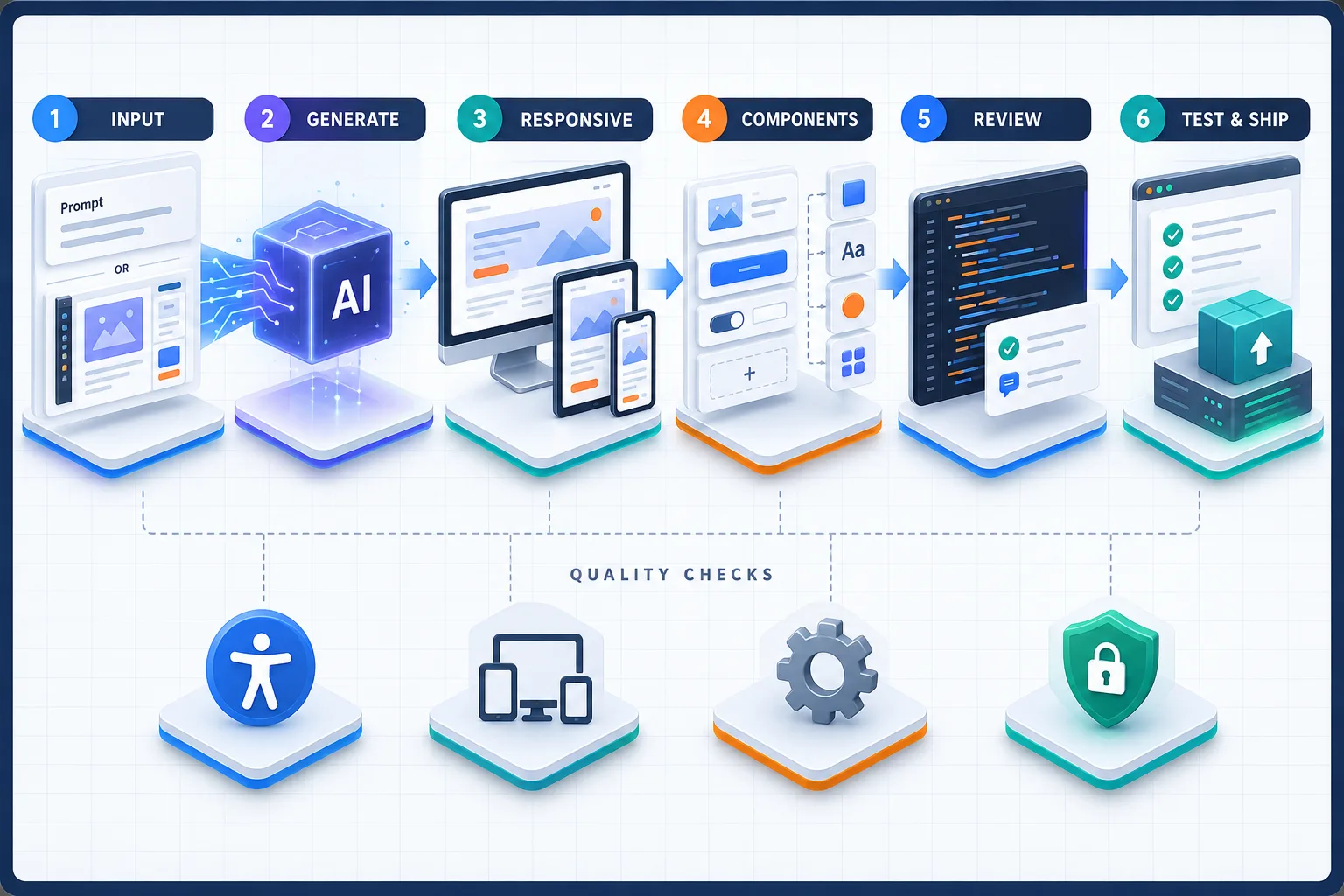
AI UI-to-Code Generator क्या करता है?
UI-to-code generator visual intent को executable interface में translate करता है। Input natural-language prompt, Figma frame, screenshot, hand-drawn wireframe या existing design system हो सकता है। Output HTML/CSS, React, Vue, Next.js, Tailwind, mobile components या hosted website हो सकता है।
यह distinction जरूरी है: UI design generator केवल mockup बना सकता है, design-to-code tool Figma को code में बदलता है, जबकि AI app builder frontend के साथ database, authentication और logic भी बना सकता है। इन categories को बिना समझे “best tool” चुनना गलत result दे सकता है।
Quick Comparison
| Tool | Best for | Typical input | Output style | Main watch-out |
|---|---|---|---|---|
| v0 | React/Next.js UI and apps | Prompt, image, project context | Editable code and deployable project | Generated architecture needs review |
| Builder.io | Design-system and Figma workflows | Figma, repo, prompt | Multiple frameworks and code sync | Advanced mapping can be plan-dependent |
| Locofy | Structured Figma-to-code handoff | Figma design | Frontend components and projects | Input design hygiene matters |
| Anima | Figma to React, Vue or HTML | Figma or public design link | Code package, snippet or playground | Generated code still needs integration |
| Subframe | React design systems | Visual editor and prompt | React and Tailwind components | Best fit is a React-first team |
| Uizard | Fast product ideation | Prompt, wireframe, screenshot | Editable design and prototype | Not primarily a production-code exporter |
| TeleportHQ | Multi-framework website export | Prompt, image, Figma | HTML/CSS and JS frameworks | Complex application logic remains manual |
| Quest AI | Figma-to-React components | Figma, templates, wireframes | React components and app UI | React-oriented workflow |
| Framer | Visual marketing websites | Prompt, brief, visual canvas | Hosted responsive website | Platform workflow differs from normal code export |
| Lovable | Prompt-to-full-stack prototypes | Natural-language requirements | UI, data, logic and hosted app | Security and backend code need review |
1. v0: React और Next.js Teams के लिए
v0 natural-language description से UI और application code generate करता है। Landing page, dashboard, form, data view या full-stack prototype बनाया जा सकता है। यह component-based React ecosystem और modern deployment workflow के साथ सहज fit होता है। Image or existing project context देकर output को refine किया जा सकता है।
Pros
- Prompt से तेजी से polished UI
- Editable files and components
- React, Next.js और modern UI libraries के साथ natural workflow
- Preview, iteration and deployment एक flow में
Cons
- Large prompt से oversized components बन सकते हैं
- State management and server boundaries हमेशा ideal नहीं होते
- Authentication, permissions and sensitive actions manual review मांगते हैं
- Generic prompt generic design दे सकता है
Best use: Code-aware founders और React developers जो blank project से जल्दी functional UI तक पहुंचना चाहते हैं।
2. Builder.io: Design System और Figma-to-Code
Builder.io का code workflow Figma designs को responsive code में convert कर सकता है, components and tokens map कर सकता है और existing repository context के साथ changes generate कर सकता है। Framework and styling options broad हैं और teams fast code या अधिक deliberate quality generation चुन सकती हैं।
Pros
- Figma import plus responsive conversion
- Existing design-system components और tokens map करने की क्षमता
- React सहित multiple framework outputs
- Repository and visual collaboration workflows
Cons
- Setup simple one-off generator से अधिक involved हो सकता है
- Advanced component mapping और enterprise controls plan-specific हो सकते हैं
- Imported design की structure output quality को affect करती है
Best use: Established product team जिसके पास Figma library और reusable code components पहले से हैं।
3. Locofy: Structured Design Handoff
Locofy design files को frontend implementation में बदलने और designer-developer handoff को तेज करने पर focus करता है। Clean Auto Layout, reusable components, meaningful layer names और defined breakpoints अच्छे output के लिए महत्वपूर्ण हैं। यह high-fidelity screen conversion के साथ code structure improve करने का प्रयास करता है।
Pros
- Figma-centric workflow
- Responsive layout and reusable component focus
- Frontend project bootstrap में time saving
- Design handoff gap कम कर सकता है
Cons
- Messy Figma file से messy output मिल सकता है
- Business logic और data integration अलग work है
- Generated files को team conventions के अनुसार refactor करना पड़ सकता है
Best use: Designers और frontend developers जो detailed Figma screens से maintainable starting code चाहते हैं।
4. Anima: Figma से React, Vue और HTML
Anima Figma plugin और web playground के माध्यम से selected component, full screen या connected flow को code में बदल सकता है। Official workflow React, Vue और HTML के साथ CSS, Tailwind और other styling choices support करता है। Output copy, downloadable package या playground project के रूप में लिया जा सकता है।
Pros
- React, Vue और standalone HTML choices
- Auto Layout and responsive breakpoint support
- UI libraries and multiple styling options
- Snippet से full flow तक flexible export
Cons
- Pixel fidelity maintainable architecture के बराबर नहीं होती
- Complex interactions को manual implementation चाहिए
- Team linting, tests and folder conventions बाद में align करने पड़ते हैं
Best use: Figma-heavy teams जिन्हें framework choice और downloadable code package चाहिए।
5. Subframe: React Design System को Center में रखने वाला Tool
Subframe visual design और code-first component workflow के बीच bridge बनाता है। Teams reusable UI components और consistent design system के साथ screens बना सकती हैं और React/Tailwind-oriented output को developer workflow में ला सकती हैं। इसका value केवल screenshot conversion नहीं, बल्कि components की repeatability है।
Pros
- Reusable component and design-system approach
- React and Tailwind teams के लिए focused workflow
- Visual iteration और developer handoff
- Repeated SaaS screens में consistency
Cons
- Non-React stack के लिए fit सीमित हो सकता है
- Free-form visual exploration specialized design tool जितना broad नहीं हो सकता
- Existing custom architecture के साथ integration planning चाहिए
Best use: SaaS team जो dashboards, settings, tables और forms को consistent React system में बनाती है।
6. Uizard: Rapid UI Ideation और Prototype
Uizard prompt, screenshot और sketch से editable UI concept बनाने में useful है। यह non-technical product owner, marketer या early-stage team को idea visualize और clickable prototype share करने में मदद कर सकता है। इसे production React generator समझना सही नहीं है; इसका मुख्य strength ideation और validation है।
Pros
- Beginner-friendly visual workflow
- Prompt or sketch से fast screen concepts
- Stakeholder feedback और prototype testing
- Low-fidelity idea को जल्दी polished direction देना
Cons
- Production code ownership इसका primary value नहीं है
- Complex interaction and design-system depth सीमित हो सकती है
- Developer को final implementation अलग बनानी पड़ सकती है
Best use: Product discovery, pitch prototype और requirements स्पष्ट करने के लिए।
7. TeleportHQ: Prompt, Image और Figma से Exportable Website Code
TeleportHQ AI website builder, image-to-code, Figma import और visual editor combine करता है। Projects को HTML/CSS या several JavaScript framework formats में export किया जा सकता है और GitHub or ZIP workflow available है। यह landing pages और multi-page websites के लिए flexible option है।
Pros
- HTML/CSS और multiple framework export options
- Prompt, screenshot और Figma workflows
- Responsive visual editor and reusable components
- Hosting या downloadable code दोनों paths
Cons
- Complex product state and backend architecture scope से बाहर हो सकती है
- Generated layout को breakpoint-by-breakpoint inspect करना जरूरी है
- Framework export और import limitations समझनी होंगी
Best use: Agencies और marketers जिन्हें website quickly बनाकर code ownership बनाए रखना है।
8. Quest AI: Figma से React Components
Quest AI Figma designs, wireframes or templates से React UI generate करने और existing components के साथ काम करने के लिए designed है। Components को existing React application में add किया जा सकता है या broader UI flow बनाया जा सकता है।
Pros
- React component-oriented export
- Figma design fidelity पर focus
- Design-kit and custom component workflows
- Existing application में incremental adoption
Cons
- React-first scope other stacks के लिए limiting है
- Backend functionality separate रहती है
- Tool availability, integrations and pricing current docs से verify करनी चाहिए
Best use: React product teams जिन्हें full rewrite के बजाय component-level acceleration चाहिए।
9. Framer: AI-assisted Visual Website Publishing
Framer prompt या brief से page structure, sections और draft content generate करके visual canvas पर refinement देता है। CMS, SEO controls, forms, analytics and managed hosting के साथ यह marketing sites को concept से live URL तक ले जाता है। इसका workflow traditional source-code generator से अलग platform-oriented है।
Pros
- High-quality visual editing and responsive canvas
- CMS, SEO and hosting integrated
- Marketing teams के लिए fast publishing
- Components and custom code support
Cons
- Existing engineering repo में normal code handoff इसका default path नहीं
- Complex application backend के लिए separate stack चाहिए
- Platform migration और export expectations पहले clear करें
Best use: Brand website, landing pages, portfolio और content-led marketing site।
10. Lovable: Prompt से Full-stack App Prototype
Lovable natural-language requirements से interface के साथ data, authentication, logic और hosting वाला working app बना सकता है। यह pure UI-to-code से broader category में है, लेकिन founders के लिए prompt से testable product बनाने की वजह से comparison में relevant है। Code view और iteration available होने के बावजूद production launch से पहले security review जरूरी है।
Pros
- Frontend के साथ backend and data workflow
- Non-developers के लिए accessible prompting
- Fast MVP, internal tool and portal creation
- Chat-based iterative refinement
Cons
- Generated database policies and authentication blindly trust नहीं करनी चाहिए
- Credit usage repeated iterations में बढ़ सकती है
- Complex domain logic senior developer review मांगती है
Best use: Founder or small team जिसे clickable mockup से आगे working MVP validate करना है।
Use Case के अनुसार सही Tool
| Your goal | Start with | Why |
|---|---|---|
| React component from prompt | v0 or Subframe | Code-first React workflow |
| Figma design system to codebase | Builder.io | Mapping, repo context and code sync |
| Figma to multiple frameworks | Anima or TeleportHQ | Broader output choices |
| Figma to React handoff | Locofy or Quest AI | Component-oriented conversion |
| Idea and clickable prototype | Uizard | Fast visual validation |
| Marketing website with hosting | Framer | Visual publishing, CMS and SEO |
| Working full-stack MVP | Lovable or v0 | UI plus application workflow |
Code Quality कैसे Test करें?
Beautiful preview production readiness prove नहीं करता। Same reference screen हर shortlisted tool में generate करके नीचे के checks करें:
- Structure: क्या one giant component है या reusable logical components?
- Semantics: Buttons, headings, labels, forms और navigation सही HTML use करते हैं?
- Responsiveness: 320px, tablet, laptop और wide screen पर layout ठीक है?
- Accessibility: Keyboard navigation, focus states, labels, contrast और screen-reader meaning है?
- Maintainability: Repeated values tokens/components में हैं या random inline styles?
- Performance: Unnecessary dependencies, large assets और excessive client JavaScript तो नहीं?
- Security: Secrets frontend में, unsafe HTML, weak auth या open database rules तो नहीं?
- Testing: Critical states and interactions के tests बन सकते हैं?
Responsive Output के लिए Better Prompt
Create a responsive analytics dashboard using our existing component library.
Desktop: two-column layout with collapsible sidebar.
Tablet: compact sidebar and two cards per row.
Mobile: single column, 44px minimum touch targets, no horizontal scroll.
Include loading, empty, error and populated states.
Use semantic HTML, visible focus states and labelled form controls.
Split reusable cards, table and filters into separate components.
Do not add new dependencies without explaining why.
Prompt में brand tokens, component names, breakpoints, required states, data shape और forbidden changes लिखने से result better होता है। “Make a beautiful dashboard” बहुत vague instruction है।
Figma File को Code Generation के लिए तैयार करें
- Auto Layout और constraints consistently use करें।
- Layers को Frame 123 की जगह meaningful names दें।
- Buttons, inputs, cards और navigation को components बनाएं।
- Variants और states define करें।
- Typography, color, spacing and radius tokens रखें।
- Desktop और mobile behavior स्पष्ट frames में दिखाएं।
- Decorative और content images अलग label करें।
- Interaction notes and data rules handoff में जोड़ें।
Production से पहले Security Review
AI-generated app में visual bugs से ज्यादा गंभीर authorization bugs हो सकते हैं। Secrets environment variables में रखें, server-side validation लागू करें, database row-level access test करें और every privileged action पर authorization enforce करें। Generated code में dependencies, license, known vulnerabilities और unexpected network calls review करें।
Login screen दिखना secure authentication होने का proof नहीं है। Separate users से horizontal privilege test करें: क्या User A URL बदलकर User B का record पढ़ या edit कर सकता है? Admin action normal account से accessible तो नहीं? File upload MIME, size और storage permissions validate हैं?
Cost Compare करने का सही Formula
Subscription fee alone compare न करें। Real cost में tool credits, designer cleanup, developer refactor, accessibility fixes, testing, hosting, vendor migration और maintenance शामिल हैं।
Effective prototype cost = tool cost + prompt/iteration time + design cleanup + developer review + testing + deployment work.
अगर generated code team को समझ नहीं आता या हर change पर regenerate करना पड़ता है, initial speed long-term cost बढ़ा सकती है।
Common Mistakes
- Design generator को production code generator समझना.
- Screenshot fidelity को clean architecture मान लेना.
- Desktop preview देखकर mobile test skip करना.
- Generated authentication और database rules बिना review deploy करना.
- Existing design system बताए बिना नया UI बनवाना.
- One prompt में entire complex app generate करना.
- Empty, loading, error और permission states भूलना.
- Code ownership, export and cancellation policy न पढ़ना.
- Accessibility को launch के बाद का task मानना.
- AI output को tests और code review के बिना merge करना.
7-Day Evaluation Plan
| Day | Task | Expected output |
|---|---|---|
| 1 | Stack, design source and export needs define करें | Requirements scorecard |
| 2 | Three tools shortlist करें | Comparable candidates |
| 3 | Same dashboard screen generate करें | Blind UI and code samples |
| 4 | Responsive and accessibility audit | Issue count by tool |
| 5 | Developer refactor and integration test | Time-to-clean-code metric |
| 6 | Security, export and ownership review | Risk matrix |
| 7 | Small production-like pilot | Go/no-go decision |
AI UI-to-Code का SEO और Content Workflow
Generated marketing site में title, meta description, semantic headings, canonical, structured data, social image, sitemap और accessible content manually verify करें। इस विषय के broader discovery angle के लिए AI Search Optimization guide पढ़ें। AI coding tools को local environment में चलाने के options समझने के लिए local AI alternatives guide और mobile content workflow के लिए Android video editing guide उपयोगी है।
Final Verdict
React-first generation के लिए v0 और Subframe practical starting points हैं। Mature Figma and design-system workflow में Builder.io, Locofy और Anima अधिक relevant हैं। Multi-framework website export के लिए TeleportHQ, fast ideation के लिए Uizard, hosted marketing sites के लिए Framer और full-stack MVP के लिए Lovable useful हो सकते हैं। Quest AI component-level React handoff की जरूरत वाले teams के लिए fit हो सकता है।
Best tool वह है जो आपके real input, framework और team standards के साथ सबसे कम cleanup में maintainable result दे। तीन tools पर same screen test करें, generated code को senior developer से review कराएं और production deployment से पहले accessibility, performance, security and ownership checks complete करें।
Article at a glance
| Written by | Rohan Gupta |
|---|---|
| Published | 29 Sep 2026, 07:15 PM IST |
| Reading time | 13 minutes |
| Topic | Ecommerce research and practical guidance |
Frequently Asked Questions
2026 में best AI UI-to-code generator कौन-सा है?
Universal winner नहीं है। React prompt workflow के लिए v0, design-system and Figma workflow के लिए Builder.io, multi-framework conversion के लिए Anima or TeleportHQ और full-stack MVP के लिए Lovable shortlist किए जा सकते हैं।
क्या AI-generated frontend production-ready होता है?
कभी-कभी strong starting point होता है, लेकिन responsiveness, accessibility, architecture, performance, tests and security का developer review जरूरी है।
Figma से React code के लिए कौन-से tools useful हैं?
Builder.io, Locofy, Anima, Quest AI और Subframe अलग-अलग Figma or component workflows देते हैं। Same design पर output quality compare करें।
क्या Uizard production code export करता है?
Uizard का primary strength rapid UI ideation and prototype है। Final production implementation के लिए developer handoff or separate code workflow की जरूरत हो सकती है।
v0 और Lovable में क्या अंतर है?
दोनों prompt से applications बना सकते हैं, लेकिन v0 React and modern web project workflows में strong है, जबकि Lovable UI के साथ data, authentication and hosted full-stack prototype पर जोर देता है।
Framer UI-to-code tool है या website builder?
Framer primarily visual AI website builder and publishing platform है। इसका hosted canvas, CMS and SEO workflow traditional code-export generator से अलग है।
Generated code की quality कैसे check करें?
Component structure, semantic HTML, responsive breakpoints, accessibility, dependencies, performance, security, tests and time-to-refactor को same benchmark screen पर score करें।
क्या AI UI tools secure authentication बना सकते हैं?
वे authentication scaffold कर सकते हैं, लेकिन authorization, database policies, secrets and user isolation को security review और testing के बिना trust नहीं करना चाहिए।
AI UI-to-code tool चुनते समय code ownership क्यों जरूरी है?
Export rights, repository access, cancellation के बाद code use, hosting lock-in and asset licenses long-term maintenance and migration cost तय करते हैं।
क्या UI-to-code tool developer को replace कर देगा?
यह repetitive layout work और prototyping तेज करता है, लेकिन requirements, architecture, business logic, accessibility, security and long-term maintenance में skilled developer अभी भी जरूरी है।

Rohan Gupta
Consumer Technology WriterRohan explains shopping technology, digital tools and changing online customer experiences in clear, practical language.
View author profileRead More Blogs
भारत में YouTube Shopping का बड़ा विस्तार: Amazon, AJIO और Meesho जुड़ने से क्या बदलेगा?
YouTube Shopping Affiliate Programme भारत में Amazon, AJIO, Meesho, Snapdeal और Tata CLiQ जैसे नए retail partners के साथ बढ़ रहा है। आसान भाषा में समझिए कि creators, brands और खरीदारों के लिए इसका क्या अर्थ है।
16 · Read blog
Meesho Affiliate Marketing से कमाई कैसे होती है? Influencers के लिए Complete Guide
Meesho products पर affiliate content बनाकर earnings कैसे calculate और track करें? Influencers के लिए content funnel, commission validation, returns, disclosure, payout और fraud safety की practical Hindi guide।
11 · Read blog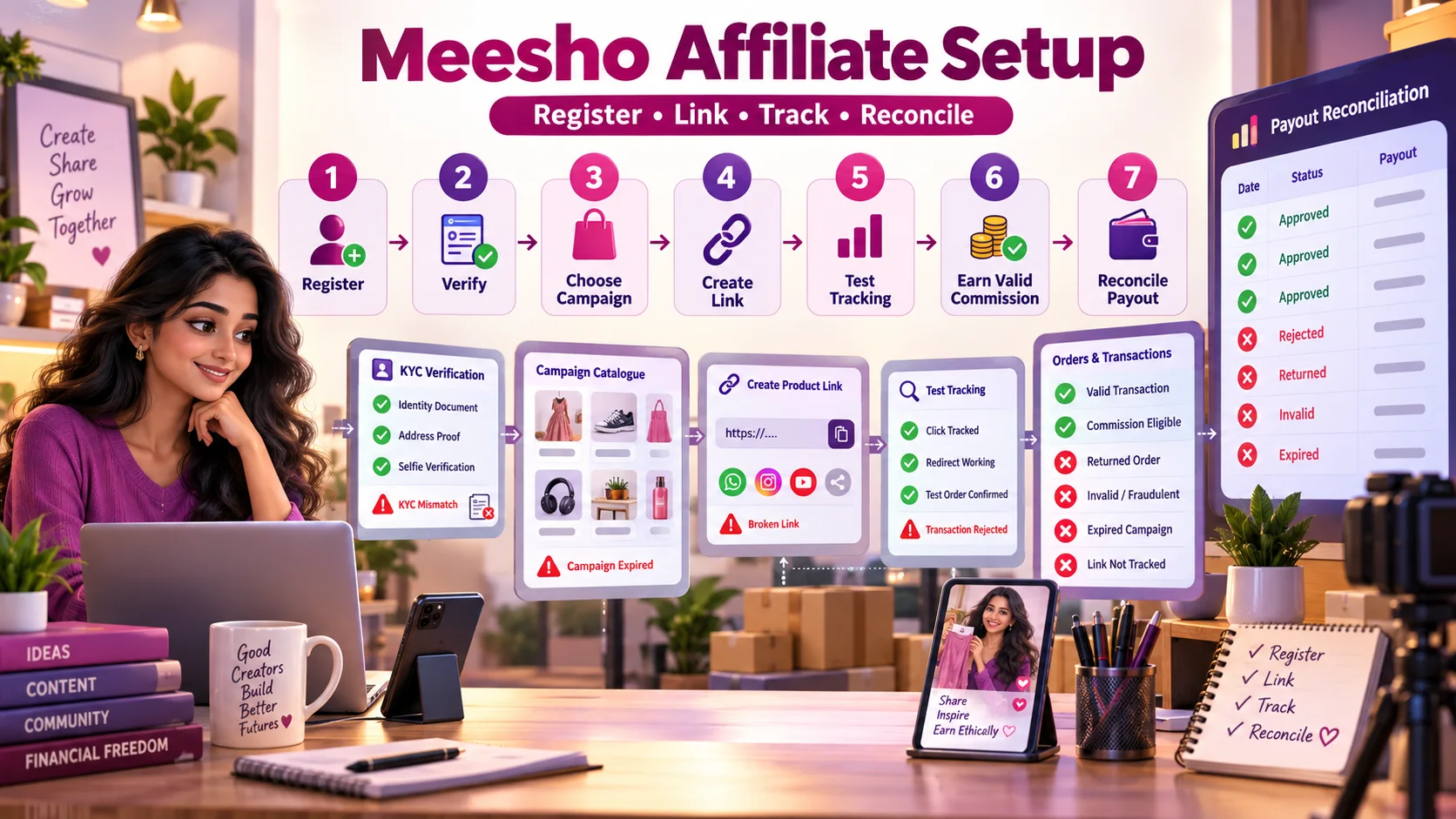
Meesho Affiliate Registration से Payout तक: Complete Step-by-Step Guide
Meesho affiliate registration, KYC, campaign selection, product-link creation, tracking test, rejected transactions और payout reconciliation का practical Hindi workflow।
4 · Read blog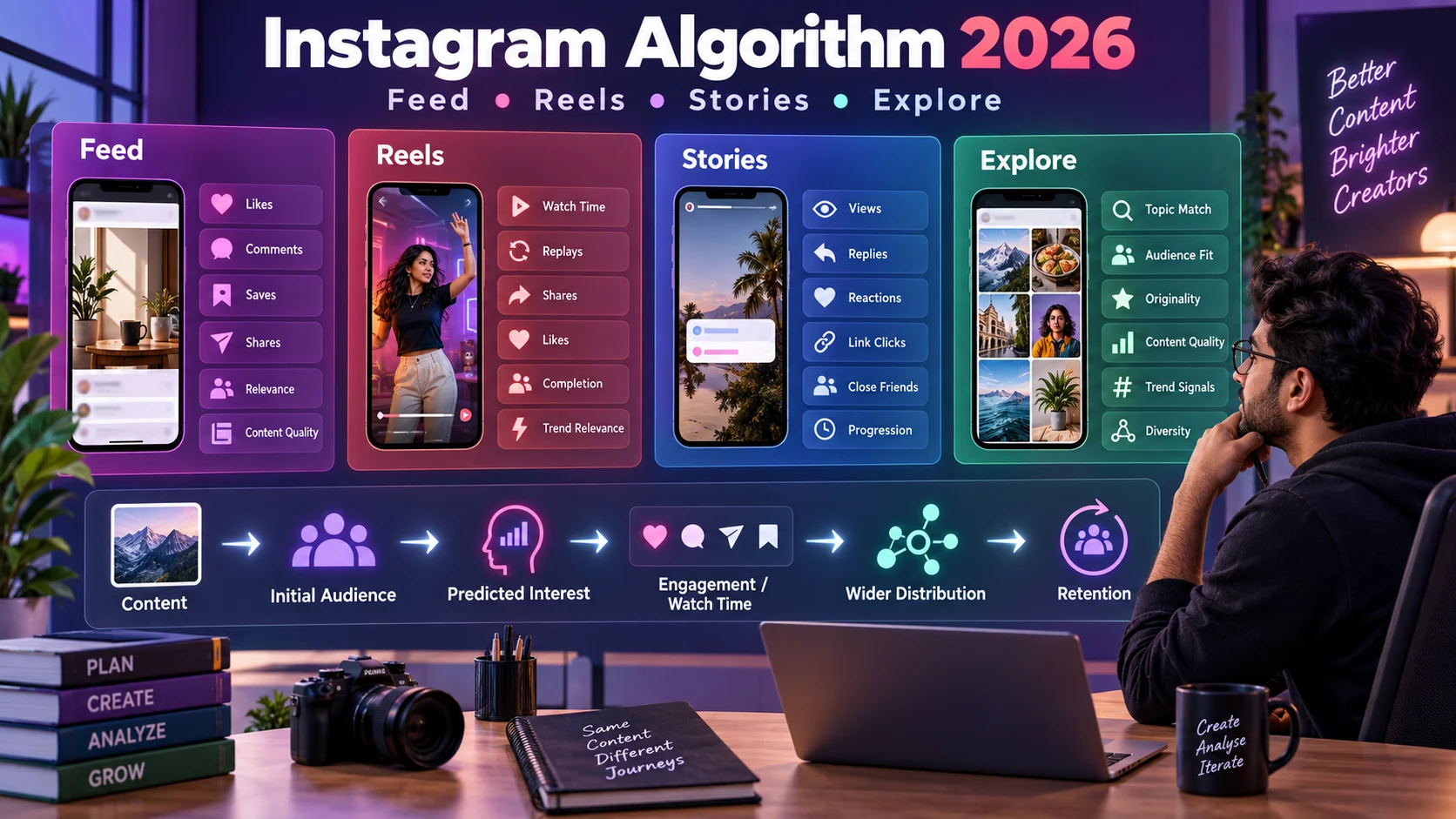
Instagram Algorithm 2026 कैसे काम करता है? Feed, Reels, Stories और Explore की Complete Guide
Instagram Feed, Reels, Stories और Explore की ranking को समझने, reach diagnose करने और data-driven content strategy बनाने की detailed Hindi guide।
4 · Read blog
Comments 0
No comments yet. Be the first to share a useful thought.
Leave a comment
Your email address will not be published. Comments are reviewed before appearing. Web addresses are displayed as plain text and are never clickable.