
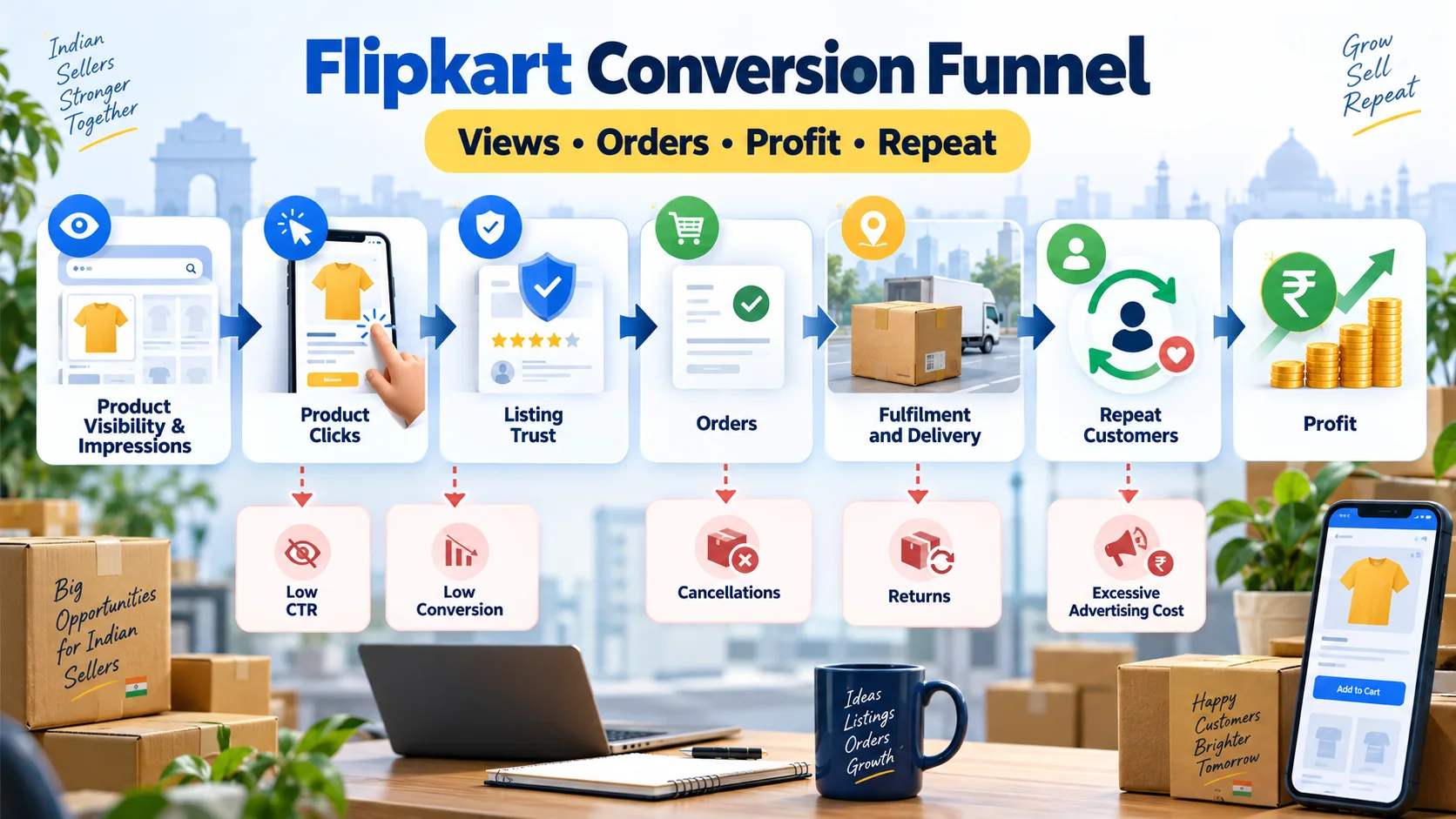
Flipkart Conversion Funnel कैसे सुधारें? Views से Profitable Sales तक Complete Guide
Flipkart पर impressions और clicks को profitable orders में बदलने की practical Hindi guide। CTR, conversion, cancellations, returns, ad ROAS, contribution margin और repeat demand को सही क्रम में समझें।
Flipkart पर sales बढ़ाने के लिए केवल अधिक products upload करना, बड़ा discount देना या Ads budget बढ़ाना पर्याप्त नहीं है। असली सवाल यह है कि customer journey के किस चरण पर buyers छूट रहे हैं। Product दिखाई दे रहा है लेकिन click नहीं मिल रहा, click मिल रहा है लेकिन order नहीं आ रहा, order आ रहा है लेकिन cancel या return हो रहा है—हर स्थिति का कारण और solution अलग होता है।
इसी customer journey को conversion funnel कहा जाता है। इस guide में हम visibility से लेकर profitable delivery और repeat demand तक पूरे funnel को metrics, formulas, diagnostic tables और controlled experiments के साथ समझेंगे। यह article पहले से मौजूद Flipkart sales strategies guide और Seller Hub operations guide का duplicate नहीं है; इसका focus यह पहचानना है कि growth leak कहां है और उसे measurable तरीके से कैसे ठीक करें।
Flipkart conversion funnel क्या है?
Marketplace funnel वह क्रम है जिसमें potential buyer product खोजता है, listing पर जाता है, भरोसा बनाता है, order करता है, delivery प्राप्त करता है और भविष्य में उसी product या seller से दोबारा खरीद सकता है। हर चरण पर कुछ users आगे बढ़ते हैं और कुछ drop हो जाते हैं। Seller का काम हर user को force करना नहीं, बल्कि सही customer के लिए friction कम करना है।
| Funnel stage | मुख्य signal | Typical leak | Primary action |
|---|---|---|---|
| Discovery | Impressions और search visibility | गलत category, attributes या relevance | Catalogue accuracy सुधारें |
| Interest | Clicks और CTR | Weak main image, title या price | Search-card presentation test करें |
| Trust | Product-page engagement | Incomplete details, low rating या unclear delivery | Listing objections दूर करें |
| Purchase | Orders और conversion rate | Price, availability या offer mismatch | Purchase friction diagnose करें |
| Fulfilment | Dispatch और delivery success | Cancellation, delay या wrong item | Inventory और SOP fix करें |
| Experience | Returns, ratings और feedback | Quality या expectation mismatch | Root cause correct करें |
| Profit | Contribution after all variable costs | Ads, discount और returns का hidden cost | SKU-level economics देखें |
| Repeat | Repeat demand और brand searches | Poor experience या no retention signal | Reliable product और service दें |
पहले baseline बनाएं, फिर बदलाव करें
बिना baseline के seller यह नहीं जान सकता कि किसी बदलाव ने performance सुधारी या seasonal demand ने numbers बदल दिए। कम से कम 7 से 14 दिनों का SKU-level baseline रखें। Sale event, stockout या unusual discount वाले दिनों को note करें, क्योंकि वे सामान्य trend को distort कर सकते हैं।
| Metric | Simple formula | क्या बताता है? |
|---|---|---|
| CTR | Clicks ÷ Impressions × 100 | Search result में offer कितना relevant और attractive है |
| Conversion rate | Orders ÷ Product-page visits × 100 | Listing visit कितनी बार order में बदलती है |
| Cancellation rate | Cancelled items ÷ Ordered items × 100 | Stock, fulfilment या buyer-intent problem |
| Return rate | Returned delivered items ÷ Delivered items × 100 | Quality और expectation match |
| Ad ROAS | Attributed revenue ÷ Ad spend | Advertising से attributed revenue efficiency |
| Contribution | Net revenue − variable costs | हर fulfilled order से वास्तविक operating contribution |
| Stock cover | Sellable stock ÷ Average daily units | Current stock कितने दिनों तक चल सकता है |
Metric definitions account reports में अलग हो सकती हैं। तुलना करते समय same report, same attribution window और same date range use करें। Wider ecommerce metrics समझने के लिए AFShop ecommerce metrics guide पढ़ें।
Diagnostic 1: Impressions कम हैं
अगर listing relevant searches में दिखाई ही नहीं देती, तो main image बदलने से पहले discoverability जांचें। Correct category, product type, brand, model, size, colour, material और required attributes search matching में मदद करते हैं। गलत keyword stuffing short-term visibility दे भी दे तो irrelevant clicks और poor conversion ला सकता है।
- Listing active और correct fulfilment location पर available है या नहीं देखें।
- Required attributes और variant mapping complete करें।
- Title में वास्तविक product identity और important differentiator रखें।
- Stockout और serviceable-location gaps check करें।
- Search terms को product reality से align रखें; misleading words न जोड़ें।
Diagnostic 2: Impressions high, clicks low
यह search-card problem हो सकती है। Buyer listing खोलने से पहले main image, title, displayed price, delivery promise और visible rating जैसे signals compare करता है। Mobile screen पर information सीमित होती है, इसलिए cluttered image या लंबा अस्पष्ट title नुकसान कर सकता है। Mobile-friendly presentation और detailed product page महत्वपूर्ण हैं; यहां इन्हें measurable CTR और conversion stages में अलग किया गया है।
CTR experiment checklist
- Main image में product साफ, centred और category-compliant दिखाएं।
- Title की शुरुआत में product type और strongest factual attribute रखें।
- Wrong variant, pack size या colour ambiguity हटाएं।
- Displayed price को direct competitors और own margin floor से compare करें।
- एक समय में केवल एक major element बदलें और adequate impressions आने दें।
Diagnostic 3: Clicks high, orders low
अब problem visibility नहीं, product-page trust या offer fit है। Buyer के मन में आने वाले objections की list बनाएं: size सही होगा? Package में क्या मिलेगा? Material क्या है? Warranty या compatibility क्या है? Delivery कब होगी? Photo और actual product match करेंगे?
| Buyer objection | Listing answer | गलत तरीका |
|---|---|---|
| यह मेरे use के लिए सही है? | Use case, dimensions और compatibility | Generic “best quality” claim |
| Exactly क्या मिलेगा? | Package contents और quantity | Bundle जैसी misleading photo |
| Size/colour कैसा है? | Measured dimensions और accurate images | Ambiguous variant title |
| Quality पर भरोसा क्यों करें? | Material, construction और genuine reviews | Unverifiable superlatives |
| Price justified है? | Clear benefits और total offer | Artificial urgency या false MRP |
Diagnostic 4: Orders आते हैं, cancellations बढ़ते हैं
Order मिलना final success नहीं है। Seller cancellation inventory accuracy, procurement SLA, staffing या dispatch process की कमजोरी दिखा सकती है। Buyer cancellation में price comparison, delivery estimate या purchase intent factor हो सकता है। दोनों को अलग track करें।
- Physical sellable stock और system stock daily reconcile करें।
- Fast-moving SKUs के लिए safety buffer रखें।
- Damaged और return-pending inventory को sellable quantity में न जोड़ें।
- Dispatch cutoff के अनुसार pick-pack queue बनाएं।
- Wrong item रोकने के लिए SKU या barcode verification करें।
- Cancellation reason को normalized categories में store करें।
Diagnostic 5: Delivery होती है, returns ज्यादा हैं
Return rate को केवल customer behaviour कहकर ignore करना costly है। High-return SKU पर अधिक Ads चलाने से defect scale हो सकता है। हर return reason को catalogue, product quality, packaging, picking और customer expectation में map करें।
| Return signal | Likely cause | Corrective experiment |
|---|---|---|
| Size/fit issue | Incomplete measurement guidance | Measured size chart और fit note |
| Not as shown | Image, colour या description mismatch | Accurate lighting और factual copy |
| Damaged | Weak packaging या handling | Drop-risk packaging test |
| Wrong item | Picking/label error | Two-step SKU verification |
| Missing accessory | Packing checklist gap | Package-content checklist |
| Defective | Supplier या QC problem | Batch inspection और supplier action |
Diagnostic 6: Revenue बढ़ता है, profit नहीं
Gross sales vanity metric बन सकती है अगर discount, marketplace charges, fulfilment, packaging, advertising, cancellations और expected return loss साथ में न देखें। SKU-level contribution निकालें:
Contribution per delivered unit = Net selling proceeds − product cost − fulfilment/marketplace costs − packaging − advertising allocation − expected return loss
यह accounting profit का replacement नहीं है; taxes, fixed costs और settlement rules के लिए qualified accountant से verify करें। इसका उद्देश्य यह बताना है कि कौन-सा product वास्तव में scale करने योग्य है।
Ads को funnel accelerator बनाएं, repair tool नहीं
Flipkart Ads की official information campaign options और performance measurement बताती है, लेकिन advertisement purchase की guarantee नहीं है। कमजोर listing, low stock या high-return product पर spend बढ़ाने से वही problem तेज हो सकती है। पहले listing retail-ready बनाएं, फिर controlled budget से test करें।
- Stable stock और acceptable contribution वाले SKUs चुनें।
- Pre-campaign baseline save करें।
- Budget cap और stop-loss तय करें।
- Clicks के साथ conversion, returns और contribution देखें।
- Attributed revenue को profit न मानें।
- Stock cover कम होने पर Ads reduce या pause करें।
Promotions और sale events में सही measurement
Sale event में impressions, traffic और conversion सामान्य दिनों से अलग हो सकते हैं। Event performance को event से पहले के comparable weekdays और event के बाद के baseline से compare करें। Discount से unit sales बढ़ें लेकिन contribution negative हो जाए तो वह sustainable growth नहीं है।
| Period | क्या record करें? | Decision |
|---|---|---|
| Event से पहले | Baseline traffic, conversion, margin, stock | Targets और guardrails set करें |
| Event के दौरान | Stock cover, Ads spend, cancellations | Budget और replenishment control |
| Event के बाद | Returns, final contribution, ratings | True profitability evaluate करें |
| 2–4 सप्ताह बाद | Repeat demand और normal baseline | Temporary spike बनाम durable growth |
12 controlled experiments जो seller चला सकता है
- Main image clarity test
- Title structure test
- Attribute completeness audit
- Package-content image addition
- Size/compatibility guide improvement
- Price test within margin floor
- Promotion on selected profitable SKUs
- Low-stock Ads pause rule
- Packaging strength test
- Barcode-based pick verification
- Return-reason based listing correction
- Campaign budget reallocation by contribution
हर test के लिए hypothesis, start date, affected SKUs, primary metric, guardrail metric और result लिखें। एक साथ पांच चीजें बदलने से winner identify नहीं होगा।
30-day Flipkart funnel improvement plan
Week 1: Measurement और segmentation
Top revenue, high traffic, high return और low stock SKUs अलग करें। Baseline metrics और minimum profitable price record करें।
Week 2: Discovery और product-page fixes
Category, attributes, title, main image, package contents और variant accuracy सुधारें। High-impression low-click और high-click low-order SKUs को priority दें।
Week 3: Fulfilment और returns
Stock accuracy, picking, packaging और cancellation/return reasons पर root-cause action लें।
Week 4: Ads, profit और learning
Only retail-ready SKUs पर controlled campaigns चलाएं। Final contribution, returns और service metrics देखकर winners scale करें तथा failed experiments document करें।
Weekly dashboard कैसा हो?
Dashboard में केवल total sales नहीं, funnel stages और exceptions दिखने चाहिए। SKU के लिए impressions, clicks, orders, delivered units, cancellations, returns, net revenue, ad spend, contribution, stock cover और action owner रखें। Seller Hub के daily operational use के लिए complete Seller Hub guide साथ पढ़ें।
Common mistakes
- High impressions को success मानना जबकि CTR और orders low हों।
- Conversion बढ़ाने के लिए margin floor से नीचे price करना।
- High-return product पर Ads scale करना।
- Sale-event spike को permanent demand मान लेना।
- Attributed revenue को net profit समझना।
- Stockout के समय active campaign चलने देना।
- एक साथ कई listing elements बदलना।
- Returns और cancellations को same problem मानना।
- Mobile presentation test न करना।
- Result देने वाले experiment को document न करना।
निष्कर्ष
Flipkart growth का सही क्रम है: relevant visibility, qualified click, trustworthy product page, profitable order, reliable delivery और satisfactory experience। Funnel के हर stage का metric अलग है, इसलिए solution भी अलग होना चाहिए। Impressions कम हों तो catalogue relevance देखें; clicks कम हों तो search-card presentation; orders कम हों तो trust और offer; cancellations बढ़ें तो stock और operations; returns बढ़ें तो expectation और quality; revenue बढ़े लेकिन profit न बढ़े तो unit economics जांचें।
Baseline बनाएं, एक समय में एक meaningful experiment चलाएं और revenue के साथ contribution तथा customer experience को protect करें। यही approach short-term discount spike को sustainable marketplace business में बदल सकती है।
Article at a glance
| Written by | Aarav Sharma |
|---|---|
| Published | 27 Sep 2026, 10:05 PM IST |
| Reading time | 10 minutes |
| Topic | Ecommerce research and practical guidance |
Frequently Asked Questions
Flipkart conversion funnel क्या है?
यह impressions से clicks, product-page trust, orders, fulfilment, delivery, profit और repeat demand तक buyer journey है। हर stage का अलग metric और अलग सुधार action होता है।
Impressions ज्यादा और clicks कम हों तो क्या करें?
Main image, title clarity, displayed price, variant accuracy और search relevance check करें। एक समय में एक major element बदलकर adequate impressions के बाद result compare करें।
Clicks आते हैं लेकिन orders नहीं आते, इसका क्या कारण हो सकता है?
Incomplete details, unclear size या compatibility, weak images, low trust, price mismatch, delivery estimate या reviews कारण हो सकते हैं। Product-page objections को facts से address करें।
Flipkart Ads कब चलानी चाहिए?
जब listing accurate हो, stock stable हो, return rate acceptable हो और product contribution positive हो। Ads कमजोर listing को repair नहीं करतीं; वे existing performance को accelerate करती हैं।
Ad ROAS और profit में क्या अंतर है?
ROAS attributed revenue को ad spend से compare करता है। Profit या contribution में product cost, marketplace costs, packaging, discounts, returns और other variable costs भी शामिल होते हैं।
High return rate कैसे कम करें?
Return reasons को size, mismatch, damage, wrong item, missing accessory और defect जैसी categories में बांटें। फिर listing, QC, picking या packaging पर targeted correction करें।
Sale event की performance कैसे measure करें?
Event से पहले baseline save करें, event के दौरान stock और spend monitor करें और event के बाद returns तथा final contribution देखें। Temporary spike को sustainable growth न मानें।
Funnel experiment कितने दिन चलाना चाहिए?
Fixed universal duration नहीं है। पर्याप्त impressions, clicks और orders मिलने तक test चलाएं तथा seasonality और sale events note करें। Small sample पर जल्द conclusion न निकालें।

Aarav Sharma
Ecommerce Research WriterAarav writes practical ecommerce research guides for AFShop, focusing on online shopping behaviour, product discovery, pricing signals and consumer decision-making in India.
View author profileRead More Blogs

Meesho पर Online Selling कैसे शुरू करें? Registration, Catalog, Pricing और Growth की Complete 2026 Guide
Meesho seller registration से catalog, pricing, packing, delivery, payment, returns और growth तक का practical step-by-step Hindi playbook—नए और छोटे sellers के लिए।
5 · Read blog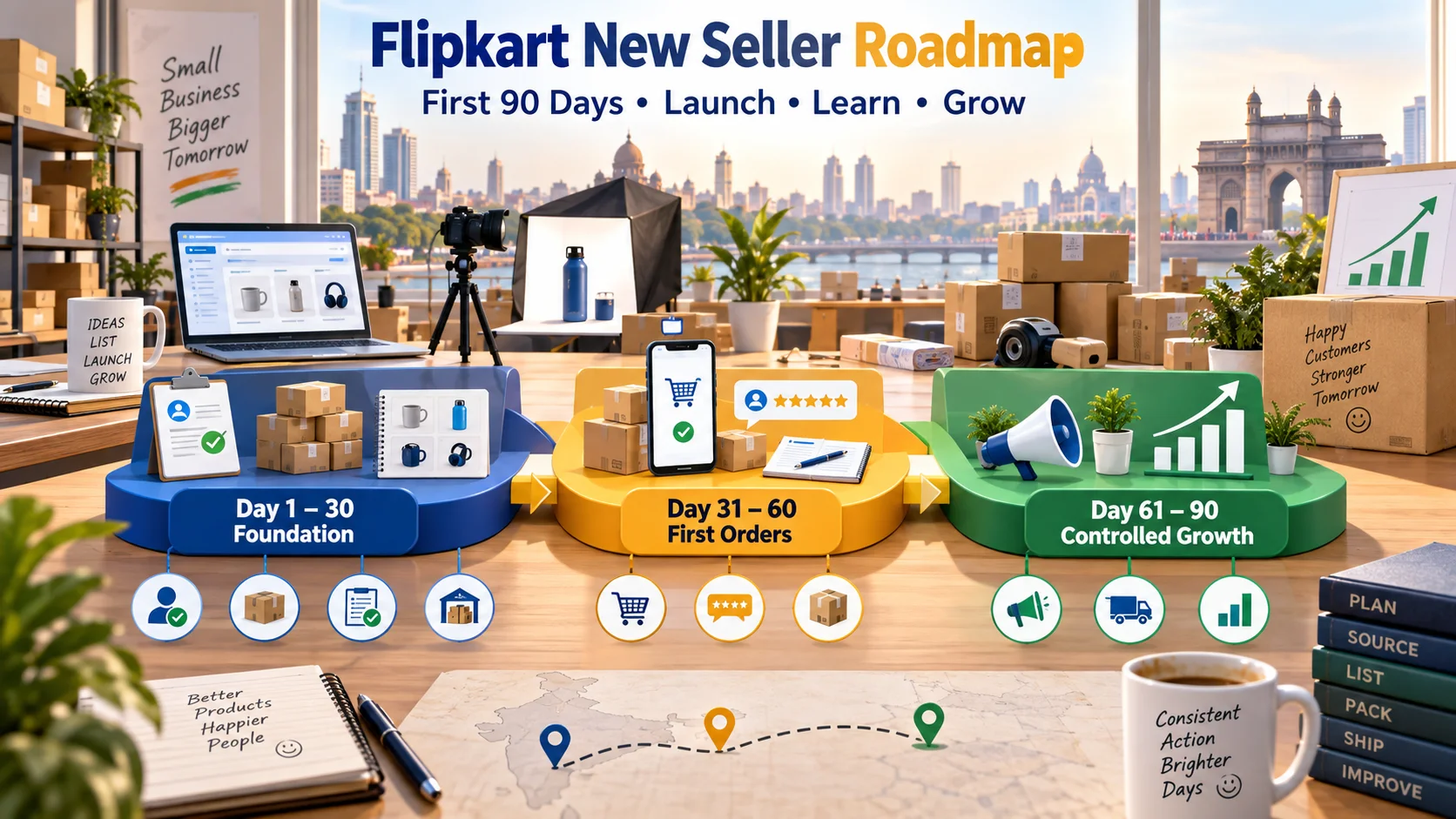
Flipkart New Seller Guide: पहले 90 दिनों में Sales कैसे शुरू और Grow करें?
नए Flipkart seller के लिए first 90 days का practical Hindi roadmap। Account readiness, starter catalogue, listings, pricing, inventory, first orders, Ads, reviews, returns और weekly growth system समझें।
5 · Read blog
India के 30 Best Online Selling Platforms: Sellers के लिए Complete 2026 Guide
India में products online बेचने के लिए 30 marketplaces, niche channels, B2B networks, social commerce और own-store platforms की practical Hindi comparison।
4 · Read blog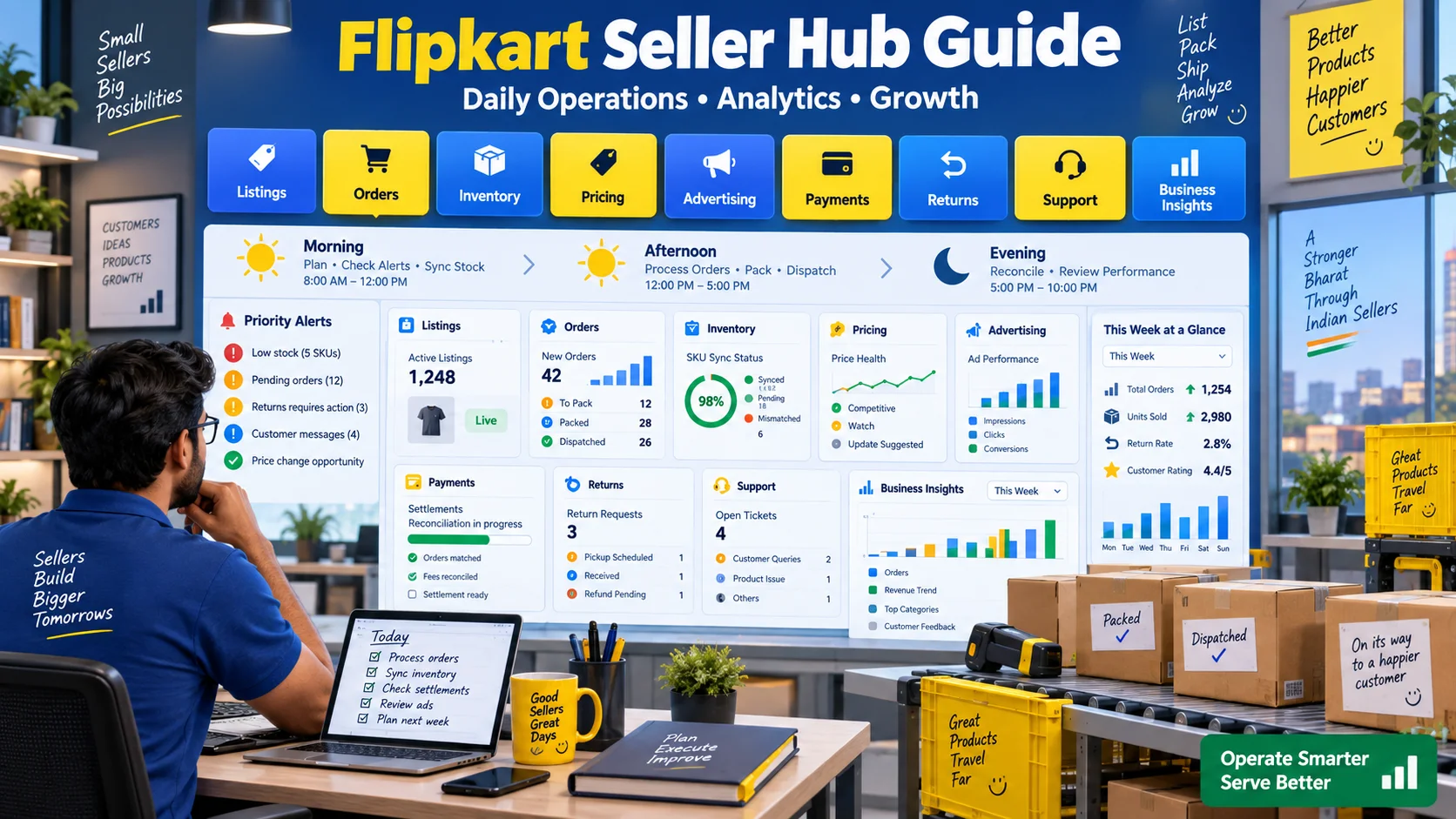
Flipkart Seller Hub Guide: Listings, Orders, Inventory और Analytics कैसे Manage करें?
Flipkart Seller Hub को daily business command centre की तरह कैसे use करें? Listings, orders, inventory, pricing, Ads, payments, returns, support और business insights के लिए practical daily, weekly और monthly workflow आसान हिंदी में समझें।
4 · Read blog
Comments 0
No comments yet. Be the first to share a useful thought.
Leave a comment
Your email address will not be published. Comments are reviewed before appearing. Web addresses are displayed as plain text and are never clickable.