
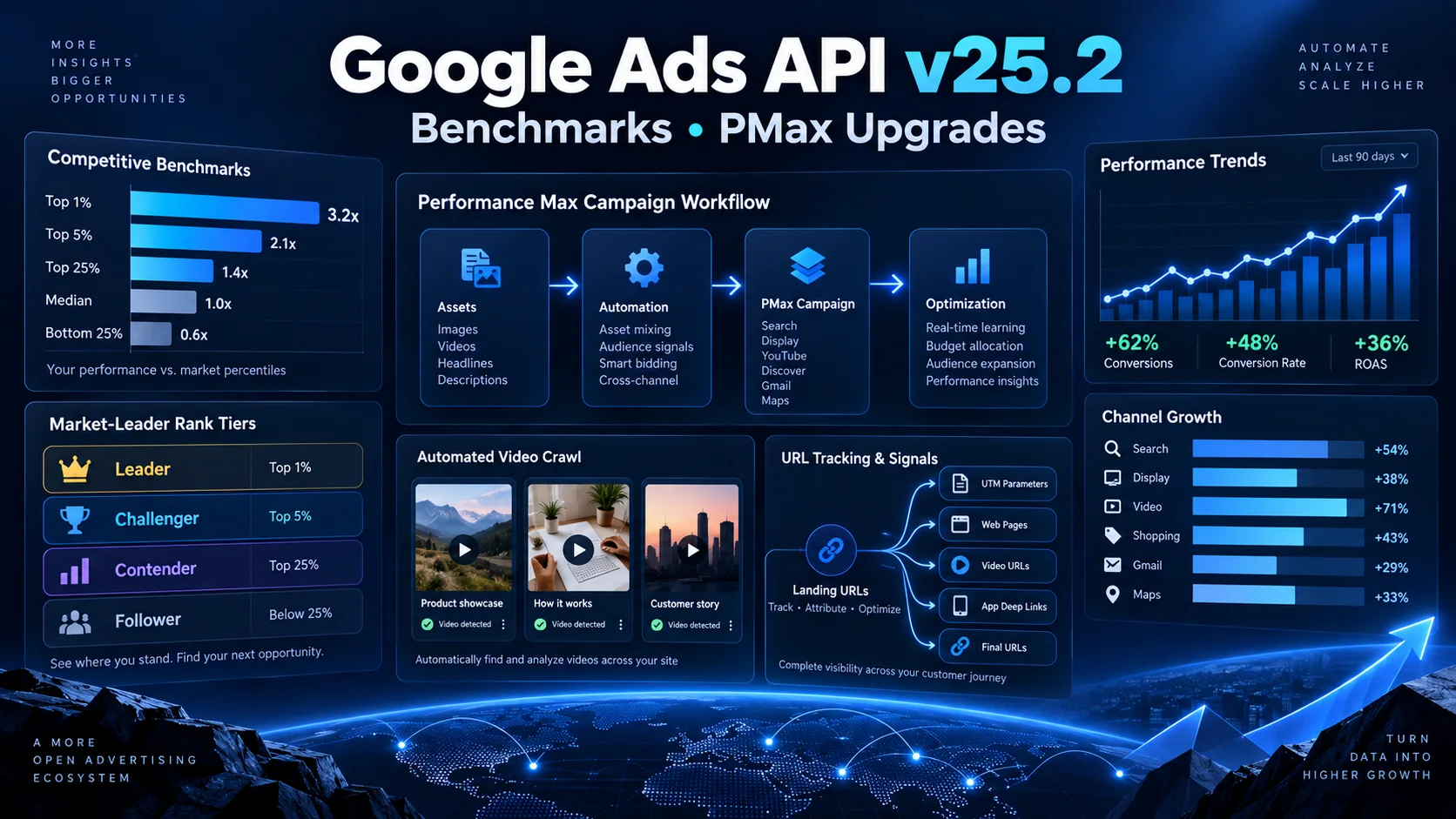
Google Ads API v25.2 में क्या नया है? Competitive Benchmarks और PMax Upgrades को आसान हिंदी में समझें
Google Ads API v25.2 में competitive percentile benchmarks, Performance Max video crawl, asset-group URL tracking और Smart Campaign से PMax draft बनाने जैसे बदलाव आए हैं। Advertisers, agencies और developers के लिए इन updates का practical मतलब आसान हिंदी में समझें।
Google ने 23 सितंबर 2026 को Google Ads API v25.2 जारी किया। यह minor version है, इसलिए इसमें breaking changes नहीं हैं, लेकिन इसके कई additions agencies, advertisers और advertising software बनाने वाले developers के लिए उपयोगी हैं। सबसे ज्यादा ध्यान दो क्षेत्रों पर है: advertisers को competitors के मुकाबले अपनी स्थिति समझाने वाले competitive percentile benchmarks और Performance Max यानी PMax campaigns को programmatically manage करने के नए controls।
नए version में BenchmarksService अब केवल average market numbers नहीं, बल्कि advertiser की percentile tier भी बता सकता है। साथ ही PMax के लिए automated video crawl settings, asset group level URL tracking options और Smart Campaign से paused PMax draft तैयार करने की सुविधा जोड़ी गई है। Customer lifecycle value multipliers के लिए ज्यादा स्पष्ट errors और कुछ conversion तथा Business Profile sync improvements भी शामिल हैं।
यह लेख किसी दूसरे publication का अनुवाद नहीं है। AFShop ने Google की official release notes और API reference के आधार पर यह स्वतंत्र, practical और आसान हिंदी explainer तैयार किया है।
Google Ads API v25.2 के मुख्य बदलाव एक नजर में
| Update | क्या नया मिला? | किसे फायदा होगा? |
|---|---|---|
| Competitive percentile benchmarks | Advertiser की performance को comparable advertisers के percentile tier में देखने का विकल्प | Agencies, strategy teams और benchmark dashboards |
| PMax automated video crawl | Landing page, social source या YouTube URL से video crawl configuration | PMax automation tools और creative operations teams |
| Asset group URL options | Tracking template, custom parameters और final URL suffix asset group level पर | Attribution, analytics और campaign operations teams |
| Smart-to-PMax draft | Existing Smart Campaign से paused और incomplete PMax draft generate करना | Migration tools, agencies और multi-account platforms |
| Lifecycle multiplier validation | Value multiplier setup में ज्यादा specific errors | Customer acquisition और high-value customer strategies |
| Firebase ad revenue conversions | Android और iOS in-app ad impression conversion action support | App publishers और monetization teams |
Google Ads API क्या है?
Google Ads API एक programmatic interface है। Approved application OAuth और सही permissions के साथ Google Ads accounts का data पढ़ सकती है तथा supported resources को create या update कर सकती है। इसका उपयोग reporting dashboards, automated bidding tools, bulk campaign managers, agency platforms और internal data warehouses में होता है।
एक छोटा advertiser अपने campaigns Google Ads web interface में आसानी से manage कर सकता है। लेकिन जब किसी agency को सैकड़ों accounts, हजारों campaigns और रोज की reporting संभालनी हो, तब API बहुत काम आता है। उदाहरण के लिए एक system हर सुबह उन PMax campaigns की list बना सकता है जिनकी landing-page tracking अधूरी है, asset strength कमजोर है या benchmark tier नीचे जा रही है।
API access automation देता है, पर वह business judgement की जगह नहीं लेता। Accurate conversion tracking, consent, privacy, sufficient sample size और human review अभी भी जरूरी हैं।
Competitive percentile benchmarks क्या हैं?
Google Ads API में BenchmarksService.GenerateBenchmarksMetrics advertisers को selected category और scope में benchmark data समझने में मदद करता है। v25.2 में response के CustomerMetrics में नया percentile_metrics field जोड़ा गया है। यह बताता है कि advertiser comparable advertisers के बीच किस percentile tier में आता है।
साधारण average केवल यह बता सकता है कि market का औसत CPM या engagement कितना है। Percentile tier इसके आगे जाकर relative standing समझाता है। यदि advertiser top tier में है तो उसका मतलब यह नहीं कि हर campaign perfect है; इसका अर्थ सिर्फ इतना है कि requested metric और defined comparison group में उसकी स्थिति अन्य advertisers से मजबूत है।
Percentile tiers को आसान उदाहरण से समझें
मान लीजिए किसी selected apparel category में 100 comparable advertisers हैं। यदि आपका performance rank top 10 advertisers के आसपास है, तो API आपको market-leader type tier दे सकती है। यदि position बीच में है, तो emerging या average tier जैसी classification मिल सकती है। Exact tier names और percentile boundaries current API enum से पढ़े जाने चाहिए; dashboard में अपनी तरफ से misleading labels नहीं बनाने चाहिए।
| Dashboard signal | इसका practical अर्थ | क्या action लें? |
|---|---|---|
| Top percentile tier | Selected comparison scope में relative standing मजबूत | Winning approach document करें, लेकिन profitability भी जांचें |
| Middle percentile tier | Performance market के बीच के स्तर के आसपास | Creative, offer, audience और landing page tests prioritize करें |
| Lower percentile tier | Comparable advertisers के मुकाबले gap हो सकता है | Tracking quality confirm करें, फिर root-cause analysis करें |
| Percentile missing | Request या eligibility conditions पूरी नहीं हुईं | Source, category filter, date और supplemental data check करें |
Percentile data पाने के लिए कौन-सी conditions जरूरी हैं?
Official release notes के अनुसार CustomerMetrics.percentile_metrics तभी populate होता है जब request में दो conditions पूरी हों:
- PERCENTILE_DATA को supplemental_data में request किया गया हो।
- BenchmarksSource.all_advertisers benchmarks source के रूप में set हो और required category_filter भी दिया गया हो।
इसलिए केवल existing benchmark request को बिना बदलाव के चलाने से percentile result नहीं मिलेगा। Developer को request schema update करना होगा और null या unavailable response को safely handle करना होगा।
Open quarter data में क्या limitation है?
v25.2 open quarter dates के लिए percentile metrics support बढ़ाता है। यानी चल रही quarter के उपलब्ध dates पर advertiser aggregate, average rate और percentile metrics मिल सकते हैं। लेकिन सभी benchmark metrics open quarter में उपलब्ध नहीं होते। Google की release notes बताती हैं कि customer share metrics और benchmark source के average rate metrics केवल उस narrower date range में मिलते हैं जो supported_dates_for_all_metrics में आता है।
इसका practical असर reporting dashboard पर पड़ता है। यदि current quarter में कुछ benchmark fields blank हैं, तो उसे zero नहीं दिखाना चाहिए। सही status “data unavailable for this date range” होना चाहिए। Zero दिखाने से advertiser गलत निष्कर्ष निकाल सकता है कि market activity नहीं है।
Competitive benchmarks का सही उपयोग कैसे करें?
Benchmarks diagnosis का starting point हैं, final decision नहीं। अगर advertiser lower percentile में है तो इसका कारण weak creative, limited budget, गलत conversion setup, खराब landing page, अलग product margins या seasonal demand हो सकता है। Competitor comparison यह नहीं बताता कि किस एक कारण से gap बना।
- Benchmark को अपने profit, ROAS और qualified lead data के साथ देखें।
- Category filter इतना broad न रखें कि comparison बेकार हो जाए।
- एक दिन की percentile movement पर large budget changes न करें।
- Quarter-to-date और completed-quarter reports अलग रखें।
- Missing metrics और zero metrics को अलग-अलग represent करें।
- Client dashboard में comparison scope और date range साफ लिखें।
Marketing numbers को business outcomes से जोड़ने के लिए AFShop का ecommerce metrics guide conversion, revenue और customer behaviour को practical तरीके से समझाता है।
Performance Max में Automated Video Crawl क्या है?
Google Ads API v25.2 में AutomatedVideoCrawlSetting और AUTOMATED_VIDEO_CRAWL asset automation type जोड़े गए हैं। इनके जरिए PMax campaign के लिए video crawl sources configure किए जा सकते हैं। हर AutomatedVideoCrawlInfo entry में URL, source platform और enabled opt-in status शामिल हो सकता है। Supported source platforms में landing page, social और YouTube शामिल हैं।
इसका अर्थ यह नहीं कि API बिना permission किसी भी video को campaign में डाल देगी। Advertiser या platform को supported settings, ownership, rights, opt-in status और current policy समझनी होगी। Creative automation तेज हो सकती है, लेकिन brand safety और content rights की जिम्मेदारी खत्म नहीं होती।
एक practical workflow
- Advertiser approved landing pages और official social/YouTube URLs की list देता है।
- System URLs validate करता है और unsupported या inaccessible sources अलग करता है।
- Campaign settings में allowed source और enabled status save होते हैं।
- Automation result तथा generated/selected assets की review queue बनती है।
- Team brand, claims, product availability और visual quality check करती है।
- Approved creatives के performance signals को नियमित report में monitor किया जाता है।
AI या automation से asset मिलने पर उसे बिना review publish करना risky हो सकता है। Price, warranty, discount और regulated claims हमेशा current landing page तथा merchant policy से match करने चाहिए।
Asset Group URL Options क्यों उपयोगी हैं?
v25.2 AssetGroup resource में URL tracking के तीन महत्वपूर्ण options जोड़ता है:
- tracking_url_template: Tracking URL बनाने का template।
- url_custom_parameters: Template, final URL या final mobile URL में custom value substitute करने वाले parameters।
- final_url_suffix: Parallel tracking के साथ landing-page URL के अंत में parameters जोड़ने का विकल्प।
पहले कई tools campaign-level tracking पर निर्भर रहते थे या asset groups के लिए extra mapping रखते थे। Asset group level options से अलग product themes, regions या creative groups के लिए attribution ज्यादा साफ हो सकता है। उदाहरण के लिए एक PMax campaign में “running shoes” और “formal shoes” asset groups हैं। दोनों के लिए अलग tracking parameters रखकर analytics में user journey और conversion quality compare की जा सकती है।
Tracking setup में किन गलतियों से बचें?
- UTM parameters duplicate न हों।
- Final URL suffix में question mark और ampersand का format सही हो।
- Custom parameter names consistent रहें।
- Redirect chain और URL encoding test करें।
- Website analytics और Google Ads conversion data का timezone align करें।
- Tracking template से page speed या landing-page availability प्रभावित न हो।
Landing page खुलने में देरी या layout instability ad traffic को नुकसान पहुंचा सकती है। AFShop का website performance metrics guide page speed और user experience के जरूरी checks समझाता है।
Smart Campaign से PMax Draft कैसे बनेगा?
नया SmartCampaignSettingService.GeneratePMaxDraftCampaign existing Smart Campaign से Performance Max draft generate करने के लिए बनाया गया है। Generated campaign का status PAUSED और creation status INCOMPLETE रहता है। यह safety महत्वपूर्ण है क्योंकि migration के तुरंत बाद campaign live नहीं हो जाती।
Agency पहले draft बना सकती है, फिर budget, conversion goals, assets, business details, targeting signals, URL settings और policy eligibility review कर सकती है। सभी checks पूरे होने के बाद ही campaign activate की जानी चाहिए। इसे one-click replacement मानना सही नहीं होगा।
Migration checklist
| Check | क्यों जरूरी है? |
|---|---|
| Conversion goals | गलत primary goal PMax optimization को गलत दिशा दे सकता है |
| Budget और bidding | Smart Campaign और PMax delivery behaviour अलग हो सकता है |
| Assets | Headline, image, logo और video quality/coverage check करनी चाहिए |
| URLs | Final URL expansion और tracking settings validate करनी चाहिए |
| Location/language | Business service area और audience fit confirm करें |
| Product or business data | Feed, Business Profile और availability current होनी चाहिए |
| Draft status | Incomplete draft को गलती से enable न किया जाए |
Customer Lifecycle Optimization errors में क्या सुधार हुआ?
Customer lifecycle optimization में advertisers नए या high-lifetime-value customers को अलग value दे सकते हैं। v25.2 value_multiplier और high_lifetime_value_multiplier configuration के लिए ज्यादा specific validation errors जोड़ता है। उदाहरण के लिए high-lifetime-value multiplier set है लेकिन base value multiplier missing है, या high multiplier base multiplier से कम या बराबर है, तो API अब clearer error reason दे सकती है।
यह improvement campaign performance feature से ज्यादा developer experience improvement है। Generic error मिलने पर debugging में समय लगता है। Specific error code के आधार पर admin panel user को actionable English message दिखाया जा सकता है, जैसे “Add the new-customer value multiplier before setting the high-lifetime-value multiplier.”
Firebase ad revenue conversions का क्या मतलब है?
v25.2 Android और iOS के लिए Firebase app ad impression conversion action types expose करता है और IN_APP_AD_REVENUE conversion category support देता है। इससे app publishers अपने app में ad monetization से जुड़े outcomes को retrieve और manage कर सकते हैं।
यह ecommerce purchase conversion से अलग use case है। Gaming, content या utility app अगर in-app ads से revenue कमाती है, तो monetization value campaign analysis में महत्वपूर्ण हो सकती है। फिर भी revenue attribution, currency, delayed events और duplicate tracking carefully validate करनी चाहिए।
Business Profile sync errors अब ज्यादा स्पष्ट
LOCATION_SYNC type AssetSet में Business Profile locations sync करते समय generic UNKNOWN error की जगह specific reasons मिल सकते हैं। इनमें invalid email, invalid OAuth token, removed account और location account access permission missing जैसी conditions शामिल हैं।
Agency tool के लिए यह उपयोगी है क्योंकि वह client को केवल “sync failed” बताने के बजाय सही next step दिखा सकता है। Token invalid है तो reconnect, permission missing है तो correct account access और account removed है तो location source review करना होगा।
Advertisers और agencies के लिए practical dashboard
अच्छा dashboard केवल नया API field दिखाकर पूरा नहीं होता। उसे advertiser को context और action देना चाहिए। एक useful v25.2 dashboard में ये sections हो सकते हैं:
- Selected category और date range के साथ percentile tier।
- Completed quarter बनाम open quarter indicator।
- Unavailable benchmark metrics के लिए clear label।
- PMax campaigns में configured video crawl sources।
- Asset group level tracking audit।
- Smart-to-PMax drafts की incomplete checklist।
- Lifecycle multiplier validation alerts।
- Business Profile sync errors और suggested resolution।
Microsoft advertising platform के parallel developments समझने के लिए AFShop का Microsoft Ads API Search Reporting और PMax Controls explainer भी पढ़ सकते हैं। दोनों platforms automation और visibility बढ़ा रहे हैं, लेकिन fields, eligibility और workflow अलग हैं।
Developers के लिए implementation plan
- Client library update करें: Official v25.2-compatible client library और proto changes verify करें।
- Feature flags रखें: New benchmark और PMax controls को controlled rollout में enable करें।
- Null-safe schema बनाएं: Open-quarter limitations की वजह से missing values को zero न मानें।
- Request validation करें: Percentile data के लिए supplemental_data, all_advertisers source और category filter confirm करें।
- Permissions check करें: OAuth scope, customer access और manager-account hierarchy validate करें।
- Dry run करें: URL templates, draft campaigns और value multipliers पर validation-only tests चलाएं।
- Audit log रखें: किस user या automation ने setting कब बदली, record करें।
- Retry safely करें: Transient errors पर exponential backoff रखें; validation errors को blindly retry न करें।
- Monitoring जोड़ें: API errors, quota usage, stale sync और partial data के alerts बनाएं।
- Rollback तैयार रखें: Automated changes को previous configuration पर लौटाने का safe तरीका रखें।
क्या v25.2 में migration जरूरी है?
क्योंकि v25.2 minor version है, release notes के अनुसार इसमें breaking changes नहीं हैं। इसका अर्थ यह है कि v25 integration तुरंत टूटना नहीं चाहिए। लेकिन new fields और services उपयोग करने के लिए compatible library या schema update की जरूरत हो सकती है। Teams को version lifecycle, sunset dates और official upgrade guide देखते रहना चाहिए।
सिर्फ नया version उपलब्ध होने से production system उसी दिन update करना जरूरी नहीं है। पहले sandbox या test account में requests, reports, permissions और error handling validate करें। फिर limited accounts पर rollout करके logs compare करें।
क्या benchmarks budget decision अपने आप ले सकते हैं?
नहीं। Percentile tier relative competition बताती है, profitability नहीं। कोई advertiser top tier में होकर भी loss कर सकता है यदि product margin कम है या acquisition cost business limit से ऊपर है। इसी तरह lower tier advertiser profitable niche audience serve कर सकता है।
Budget decision में conversion value, margin, customer lifetime value, cash flow, inventory और incremental lift शामिल होने चाहिए। Benchmark को context signal की तरह use करें, automatic truth की तरह नहीं।
Privacy, security और responsible automation
Google Ads data handle करने वाले system में least-privilege permissions, encrypted credentials, secure token storage और access logs जरूरी हैं। Client accounts के raw data को अनावश्यक रूप से expose या लंबे समय तक store नहीं करना चाहिए। Team member का access हटने पर tokens और permissions review होने चाहिए।
Automated scripts के लिए spend caps, change limits और manual approval रखें। किसी percentile गिरावट पर script तुरंत budget double न करे। इसी तरह video crawl source केवल advertiser-approved properties तक सीमित रखें। Automated migration में generated PMax draft का PAUSED status तब तक बनाए रखें जब तक authorized user review पूरा न कर ले।
Indian advertisers के लिए इसका महत्व
भारत में agencies अक्सर ecommerce, education, finance, travel, local services और app businesses के कई accounts manage करती हैं। Competitive tiers उन्हें category-level context दे सकती हैं, जबकि asset group URL tracking multilingual और regional landing pages की attribution सुधार सकती है।
PMax video crawl छोटे businesses के creative workflow को तेज कर सकता है, लेकिन Indian market में language, local claims और regional offers की manual review खास तौर पर जरूरी है। Hindi या regional landing page पर English creative भेजने से message mismatch हो सकता है। User intent और page content align करने के लिए AI Search और Ecommerce SEO guide के intent principles paid campaigns में भी उपयोगी हैं।
निष्कर्ष
Google Ads API v25.2 कोई massive breaking release नहीं है, लेकिन यह reporting और PMax operations को ज्यादा useful बनाता है। Competitive percentile metrics advertisers को defined category में relative standing समझने में मदद करती हैं। PMax automated video crawl creative sources manage करने का नया रास्ता देता है। Asset group URL options attribution को अधिक granular बनाते हैं और Smart Campaign से paused PMax draft migration workflow को safer बनाता है।
सबसे महत्वपूर्ण बात यह है कि इन features को isolated shortcuts की तरह न देखें। सही category scope, complete conversion tracking, clean URLs, approved creative sources, clear permissions और human review के साथ ही इनका वास्तविक फायदा मिलेगा। Benchmark evidence देता है, API scale देता है और responsible decision-making business outcome को सुरक्षित रखती है।
Article at a glance
| Written by | Priya Deshmukh |
|---|---|
| Published | 27 Sep 2026, 06:45 PM IST |
| Reading time | 16 minutes |
| Topic | Ecommerce research and practical guidance |
Frequently Asked Questions
Google Ads API v25.2 कब जारी हुआ?
Google की official release notes के अनुसार Google Ads API v25.2 को 23 सितंबर 2026 को जारी किया गया। यह minor release है और इसमें breaking changes नहीं हैं।
Competitive percentile benchmarks क्या बताते हैं?
ये selected category और comparison scope में advertiser की relative standing को percentile tier के रूप में बताते हैं। यह profitability का direct measure नहीं है।
Percentile data पाने के लिए request में क्या जरूरी है?
PERCENTILE_DATA को supplemental data में request करना, all advertisers benchmark source चुनना और required category filter देना जरूरी है।
क्या open quarter में सभी benchmark metrics मिलते हैं?
नहीं। Aggregate, average rate और percentile metrics supported हो सकते हैं, लेकिन share और benchmark-source average rate metrics narrower supported date range के बाहर unavailable हो सकते हैं।
PMax Automated Video Crawl क्या करता है?
यह campaign configuration में landing page, social या YouTube जैसे approved URL sources से video crawl settings manage करने देता है। Rights, policy और brand review फिर भी जरूरी हैं।
Asset Group URL Options में क्या शामिल है?
Tracking URL template, custom URL parameters और final URL suffix को asset group level पर configure किया जा सकता है।
क्या Smart Campaign सीधे live PMax campaign बन जाएगी?
नहीं। GeneratePMaxDraftCampaign एक paused और incomplete PMax draft बनाता है। Budget, goals, assets और URLs review करने के बाद ही authorized user को इसे activate करना चाहिए।
क्या v25 से v25.2 migration में breaking changes हैं?
Official release notes के अनुसार v25.2 minor version में breaking changes नहीं हैं, लेकिन नए fields और services के लिए compatible client library या schema update की जरूरत हो सकती है।

Priya Deshmukh
Editorial Research WriterPriya turns research, public data and practical checks into clear articles for AFShop readers.
View author profileRead More Blogs

Meta Ads Guide 2026: Facebook और Instagram Advertising कैसे शुरू करें?
Facebook और Instagram पर Meta Ads शुरू करने की complete Hindi guide—account setup, objectives, audience, budget, placements, creatives, measurement और India-specific launch plan।
2 · Read blog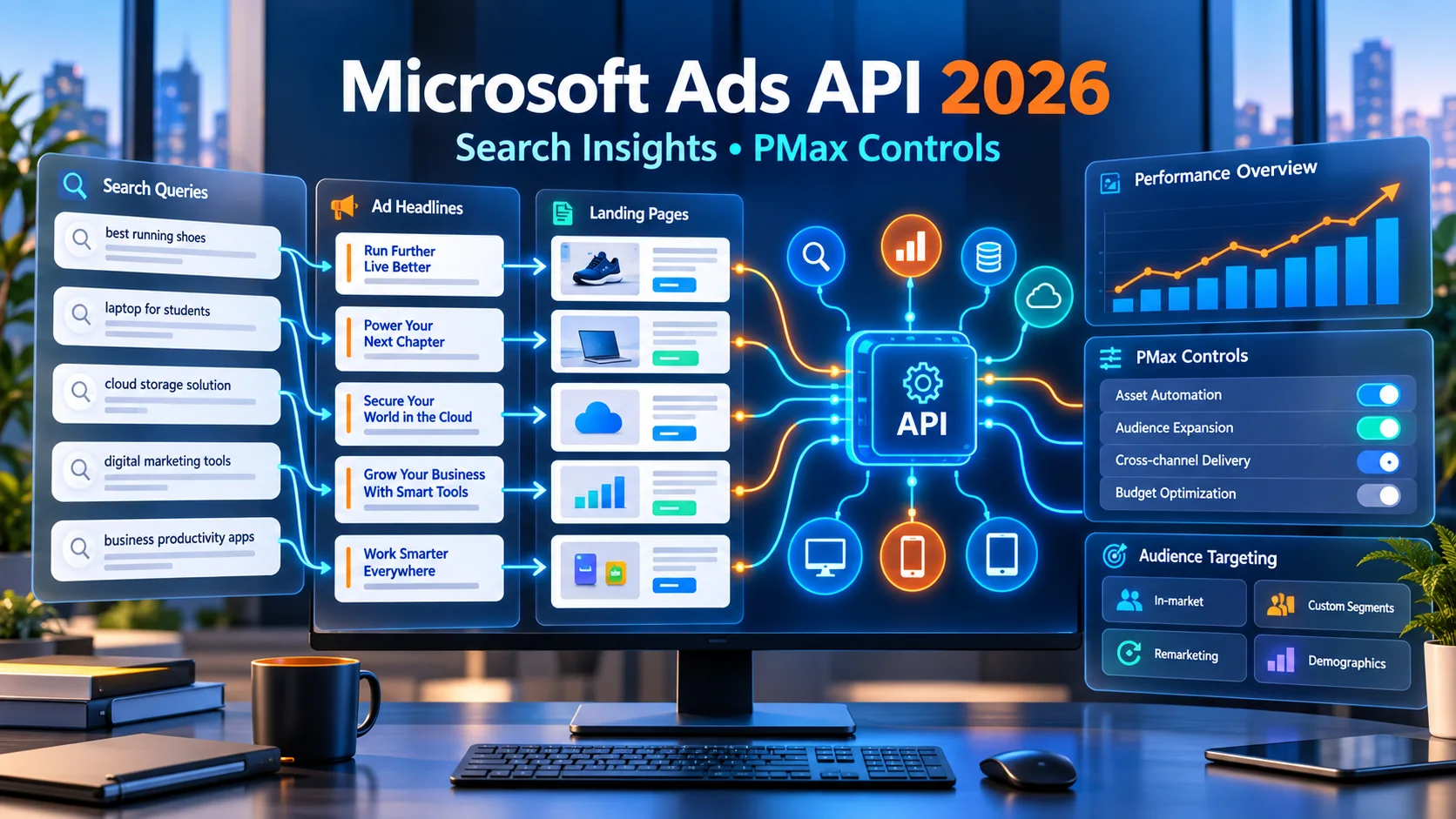
Microsoft Ads API में बड़ा अपडेट: Search Reporting और PMax Controls को आसान हिंदी में समझें
Microsoft Advertising API में Search Term Landing Page Report, Performance Max device exclusions और LinkedIn-based targeting support जैसे बदलाव आए हैं। आसान हिंदी में समझिए कि advertisers, agencies और developers इनका सही उपयोग कैसे कर सकते हैं।
5 · Read blog
नए E-commerce Rules से Brand Advertising कैसे बदल सकती है? Discount, Sponsored Listing और 30-Day Price की पूरी Guide
भारत में report किए गए नए e-commerce transparency rules brands की discount strategy, sponsored listings, price history और campaign approval process को कैसे बदल सकते हैं—आसान हिंदी में विस्तृत analysis।
4 · Read blog
IndiaMART पर Sales कैसे बढ़ाएं? 15 Practical B2B Lead Conversion Strategies
IndiaMART पर product listings, buyer enquiries, lead qualification, quotations, follow-up, pricing, trust और sales metrics को improve करने की detailed Hindi guide।
4 · Read blog
Comments 0
No comments yet. Be the first to share a useful thought.
Leave a comment
Your email address will not be published. Comments are reviewed before appearing. Web addresses are displayed as plain text and are never clickable.