
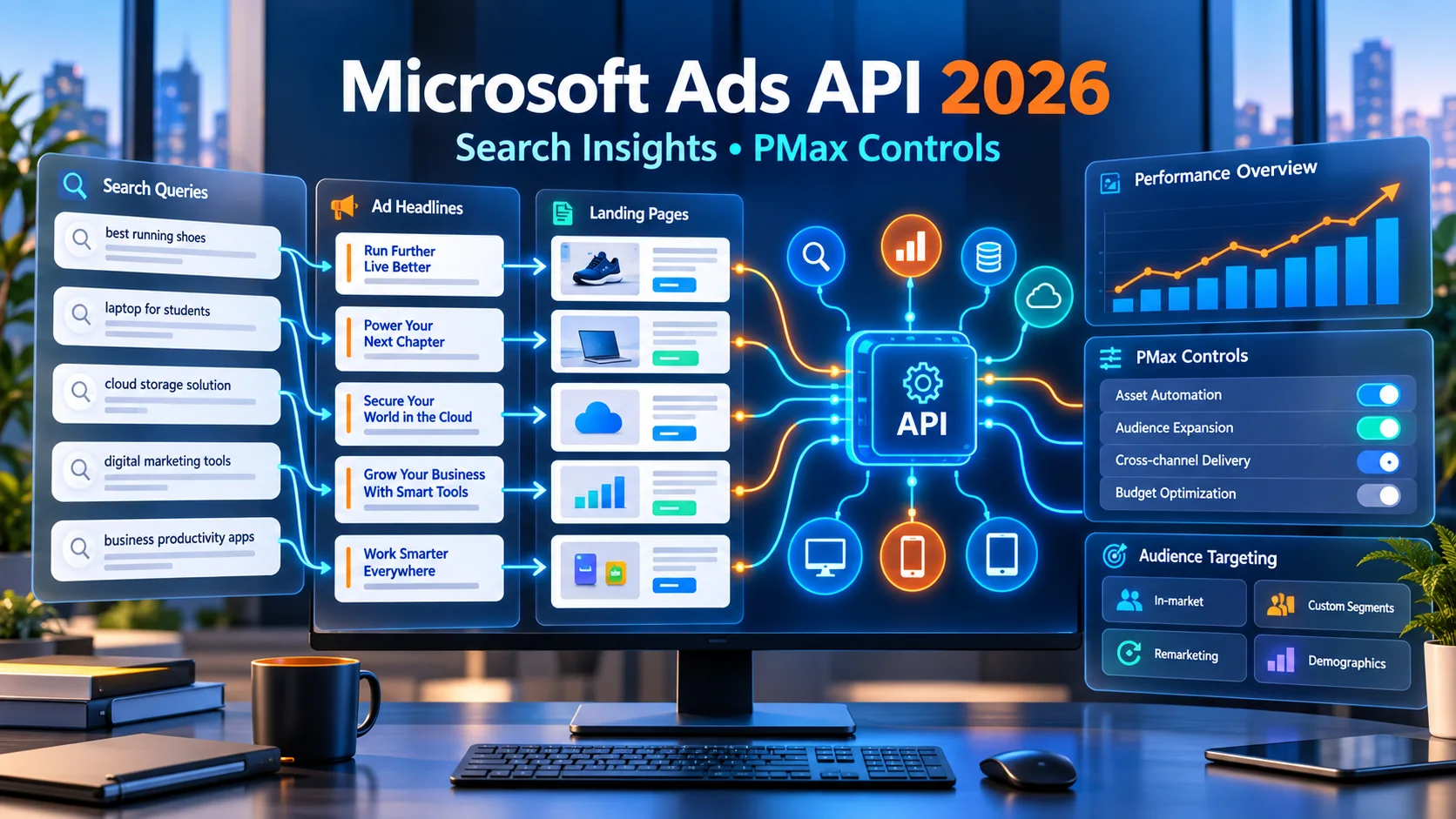
Microsoft Ads API में बड़ा अपडेट: Search Reporting और PMax Controls को आसान हिंदी में समझें
Microsoft Advertising API में Search Term Landing Page Report, Performance Max device exclusions और LinkedIn-based targeting support जैसे बदलाव आए हैं। आसान हिंदी में समझिए कि advertisers, agencies और developers इनका सही उपयोग कैसे कर सकते हैं।
Microsoft Advertising ने अपने Ads API में ऐसे बदलाव जोड़े हैं जिनका सीधा फायदा उन advertisers, agencies और software platforms को मिल सकता है जो campaigns को manually नहीं, बल्कि API के जरिए बड़े scale पर manage करते हैं। इस update का मुख्य उद्देश्य दो पुरानी समस्याओं को कम करना है: पहली, search query से landing page तक की journey को साफ तरीके से समझना और दूसरी, Performance Max यानी PMax campaigns पर अधिक practical control देना।
सबसे महत्वपूर्ण addition नया Search Term Landing Page Report है। यह report advertiser को बता सकती है कि user ने क्या search किया, उसे कौन-सा ad headline दिखाया गया और click या impression से जुड़ा final landing page कौन-सा था। इसके साथ campaign-level device exclusions, LinkedIn profile data से जुड़े targeting options और automated campaign management के लिए बेहतर API support जैसे controls भी चर्चा में हैं।
संक्षेप में क्या बदला है?
| नई सुविधा | क्या जानकारी या control मिलता है? | किसके लिए उपयोगी है? |
|---|---|---|
| Search Term Landing Page Report | Search term, delivered headline, final URL और performance metrics को एक साथ देखने में मदद | PPC teams, agencies, reporting tools और landing-page optimization teams |
| PMax Device Exclusions | Campaign level पर अनुपयोगी device traffic को API से exclude करने की क्षमता | ऐसे advertisers जिनकी conversion quality device के अनुसार काफी बदलती है |
| LinkedIn Segment Support | Supported campaigns और markets में company, industry या job-function signals के आधार पर professional audience strategy | B2B advertisers, SaaS कंपनियां, recruiters और enterprise marketers |
| Programmatic Management | कई accounts और campaigns पर एक जैसी checks, controls और reporting automate करना | Large agencies, ad-tech platforms और in-house automation teams |
Microsoft Ads API क्या है और यह update किसके लिए है?
Microsoft Ads API एक technical interface है जिसके जरिए approved applications Microsoft Advertising accounts से campaign data पढ़ सकती हैं और permissions के अनुसार campaigns, reports, targeting तथा related settings manage कर सकती हैं। इसका इस्तेमाल आमतौर पर agencies के internal tools, bid-management platforms, reporting dashboards और enterprise marketing systems में होता है।
यदि कोई advertiser केवल Microsoft Advertising web dashboard में एक-दो campaigns manage करता है, तो उसे API सीधे use करने की जरूरत नहीं पड़ सकती। लेकिन 50 client accounts, हजारों campaigns या daily automated reports manage करने वाली agency के लिए API बहुत महत्वपूर्ण है। एक developer ऐसा workflow बना सकता है जो हर सुबह खराब landing-page match, unusual device spend या irrelevant search queries identify करके team को alert करे।
नया Search Term Landing Page Report क्या बताता है?
Microsoft Learn के अनुसार SearchTermLandingPageReportRequest ऐसा report request है जिसमें search term, delivered headline और landing page URL को impression-level context में देखा जा सकता है। Report generate करने के लिए Final URL column और कम से कम एक performance metric, जैसे impressions, शामिल करना जरूरी है। Scope को selected accounts और campaigns तक सीमित किया जा सकता है और custom या predefined date range चुनी जा सकती है।
इसका सबसे बड़ा फायदा यह है कि advertiser केवल query performance नहीं देखता, बल्कि यह भी समझ सकता है कि query के जवाब में कौन-सा message और कौन-सा page deliver हुआ। उदाहरण के लिए user ने “small business accounting software” search किया, headline “Simple Billing for Growing Teams” दिखा और traffic generic homepage पर चला गया। यदि dedicated accounting-software page मौजूद था, तो generic homepage conversion कम कर सकता है। नई report इस mismatch को खोजने में मदद कर सकती है।
Search term से landing page तक पूरा flow कैसे समझें?
- Search term: User ने वास्तविक रूप से क्या query लिखी?
- Delivered headline: Automated या eligible assets में से कौन-सा headline दिखा?
- Final URL: User को किस landing page पर भेजा गया?
- Performance: उस combination को कितने impressions, clicks या उपलब्ध conversion signals मिले?
- Action: Query, message और page एक-दूसरे के अनुरूप हैं या नहीं?
यह analysis SEO और PPC teams को साथ काम करने में भी मदद कर सकता है। AFShop के AI Search and Ecommerce SEO guide में structured content और user intent के महत्व को समझाया गया है। Paid search में भी यही principle लागू होता है: user के intent, ad message और landing-page content के बीच continuity जितनी अच्छी होगी, user experience उतना बेहतर हो सकता है।
पुरानी reports से यह कैसे अलग है?
Traditional Search Query Performance Report यह समझने में मदद करती है कि ads trigger होने पर audience ने क्या search किया और कौन-सी queries impressions या clicks ला रही हैं। Landing Page Report URL performance दिखा सकती है। लेकिन दोनों को अलग-अलग analyze करने पर query और destination का exact connection बनाने के लिए extra data joining करनी पड़ सकती है।
नई Search Term Landing Page Report का उद्देश्य इन layers को एक report में करीब लाना है। इससे analyst को केवल “यह query चली” या “यह page चला” नहीं, बल्कि “इस query पर यह headline दिखी और यह page deliver हुआ” जैसी actionable जानकारी मिल सकती है। यही deeper reporting agencies और automation tools के लिए महत्वपूर्ण है।
इस report से कौन-सी समस्याएं पकड़ी जा सकती हैं?
- High-intent query का generic homepage पर जाना।
- Product-specific search का out-of-stock या discontinued page पर जाना।
- Headline में offer का दावा होना लेकिन landing page पर offer स्पष्ट न होना।
- Hindi query का केवल English page पर जाना जबकि localized page उपलब्ध हो।
- Mobile user का slow या desktop-focused landing page पर जाना।
- Informational query का aggressive sales page पर जाना।
- एक ही query group का कई कमजोर pages में बंट जाना।
Landing page speed भी conversion को प्रभावित कर सकती है। Page selection सही होने के बाद भी slow loading, layout shift या delayed form response user को रोक सकते हैं। इसके लिए AFShop का website performance metrics guide practical checks देता है।
Performance Max campaign क्या है?
Microsoft Performance Max एक AI-powered campaign type है जो advertiser के goals, assets, feed और targeting signals का उपयोग करके Microsoft inventory में suitable combinations और delivery opportunities खोजता है। Automation का फायदा reach और operational efficiency है, लेकिन advertisers अक्सर यह जानना चाहते हैं कि budget कहां खर्च हुआ, कौन-सी queries आईं और delivery को कैसे नियंत्रित किया जाए।
Microsoft ने 2026 में PMax reporting transparency पर लगातार काम किया है। Search term reporting, landing-page visibility, publisher URL reporting, uplift experiments और demographic controls जैसे additions इसी दिशा का हिस्सा हैं। नया API support उन teams के लिए खास है जिन्हें यही controls सैकड़ों campaigns पर programmatically apply करने हैं।
PMax Device Exclusions का मतलब क्या है?
Device exclusion का अर्थ है किसी device category को campaign delivery से हटाना। Microsoft Advertising documentation में computers, smartphones और tablets जैसी device categories का उल्लेख है। Bulk API schema में Performance Max के लिए Campaign Negative Device Criterion support दिखाया गया है। इससे eligible API workflows में campaign level पर unsuitable device traffic को exclude किया जा सकता है।
मान लीजिए किसी B2B software का complex desktop demo mobile पर ठीक से काम नहीं करता और smartphone traffic लगातार spend करता है लेकिन qualified lead नहीं देता। Team पहले landing page सुधारने की कोशिश करेगी। यदि business reason मजबूत है और data पर्याप्त है, तो device exclusion consider किया जा सकता है।
Device exclusion कब नहीं करना चाहिए?
केवल कम last-click conversions देखकर mobile को तुरंत exclude करना गलत हो सकता है। User mobile पर research करके desktop पर convert कर सकता है। Tracking incomplete हो सकती है या mobile page खराब हो सकता है। Exclusion से पहले assisted conversions, call leads, cross-device journey, sample size और page experience जांचना चाहिए। Automation को control देना उपयोगी है, लेकिन बिना पर्याप्त evidence control लगाना reach को नुकसान पहुंचा सकता है।
LinkedIn segment targeting support क्यों महत्वपूर्ण है?
Microsoft Advertising की खास strengths में professional profile signals शामिल हैं। Supported campaign types और markets में company, industry और job function जैसे LinkedIn-based profile criteria B2B strategy के लिए उपयोगी हो सकते हैं। उदाहरण के लिए enterprise accounting platform finance industry, purchasing function या selected companies से जुड़े professional audiences को प्राथमिकता दे सकता है।
API support का फायदा यह है कि agency predefined audience rules को कई accounts पर consistent तरीके से manage कर सकती है। लेकिन professional profile targeting को personal discrimination के लिए इस्तेमाल नहीं करना चाहिए। Market availability, campaign support, minimum audience size, privacy rules और Microsoft की current policies हर implementation से पहले check की जानी चाहिए।
Agencies और ad-tech platforms के लिए क्या बदलेगा?
Large agencies में reporting केवल CSV download करने का काम नहीं है। Data warehouse, client dashboard, anomaly detection और optimization workflow आपस में जुड़े होते हैं। नया report और PMax controls निम्न automation संभव कर सकते हैं:
- हर account में search-to-page mismatch score बनाना।
- High-spend queries को wrong landing pages के साथ flag करना।
- Device-level conversion quality के आधार पर review queue बनाना।
- Client-approved exclusion rules को bulk में लागू करना।
- B2B campaigns के professional segments की consistency audit करना।
- Weekly client report में query, headline और URL examples जोड़ना।
Automation का मतलब बिना review changes करना नहीं होना चाहिए। High-impact exclusions, budget changes और audience rules के लिए approval workflow और audit log रखना बेहतर है।
एक practical reporting dashboard कैसा हो सकता है?
Useful dashboard केवल impressions और clicks नहीं दिखाएगा। Search term, headline और final URL के साथ cost, conversions, conversion value, device, campaign और asset group context दिखना चाहिए। Ecommerce और lead-generation businesses के लिए metrics अलग हो सकते हैं।
| Dashboard check | देखने वाला संकेत | संभावित action |
|---|---|---|
| Intent match | Query और landing-page topic अलग | URL mapping, asset group या page content review |
| Message match | Headline का promise page पर नहीं | Ad copy या landing-page offer update |
| Device quality | Spend ज्यादा लेकिन qualified outcomes कम | Tracking और UX audit, फिर exclusion review |
| Conversion value | Conversions हैं लेकिन value कमजोर | Lead quality या product-margin analysis |
| Search waste | Irrelevant query clusters बार-बार spend कर रहे | Negative keyword और targeting review |
Performance numbers को सही तरीके से पढ़ने के लिए AFShop ecommerce metrics guide conversion, fulfilment और value-based measurement को आसान भाषा में समझाता है।
Developers को implementation से पहले क्या देखना चाहिए?
- API access: Valid developer token, OAuth flow और account permissions confirm करें।
- Current schema: Microsoft Advertising API v13 documentation में request object, columns और supported campaign types check करें।
- Required columns: Search Term Landing Page report में Final URL तथा कम से कम एक performance metric रखें।
- Scope: केवल जरूरी accounts और campaigns request करें ताकि report manageable रहे।
- Date range: Daily monitoring और longer trend analysis के लिए अलग windows रखें।
- Rate limits: Retry, backoff, pagination और asynchronous report completion को safely handle करें।
- Data quality: Null values, delayed conversions, timezone और currency normalization संभालें।
- Audit trail: किस automation ने कौन-सा exclusion या targeting change किया, record रखें।
Advertisers के लिए step-by-step action plan
Step 1: Tracking सही करें
UET tag, conversion goals, revenue values, offline conversions और consent setup जांचें। गलत tracking के आधार पर PMax control बदलना अच्छे campaign को भी नुकसान पहुंचा सकता है।
Step 2: Search-to-page report बनाएं
पहले high-spend और high-impression combinations देखें। हर row को manual review करने के बजाय categories बनाएं: correct match, weak match, wrong page, unavailable page और tracking issue।
Step 3: Landing-page सुधार को priority दें
Wrong URL mapping ठीक करें, headline promise page पर दिखाएं, mobile speed सुधारें और form को आसान बनाएं। सिर्फ traffic रोकना समाधान नहीं है। कई बार खराब performance की वजह campaign नहीं, destination experience होता है।
Step 4: Device decision evidence से लें
कम से कम इतना data देखें कि difference random variation न हो। Cost per qualified lead, conversion value, call quality और cross-device behaviour compare करें। फिर exclusion को limited test की तरह लागू करें और impact monitor करें।
Step 5: Professional targeting को narrow but responsible रखें
B2B campaign में relevant industries या job functions useful हो सकते हैं, लेकिन audience को इतना narrow न करें कि delivery बंद हो जाए। Unknown या incomplete profile data को समझे बिना exclude करना reach घटा सकता है।
क्या यह update PMax को पूरी तरह transparent बना देता है?
नहीं। नया reporting layer visibility बढ़ाता है, लेकिन automated campaign के हर auction decision की पूरी explanation नहीं देता। Search term, delivered headline और final URL का connection बहुत उपयोगी है, फिर भी advertiser को attribution, privacy thresholds, reporting delay और cross-channel influence जैसी limitations समझनी होंगी।
Microsoft की official PMax updates में search term reporting और landing-page reporting को transparency improvement के रूप में पेश किया गया है। इसलिए इस update को “पूरा control” नहीं, बल्कि “बेहतर evidence और कुछ अतिरिक्त controls” मानना ज्यादा सही है।
Indian advertisers के लिए इसका क्या महत्व है?
भारत में ecommerce, education, SaaS, travel और local services businesses multilingual और multi-device audiences serve करते हैं। एक ही campaign में English, Hindi और regional-intent queries आ सकती हैं। Search-to-page reporting ऐसी query को सही language और सही offer page से match करने में मदद कर सकती है।
Small business के लिए API integration खुद बनाना जरूरी नहीं है। उसकी agency या reporting platform इन capabilities को dashboard में ला सकती है। Business owner को clear questions पूछने चाहिए: कौन-सी queries spend ले रही हैं, user किस page पर जा रहा है, कौन-सा device qualified lead दे रहा है और campaign change का measurable result क्या है?
Data privacy और responsible automation
Advertising data handle करते समय least-privilege access, encrypted credentials, token rotation और user-level permissions जरूरी हैं। Reports में available professional or behavioural signals को व्यक्तिगत पहचान निकालने या prohibited discrimination के लिए use नहीं करना चाहिए। Raw query data को अनावश्यक रूप से लंबे समय तक store करने से भी बचना चाहिए।
Automated rules में safety limits रखें। उदाहरण के लिए कोई script एक दिन के low conversion पर सभी smartphones exclude न कर दे। Minimum data threshold, manual approval, rollback option और change notification जैसी safeguards production system का हिस्सा होनी चाहिए।
निष्कर्ष
Microsoft Ads API का यह update agencies और programmatic advertisers को search intent से landing page तक ज्यादा साफ visibility देता है। Search Term Landing Page Report query, delivered headline और final URL को साथ देखकर ad relevance और user journey की कमजोरियां खोजने में मदद कर सकती है। PMax device exclusions और LinkedIn-related targeting support automated campaign management को अधिक practical बनाते हैं।
फिर भी सबसे अच्छा परिणाम केवल नया API endpoint जोड़ने से नहीं आएगा। Accurate conversion tracking, useful landing pages, sufficient data, responsible audience rules और human review जरूरी रहेंगे। Advertiser को automation और control के बीच संतुलन रखना चाहिए: जहां AI scale देता है, वहां reporting evidence देती है और carefully applied controls business priorities की रक्षा करते हैं।
Article at a glance
| Written by | Arjun Mehta |
|---|---|
| Published | 27 Sep 2026, 05:00 PM IST |
| Reading time | 14 minutes |
| Topic | Ecommerce research and practical guidance |
Frequently Asked Questions
Microsoft Ads API के नए update में सबसे महत्वपूर्ण सुविधा कौन-सी है?
Search Term Landing Page Report प्रमुख सुविधा है। यह search term, delivered headline और final landing-page URL को performance context के साथ समझने में मदद करती है।
Search Term Landing Page Report किसके लिए उपयोगी है?
यह PPC teams, agencies, reporting platforms और landing-page optimization teams के लिए उपयोगी है, खासकर जब कई campaigns या accounts manage किए जाते हों।
क्या नई report conversion tracking की जगह लेती है?
नहीं। Report journey की visibility बढ़ाती है, लेकिन सही UET setup, conversion goals और value tracking अभी भी जरूरी हैं।
PMax Device Exclusion क्या है?
यह supported API workflow में campaign level पर किसी अनुपयोगी device category की delivery रोकने का control है। इसे पर्याप्त performance evidence के बाद ही लागू करना चाहिए।
क्या कम mobile conversions होने पर smartphones तुरंत exclude कर देने चाहिए?
नहीं। पहले mobile UX, tracking, assisted conversions, lead quality और sample size जांचें। कम conversions का कारण खराब landing page भी हो सकता है।
LinkedIn profile targeting में कौन-से signals उपयोग हो सकते हैं?
Supported contexts में company, industry और job function जैसे professional profile signals उपयोग किए जा सकते हैं। Availability campaign type और market पर निर्भर करती है।
क्या छोटे business को Microsoft Ads API खुद integrate करनी चाहिए?
जरूरी नहीं। Small businesses agency या compatible reporting platform के जरिए इन insights का उपयोग कर सकते हैं। Custom integration large-scale management में ज्यादा उपयोगी होती है।
क्या यह update PMax को पूरी तरह transparent बना देता है?
नहीं। यह visibility और control बढ़ाता है, लेकिन automated auction decisions, attribution और cross-channel influence की सभी details नहीं बताता।

Arjun Mehta
Digital Business WriterArjun covers practical digital-business strategy, customer journeys and measurement for growing Indian businesses.
View author profileRead More Blogs

Meta Ads Guide 2026: Facebook और Instagram Advertising कैसे शुरू करें?
Facebook और Instagram पर Meta Ads शुरू करने की complete Hindi guide—account setup, objectives, audience, budget, placements, creatives, measurement और India-specific launch plan।
2 · Read blog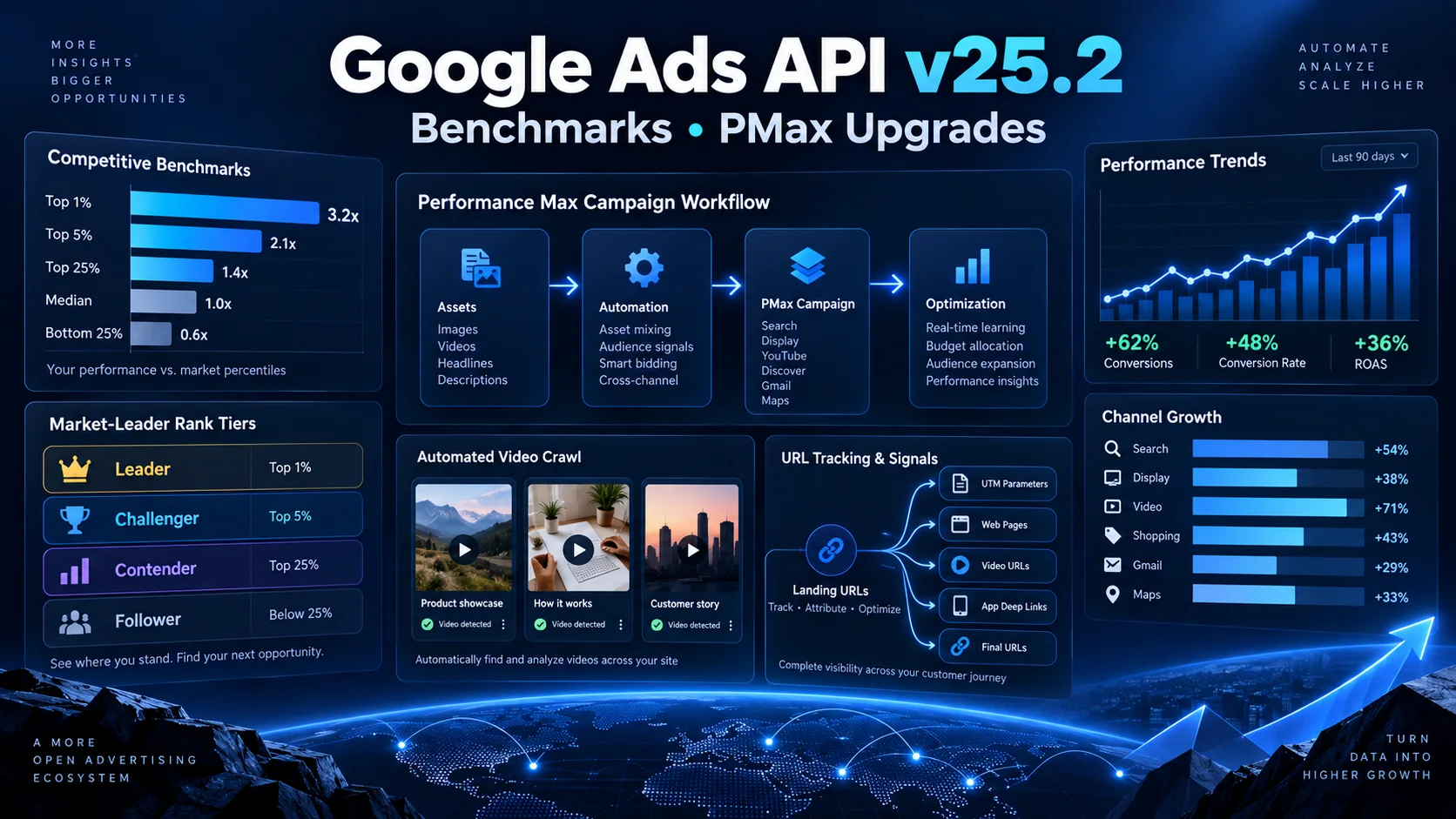
Google Ads API v25.2 में क्या नया है? Competitive Benchmarks और PMax Upgrades को आसान हिंदी में समझें
Google Ads API v25.2 में competitive percentile benchmarks, Performance Max video crawl, asset-group URL tracking और Smart Campaign से PMax draft बनाने जैसे बदलाव आए हैं। Advertisers, agencies और developers के लिए इन updates का practical मतलब आसान हिंदी में समझें।
11 · Read blog
नए E-commerce Rules से Brand Advertising कैसे बदल सकती है? Discount, Sponsored Listing और 30-Day Price की पूरी Guide
भारत में report किए गए नए e-commerce transparency rules brands की discount strategy, sponsored listings, price history और campaign approval process को कैसे बदल सकते हैं—आसान हिंदी में विस्तृत analysis।
4 · Read blog
IndiaMART पर Sales कैसे बढ़ाएं? 15 Practical B2B Lead Conversion Strategies
IndiaMART पर product listings, buyer enquiries, lead qualification, quotations, follow-up, pricing, trust और sales metrics को improve करने की detailed Hindi guide।
4 · Read blog
Comments 0
No comments yet. Be the first to share a useful thought.
Leave a comment
Your email address will not be published. Comments are reviewed before appearing. Web addresses are displayed as plain text and are never clickable.