

Meta Ads Guide 2026: Facebook और Instagram Advertising कैसे शुरू करें?
Facebook और Instagram पर Meta Ads शुरू करने की complete Hindi guide—account setup, objectives, audience, budget, placements, creatives, measurement और India-specific launch plan।
Meta Ads केवल Facebook post boost करने का नाम नहीं है। यह एक auction-based advertising system है जिसमें business Facebook, Instagram, Messenger और eligible placements पर awareness, traffic, engagement, leads, app actions या sales जैसे outcomes के लिए campaigns चला सकता है। सही result के लिए account setup, objective, tracking, audience, creative, landing experience और measurement एक साथ काम करते हैं।
यह beginner-to-launch guide Indian businesses, local services, ecommerce brands, educators और lead-generation teams के लिए है। Interface, automation, eligibility और policies बदल सकती हैं; आपके account में दिखाई दे रहा current Ads Manager और official documentation final source हैं। कोई fixed CPC, CPL या ROAS guarantee नहीं किया जा सकता।
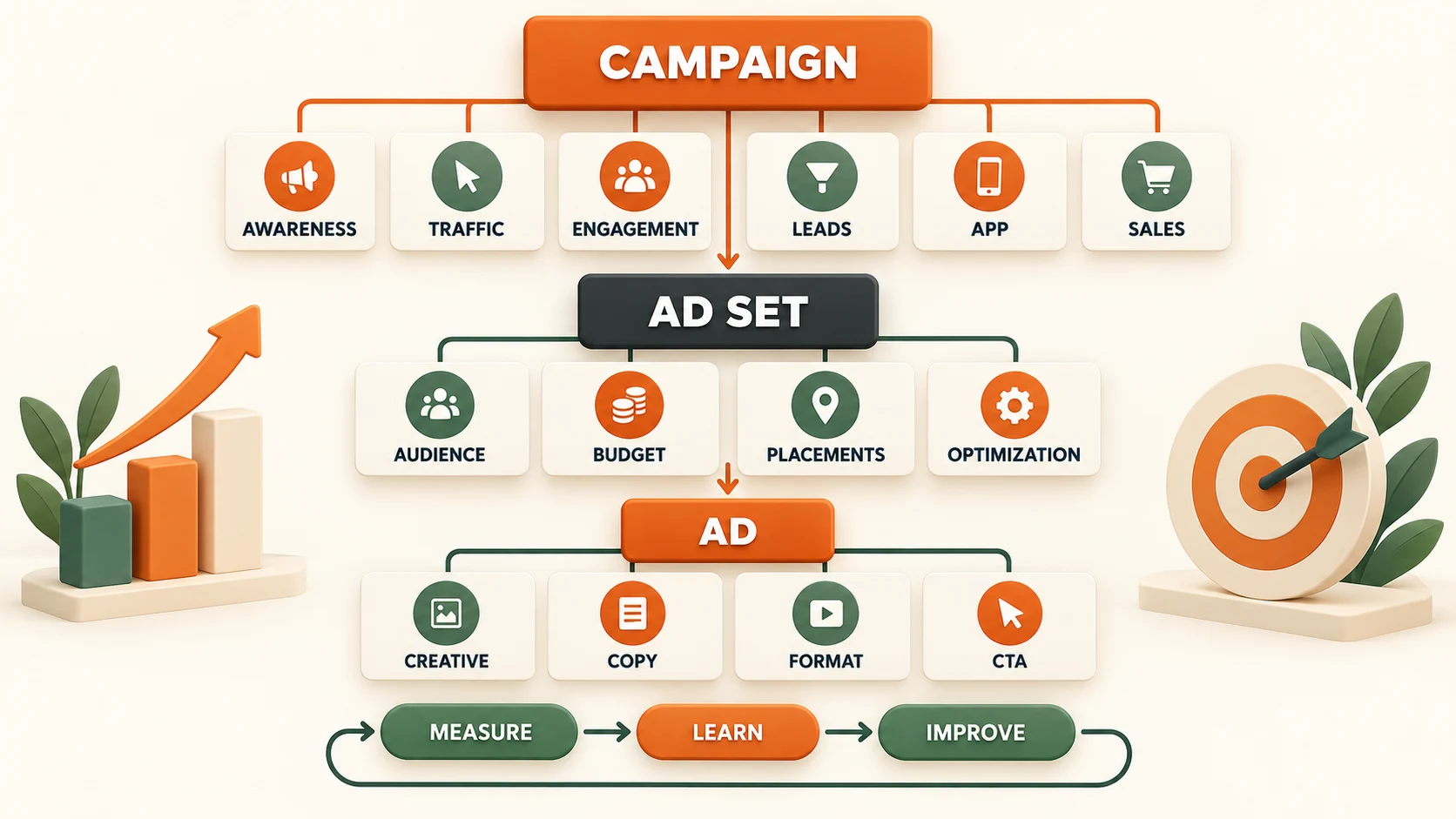
Meta Ads कैसे काम करते हैं?
हर available impression के लिए delivery system auction चलाता है। Highest bid वाला advertiser हर बार नहीं जीतता। Bid, expected action, ad quality, user experience और campaign settings मिलकर delivery को प्रभावित कर सकते हैं। इसलिए low-quality creative को केवल ज्यादा budget देकर हमेशा profitable नहीं बनाया जा सकता।
| Layer | आप क्या तय करते हैं | Common decision |
|---|---|---|
| Campaign | Business objective | Awareness, traffic, engagement, leads, app promotion या sales |
| Ad set | Audience, budget, schedule, placements और optimisation | किसे, कब, कहां और किस event के लिए delivery चाहिए |
| Ad | Identity, format, creative, copy, destination और CTA | User क्या देखेगा और click के बाद कहां जाएगा |
Six campaign objectives को सरल भाषा में समझें
1. Awareness
जब goal brand, store, product launch या message को relevant लोगों तक पहुंचाना हो। Success को केवल sales से नहीं; reach, frequency, video consumption और brand outcome के context में पढ़ें।
2. Traffic
Website, app, profile या messaging destination पर visits लाने के लिए। अगर final goal purchase है तो केवल link clicks पर optimise करना weak alignment हो सकता है; landing-page views और downstream conversion भी देखें।
3. Engagement
Messages, video views, post engagement या other supported interactions के लिए। Engagement campaign sales campaign का automatic replacement नहीं है। जिस action का business value हो उसी के अनुसार performance goal चुनें।
4. Leads
Instant form, website form, calls या messaging के माध्यम से enquiries collect करने के लिए। Cheap lead की जगह qualified, contacted, booked और closed lead track करना ज्यादा useful है।
5. App promotion
App installs और eligible in-app actions के लिए। SDK or supported measurement setup, event quality, deep links और post-install behaviour जरूरी हैं। Install count अकेला retained customer नहीं बताता।
6. Sales
Website purchase, catalog-driven sales या other eligible conversion outcomes के लिए। Correct Pixel/CAPI events, value, currency, product IDs और reliable checkout data optimisation की foundation हैं।
Launch से पहले क्या तैयार रखें?
- Business portfolio और correct admin access
- Facebook Page तथा relevant Instagram professional account
- Ad account with correct country, currency and time zone
- Verified payment method and billing ownership
- Website domain, privacy disclosures और working landing pages
- Meta Pixel and, where appropriate, Conversions API
- Clear offer, price, delivery, returns and customer-support process
- At least three genuinely different creative concepts
- UTM naming and backend lead/order tracking
Business assets और permissions
Personal login credentials team के साथ share न करें। प्रत्येक व्यक्ति को उसकी responsibility के अनुसार access दें। Agency, freelancer या employee को जरूरत से ज्यादा admin permission देने से security risk बढ़ता है। Recovery contacts, two-factor authentication और asset ownership document करें।
Page, Instagram account, Pixel, dataset, catalog और ad account अलग assets हैं। Campaign launch से पहले verify करें कि correct business के correct assets connected हैं। Wrong Pixel या wrong Page select होने से reporting और customer trust दोनों प्रभावित होते हैं।
Meta Pixel और Conversions API
Pixel browser activity से events भेज सकता है, जबकि Conversions API permitted server-side or platform integration से events भेज सकती है। दोनों complementary हो सकते हैं। Same event browser और server से भेजने पर consistent event ID के साथ deduplication जरूरी है, वरना purchase double count हो सकता है।
Common ecommerce events में ViewContent, AddToCart, InitiateCheckout और Purchase शामिल हो सकते हैं। Lead business में PageView से आगे form completion, qualified lead या offline outcome useful होता है। केवल वही customer data भेजें जिसे collect और use करने की lawful permission हो।
Audience strategy: manual control और automation
| Audience approach | कब test करें | Risk |
|---|---|---|
| Broad or Advantage+ audience | Strong creative, clean events और scalable consumer offer | Weak signal पर irrelevant delivery |
| Interest targeting | New niche hypothesis या limited geography | Over-restriction और overlapping ad sets |
| Custom audience | Visitors, engagers या consented customer list | Small size, privacy and high frequency |
| Lookalike | High-quality seed customers या qualified leads | Low-quality seed गलत pattern scale करता है |
| Local audience | Store, clinic, service radius या city campaign | Location too broad या travel reality ignore करना |
Audience को इतना narrow न करें कि system सीख ही न सके। Age, geography या exclusion केवल business, legal और operational reason से लगाएं। Automated audience को blind trust भी न दें; placement, lead quality और geography breakdown review करें।
Placements और mobile-first creative
Advantage+ placements delivery system को supported placements में budget allocate करने दे सकती हैं। Manual placements तब उपयोगी हैं जब format, brand-safety, destination या measurement की स्पष्ट limitation हो। केवल familiar placement चुनना हमेशा efficient नहीं होता।
- Feed के लिए square or vertical-friendly composition
- Stories और Reels के लिए 9:16 asset तथा safe zones
- पहले seconds में product, problem या benefit स्पष्ट
- Sound-off समझ आने वाला visual, लेकिन suitable audio के साथ बेहतर native experience
- Small-screen readable text और one clear CTA
- Placement preview में crop, captions और buttons verify करें
Creative strategy: format नहीं, angle test करें
एक ही headline को पांच background colors में बदलना meaningful creative diversity नहीं है। Different customer motivations पर concepts बनाएं:
- Problem–solution: समस्या दिखाएं और product कैसे मदद करता है।
- Demonstration: Product or service को action में दिखाएं।
- Outcome: Realistic before/after process, unsupported claim के बिना।
- Founder or expert: Trust और context दें।
- Customer proof: Permission के साथ authentic review or use case।
- Objection handling: Price, delivery, quality, fit या support का answer।
- Offer: Genuine saving, bundle या deadline साफ terms के साथ।
Misleading countdown, fake testimonial, unrealistic earnings, hidden subscription या unsupported health/financial claims approval और customer trust दोनों को नुकसान पहुंचा सकते हैं।
Ad copy framework
Hook → Context → Benefit → Proof → Action
Hook attention ले, लेकिन clickbait न हो। Context user को बताए कि offer किसके लिए है। Benefit measurable or understandable हो। Proof genuine demo, process, review या policy हो। CTA अगले step से match करे—Shop Now, Learn More, Book Now या Send Message।
Primary text, headline और landing page एक ही promise करें। Ad में discount और landing page पर full price mismatch trust तथा conversion दोनों घटाता है।
Budget कैसे तय करें?
Universal minimum profitable budget नहीं है। Budget outcome cost, conversion rate, decision window और business risk पर depend करता है। पहले maximum acceptable acquisition cost calculate करें:
Maximum CAC = net customer revenue − product/service variable cost − fulfilment − payment fee − expected returns/refunds − desired contribution.
Lead business में maximum CPL close rate के बिना नहीं निकलता। उदाहरण: अगर ten qualified leads में one customer बनता है, तो allowable CPL customer acquisition limit का लगभग one-tenth होगा—लेकिन sales handling cost भी जोड़ें।
Campaign budget या ad set budget?
Campaign-level budget system को ad sets के बीच allocation flexibility देता है। Ad-set budget strict geography, offer, sales team, test cell या minimum-spend requirement में control दे सकता है। Small account में बहुत सारे ad sets budget fragment करते हैं। Structure को reporting convenience के बजाय actual decision boundaries पर बनाएं।
Bid strategy और optimisation event
Lowest-cost style delivery से शुरुआत कई accounts के लिए simpler हो सकती है, लेकिन account में available options objective and setup पर depend करते हैं। Cost controls तभी use करें जब business limit समझ में आती हो और enough delivery signal हो। Unrealistically low target delivery रोक सकता है।
Revenue goal purchase है तो ViewContent optimiser केवल सस्ते visitors ढूंढ सकता है। फिर भी बहुत low-volume account में event selection practical signal volume के अनुसार test करना पड़ सकता है। Final decision qualified business outcome से लें।
Landing page checklist
- Mobile पर fast और stable load
- Ad message से matching headline
- Price, availability, delivery और returns स्पष्ट
- Visible CTA without intrusive clutter
- Trust information, contact and privacy pages
- Short, accessible form with useful validation
- Payment and confirmation flow tested
- Pixel event only successful action पर fire हो
India-specific campaign planning
Language
English, Hindi और regional-language creative को translation-only test न बनाएं। Local phrasing, voice, product demonstration और offer clarity audience के अनुसार adapt करें। Mixed-language creative तभी use करें जब customers naturally उसी तरह communicate करते हों।
WhatsApp and calls
High-consideration local services में messaging or call useful हो सकते हैं, लेकिन fast response, qualification questions, consent और CRM status जरूरी हैं। Conversation count को sales न मानें।
COD and returns
Ecommerce campaign में confirmed order और delivered order अलग metrics हैं। COD verification, RTO, return और refund के बाद contribution calculate करें।
Festive competition
Festival periods में demand और advertiser competition दोनों बदल सकते हैं। Last week में untested creative launch करने के बजाय assets, landing page और fulfilment capacity पहले validate करें।
Local geography
Service area को administrative city name से नहीं, actual travel, delivery or appointment capability से define करें। Leads बाहर से आ रही हों तो location report और form fields check करें।
Meta Ads और Google Ads में अंतर
| Dimension | Meta Ads | Google Ads |
|---|---|---|
| User state | Discovery, attention and social context | Search intent or content context |
| Primary strength | Visual demand creation and audience expansion | Existing demand capture |
| Creative need | Frequent visual concept testing | Keyword, feed, copy and landing relevance |
| Useful together | Introduce and nurture demand | Capture people actively searching |
Budget allocation category, margin और customer journey पर निर्भर है। Search-led strategy के लिए Google Ads optimisation guide देखें।
Measurement dashboard
| Stage | Useful metrics | Question |
|---|---|---|
| Delivery | Spend, reach, impressions, frequency, CPM | क्या ad intended market तक पहुंच रहा है? |
| Attention | Video retention, outbound CTR, reactions and feedback | क्या creative relevant attention ले रहा है? |
| Page | Landing views, load quality, conversion rate | क्या click के बाद experience काम कर रहा है? |
| Outcome | Purchase, qualified lead, booking, CAC, ROAS | क्या campaign business result ला रहा है? |
| Profit | Contribution, refund, RTO, repeat value | क्या result financially sustainable है? |
Ads Manager, analytics, CRM और payment data attribution rules के कारण अलग numbers दिखा सकते हैं। Platform reporting को backend confirmed outcomes से reconcile करें।
First 14-day launch plan
Days 1–2: Foundation
Access, billing, domain, Pixel/CAPI, events, landing page और CRM test करें। Test transaction or lead end-to-end verify करें।
Days 3–4: Build
One business objective, simple structure, defined audience hypothesis और three distinct creative angles तैयार करें। Naming convention तथा UTMs लगाएं।
Days 5–7: Quality check
Delivery, rejection, broken links, event duplication, geography और obvious tracking errors देखें। Early fluctuations पर हर few hours major edits न करें।
Days 8–10: Diagnose
Delivery → attention → page → outcome funnel पढ़ें। Weakest stage पहचानें; एक hypothesis पर controlled change करें।
Days 11–14: Decide
Delivered business outcome और contribution पर winner, loser या inconclusive classify करें। Winner को measured तरीके से expand करें और next creative test तैयार रखें।
Common mistakes
- Boost button को complete advertising strategy मानना।
- Sales चाहिए लेकिन traffic objective चुनना।
- Wrong Pixel, event या conversion location select करना।
- One creative से पूरे market का conclusion निकालना।
- बहुत सारे campaigns में छोटा budget बांटना।
- Campaign रोज edit करके learning disturb करना।
- Cheap leads को qualified leads मानना।
- Mobile landing speed और message match ignore करना।
- Return, RTO और refund के बिना ROAS पढ़ना।
- Platform-attributed numbers को final accounts मानना।
Launch के बाद optimisation
Setup के बाद अगला काम tracking audit, creative testing, audience strategy, landing improvement, attribution और profit-based scaling है। इन advanced steps के लिए Facebook and Meta Ads Optimization guide पढ़ें। यह companion article beginner setup के बाद systematic improvement समझाता है।
Final takeaway
Successful Meta Ads campaign objective select करने से शुरू होती है, लेकिन result clean measurement, strong offer, mobile-first creative, suitable audience freedom और smooth destination से बनता है। पहले foundation सही करें, simple structure launch करें, business outcome measure करें और फिर evidence के आधार पर scale करें।
Article at a glance
| Written by | Priya Deshmukh |
|---|---|
| Published | 29 Sep 2026, 09:56 PM IST |
| Reading time | 11 minutes |
| Topic | Ecommerce research and practical guidance |
Frequently Asked Questions
Meta Ads और Facebook Ads में क्या अंतर है?
Facebook Ads पुराना commonly used name है। Meta Ads Manager से Facebook, Instagram, Messenger और eligible placements पर campaigns manage किए जा सकते हैं।
Meta Ads में कौन-से campaign objectives होते हैं?
Account and current interface के अनुसार awareness, traffic, engagement, leads, app promotion और sales जैसे six objective groups उपलब्ध हो सकते हैं।
पहली campaign के लिए कितना budget चाहिए?
कोई universal profitable minimum नहीं है। Budget expected outcome cost, margin, conversion volume, test duration और business risk के आधार पर तय करें।
क्या Meta Pixel जरूरी है?
Website conversion measurement और optimisation के लिए Pixel important है। जहां suitable हो, Conversions API complementary server-side signals दे सकती है।
Pixel और Conversions API से purchase double count हो सकता है?
हां, same event दोनों sources से भेजा जाए और consistent event ID deduplication न हो तो duplication हो सकती है। Test Events और backend orders से verify करें।
Advantage+ audience use करनी चाहिए?
Strong creative, clean events और sufficient opportunity के साथ test करें। Manual or interest audience के against qualified business results compare करें।
Traffic objective से sales मिल सकती है?
मिल सकती है, लेकिन delivery clicks के लिए optimise हो सकती है। Purchase goal हो तो sales objective और correct conversion event अधिक aligned हो सकते हैं।
Meta Ads में video जरूरी है?
Video useful है, खासकर Reels and Stories में, लेकिन strong static, carousel या other supported format भी perform कर सकता है। Format से ज्यादा message, offer और execution test करें।
Meta Ads result कब judge करें?
Immediate delivery errors जल्दी देखें, लेकिन strategic decision enough spend, conversion lag और business cycle के बाद लें। Universal fixed days rule नहीं है।
Meta Ads profit कैसे calculate करें?
Confirmed net sales से product or service variable cost, discounts, payment fee, fulfilment, returns or refunds और ad spend घटाएं। Platform ROAS अकेला profit नहीं बताता।

Priya Deshmukh
Editorial Research WriterPriya turns research, public data and practical checks into clear articles for AFShop readers.
View author profileRead More Blogs
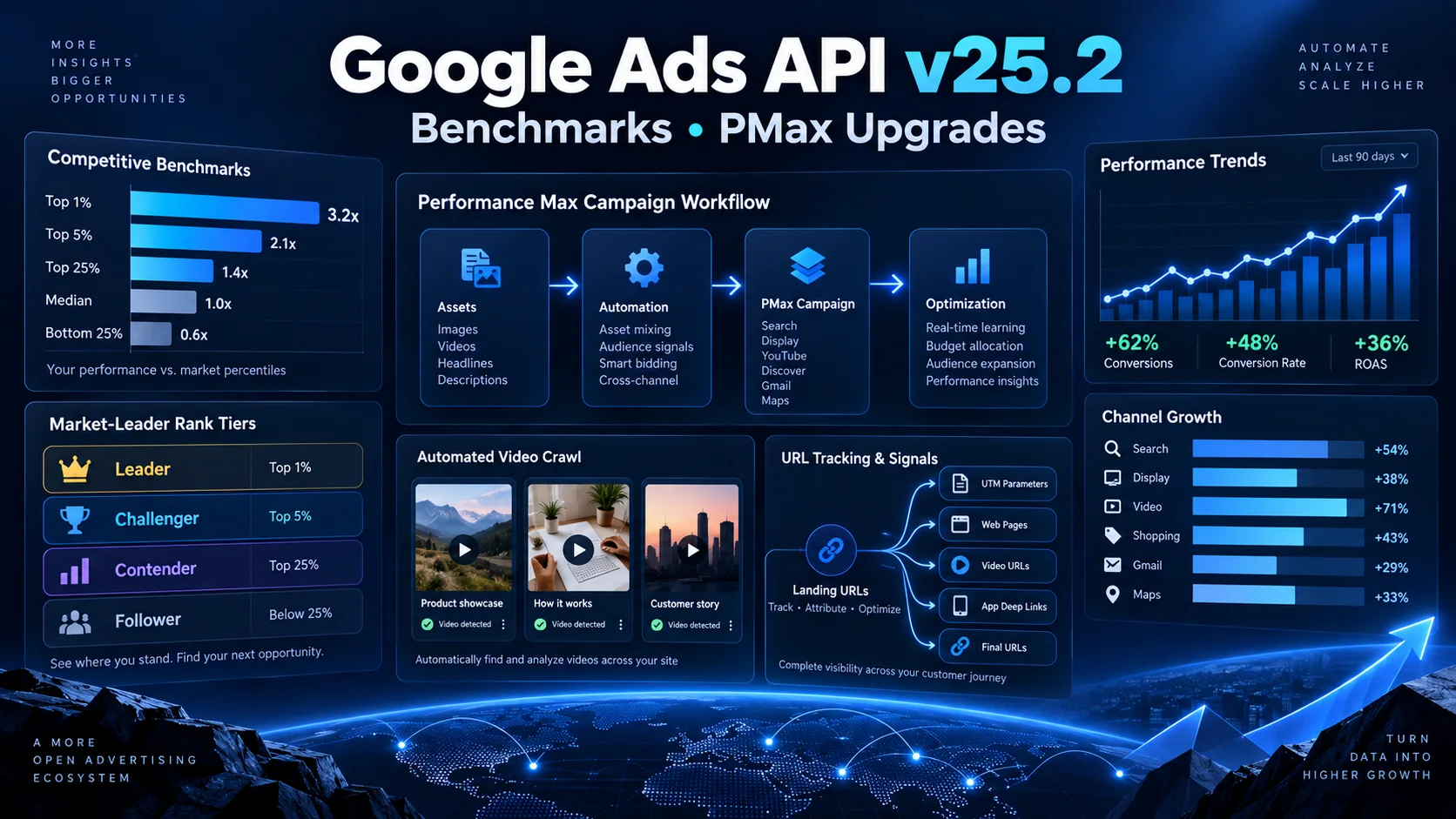
Google Ads API v25.2 में क्या नया है? Competitive Benchmarks और PMax Upgrades को आसान हिंदी में समझें
Google Ads API v25.2 में competitive percentile benchmarks, Performance Max video crawl, asset-group URL tracking और Smart Campaign से PMax draft बनाने जैसे बदलाव आए हैं। Advertisers, agencies और developers के लिए इन updates का practical मतलब आसान हिंदी में समझें।
11 · Read blog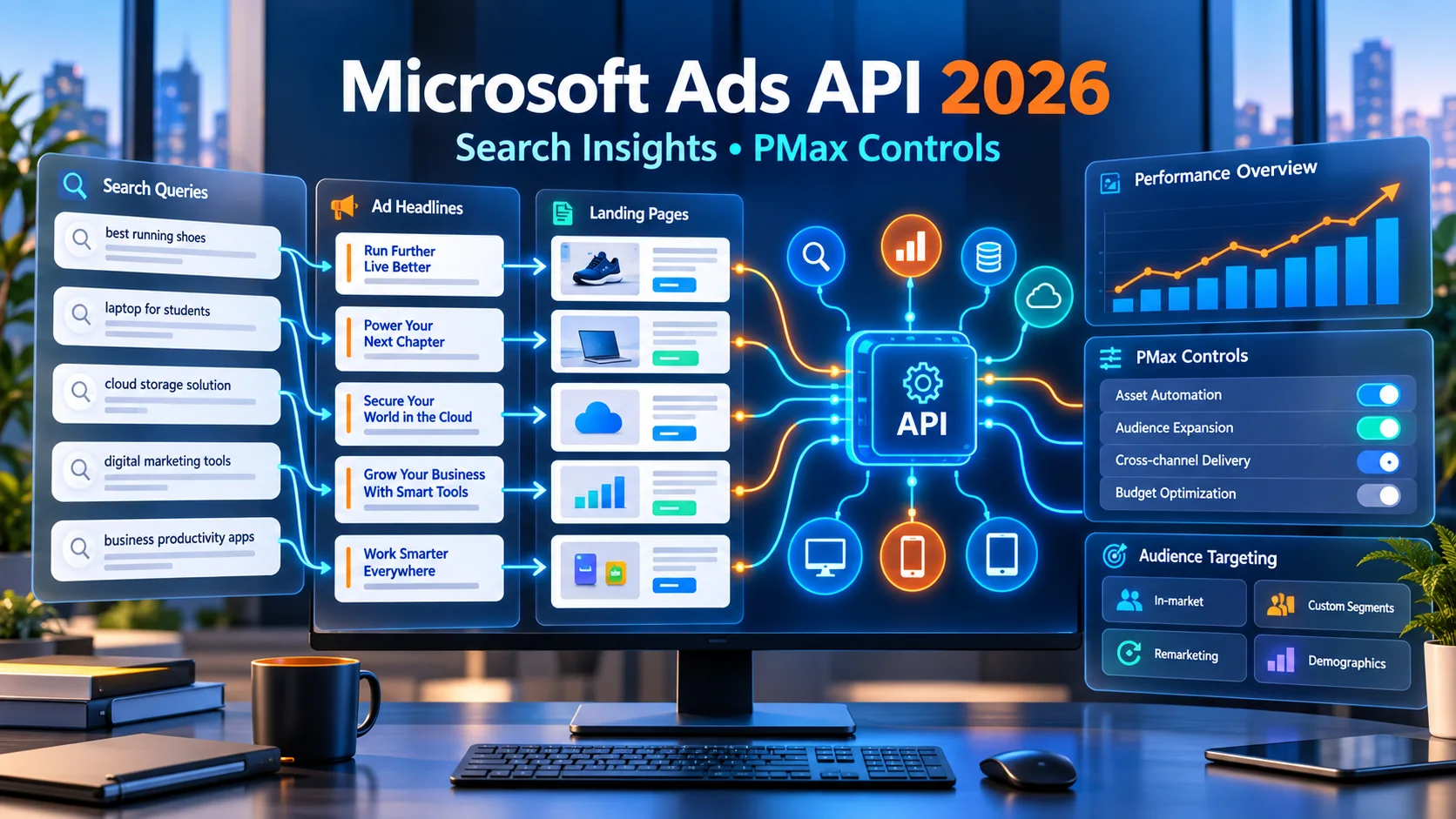
Microsoft Ads API में बड़ा अपडेट: Search Reporting और PMax Controls को आसान हिंदी में समझें
Microsoft Advertising API में Search Term Landing Page Report, Performance Max device exclusions और LinkedIn-based targeting support जैसे बदलाव आए हैं। आसान हिंदी में समझिए कि advertisers, agencies और developers इनका सही उपयोग कैसे कर सकते हैं।
5 · Read blog
नए E-commerce Rules से Brand Advertising कैसे बदल सकती है? Discount, Sponsored Listing और 30-Day Price की पूरी Guide
भारत में report किए गए नए e-commerce transparency rules brands की discount strategy, sponsored listings, price history और campaign approval process को कैसे बदल सकते हैं—आसान हिंदी में विस्तृत analysis।
4 · Read blog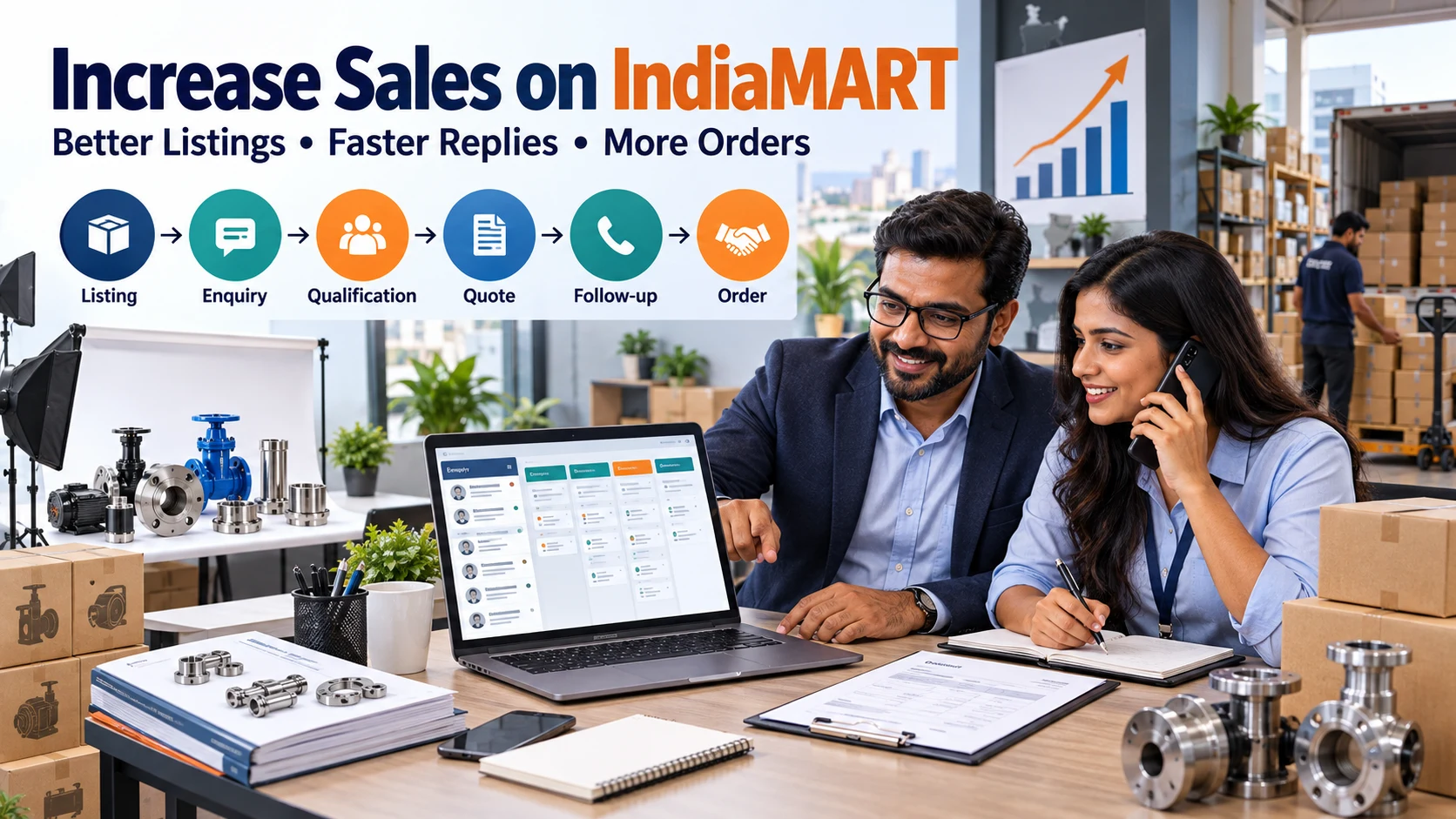
IndiaMART पर Sales कैसे बढ़ाएं? 15 Practical B2B Lead Conversion Strategies
IndiaMART पर product listings, buyer enquiries, lead qualification, quotations, follow-up, pricing, trust और sales metrics को improve करने की detailed Hindi guide।
4 · Read blog
Comments 0
No comments yet. Be the first to share a useful thought.
Leave a comment
Your email address will not be published. Comments are reviewed before appearing. Web addresses are displayed as plain text and are never clickable.