

Hospitals के लिए Google Ads Guide 2026: Healthcare Campaigns कैसे चलाएं?
Hospitals और clinics के लिए Google Ads की detailed Hindi guide: policy, local keywords, campaign structure, landing pages, calls, appointments और privacy-safe measurement।
Hospital या clinic के लिए Google Ads सामान्य ecommerce campaign जैसी नहीं होती। Search करने वाला व्यक्ति चिंतित, urgent या sensitive health situation में हो सकता है। इसलिए campaign का उद्देश्य fear बढ़ाकर click लेना नहीं, accurate service information, suitable contact path और safe appointment access देना होना चाहिए।
यह educational marketing guide है, medical advice या legal opinion नहीं। Healthcare provider को clinical claims, licenses, professional advertising rules, patient privacy, consent और applicable Indian laws के लिए qualified compliance review लेना चाहिए। Google Ads policies भी समय और location के अनुसार बदल सकती हैं।
Healthcare Google Ads कब useful हो सकती है?
- लोग location और service के साथ actively hospital या specialist खोज रहे हों।
- New department, diagnostic facility या consultation access के बारे में accurate information देनी हो।
- Multiple branches को सही location-specific page से जोड़ना हो।
- Phone, appointment request, direction और service-page use measure करना हो।
- Organic visibility के साथ controlled paid search coverage चाहिए हो।
Ads treatment outcome guarantee नहीं करती और clicks appointments के बराबर नहीं होते। Real success qualified enquiries, completed appointments, patient experience और ethical service delivery से मापें।
Campaign शुरू करने से पहले readiness audit
| Area | Required check | Risk if missing |
|---|---|---|
| Service accuracy | Department, doctor availability, timings और location verified | Wrong expectation and wasted journey |
| Claims | Clinical and quality statements supportable | Policy, legal and patient-trust risk |
| Licensing | Facility and professionals appropriately authorised | Serious compliance issue |
| Patient access | Calls, forms and appointments staffed | Missed or delayed response |
| Privacy | Minimum-data forms, notice, consent and access controls | Sensitive-data exposure |
| Emergency pathway | Emergency information accurate and operational | Potential safety harm |
| Measurement | Events contain no diagnosis or patient identity | Privacy and policy risk |
Google healthcare policy को service-by-service समझें
“Healthcare advertiser” एक single permission category नहीं है। Google कुछ healthcare content को prohibit करता है, कुछ को selected locations और certification के साथ allow करता है, और location-specific conditions लागू हो सकती हैं।
Official policy के अनुसार prescription drug services, restricted drug terms, pharmaceutical manufacturers, online pharmacies, experimental treatments, clinical-trial recruitment, addiction services और कुछ reproductive-health categories पर अलग rules हैं। सामान्य hospital service campaign को blanket certification rule समझना गलत हो सकता है; promoted content और target location का exact policy section review करें।
India के लिए important examples
- Pharmaceutical manufacturers local law के अनुसार over-the-counter medicines promote कर सकते हैं।
- India-targeted online pharmacy promotion limitations और verification/certification requirements के अधीन है।
- Online pharmacy ads और landing pages में prescription drugs promote नहीं किए जा सकते।
- Pre-natal gender determination products के ads India में allowed नहीं हैं।
इन examples को complete legal checklist न मानें। Campaign launch के दिन official policy और local regulation दोबारा verify करें।
Health personalized advertising restrictions
Health sensitive-interest category है। Google की current personalized advertising policy के अनुसार sensitive categories promote करते समय advertiser-curated audiences—जैसे Customer Match और certain first-party data segments—use नहीं किए जा सकते। Predefined audiences और contextual/location approaches की availability policy conditions पर निर्भर करती है।
Patient list, diagnosis, medication, procedure, lab result या appointment history को ad targeting audience बनाने के लिए upload न करें। “आप diabetes से परेशान हैं?” जैसी copy व्यक्ति की sensitive condition assume करती है और avoid की जानी चाहिए।
Goal को clicks नहीं, patient-access action में define करें
| Campaign goal | Primary conversion | Quality confirmation |
|---|---|---|
| Consultation access | Appointment request or connected call | Relevant department and valid contact |
| Diagnostic service | Booking request | Suitable test, location and preparation confirmation |
| Hospital discovery | Directions, location page or call | Correct facility reached |
| Doctor availability | Schedule check or appointment enquiry | Doctor/service actually available |
| Patient education | Useful page engagement | Accurate information and next-step clarity |
Emergency campaign हो तो ad और landing page operational reality reflect करें। Ads कभी भी emergency response का substitute नहीं हैं; page पर appropriate immediate-help instruction और working contact route prominently दें।
Account structure: service और location को अलग रखें
एक campaign में सभी departments मिलाने से keywords, copy, landing page और budget control कमजोर हो सकते हैं। Structure business reality के अनुसार रखें:
- Brand and hospital-name searches
- General hospital or clinic searches
- Department-specific campaigns
- Diagnostic and imaging services
- Location or branch-specific campaigns
- Emergency access, only where appropriate and operational
हर service campaign correct department page पर जाए। Cardiology query को generic homepage और branch-specific query को wrong city page पर न भेजें।
Keyword research: intent और ambiguity दोनों देखें
| Intent type | Example pattern | Action |
|---|---|---|
| Local provider | service + near me / city | Location, hours and appointment path |
| Specialist | specialty + doctor / hospital | Verified specialists and schedule page |
| Procedure research | procedure + cost / recovery / eligibility | Accurate educational page; no promise |
| Urgent access | emergency + location | Operationally verified emergency route |
| Informational symptom | symptom or condition question | Use caution; education, not diagnosis |
| Employment/student | jobs, course, salary, training | Negative keyword unless relevant |
Search-term report regularly review करें। Broad terms unexpected intent ला सकते हैं। Phrase और exact controls भी semantic matching कर सकते हैं, इसलिए actual queries monitor करना जरूरी है।
Negative keyword framework
Universal negative list blindly apply न करें; हर service के लिए relevance verify करें। Possible themes:
- Jobs, vacancy, salary, internship and course
- Free download, PDF, images or wallpaper
- Home remedy, self-medication or medicine purchase intent
- Veterinary terms if human hospital
- Unserved locations
- Unprovided treatments, doctors or departments
- Research-only terms that repeatedly produce no useful access action
“Free” जैसे term को negative करने से पहले charity service, free screening या government-scheme information पर impact check करें।
Location targeting सही तरह configure करें
- Actual service area और referral catchment map करें।
- Each branch के लिए separate location assets और landing page रखें।
- Targeting setting में presence और interest behaviour समझें।
- Distance, travel feasibility और specialty referral pattern देखें।
- Location report से irrelevant regions exclude करें।
- Medical tourism campaign को local patient campaign से अलग रखें।
Radius छोटा रखना हमेशा efficient नहीं है; complex specialty के लिए patient दूर से travel कर सकता है। लेकिन wrong geography में generic ad दिखाना waste और confusion दोनों बढ़ाता है।
Ad schedule और operational capacity
Call-focused ads उस समय run करें जब trained team calls answer कर सके, unless verified 24/7 service हो। Missed-call workflow, callback time और after-hours message तय करें। Appointment forms 24/7 available हो सकती हैं, लेकिन response expectation clearly state करें। “Immediate” शब्द तभी उपयोग करें जब वास्तव में immediate access हो।
Healthcare ad copy कैसे लिखें?
Include
- Accurate facility, department or service name
- Verified location and availability context
- Clear appointment, call or directions CTA
- Supportable credentials or accreditation
- Material condition where space permits
Avoid
- Guaranteed cure, guaranteed success or impossible outcome
- Fear, guilt or illness-based pressure
- “Best” or “No. 1” without reliable substantiation
- User की condition या personal health attribute assume करना
- Unavailable doctor, treatment or offer
- Government or other institution affiliation falsely imply करना
Google misrepresentation policy inaccurate or improbable-result claims, unavailable offers और misleading business identity को prohibit करती है। Healthcare में इन mistakes का patient-safety impact भी हो सकता है।
Responsive Search Ads asset plan
Headlines को keyword stuffing list न बनाएं। Different information roles दें:
- Service and department
- Location or branch
- Appointment access
- Facility feature, only if verified
- Doctor or team context, only when current
- Hours or 24/7 availability, only when operational
Pinning का उपयोग केवल regulatory, identity या message-control need के लिए consider करें; excessive pinning automation flexibility घटा सकती है। Assets combine होकर जो भी message बनाएं, वह हमेशा accurate होना चाहिए।
Assets and extensions
- Location: correct facility and maps connection
- Call: staffed, traceable number and suitable schedule
- Sitelinks: departments, doctors, appointment and directions
- Callouts: verified service features
- Structured snippets: actual departments or facilities
- Image assets: real, permission-cleared facility images without sensitive data
Asset-level phone, address और hours website तथा business profile से consistent रखें।
Landing page: patient को क्या मिलना चाहिए?
- Exact service and location match
- Who the service is for, without remote diagnosis
- Doctor/team details verified and current
- What to expect at consultation or facility
- Available hours and appointment process
- Costs or estimate process where appropriate
- Insurance/scheme information with conditions
- Risks, limitations or eligibility where material
- Privacy notice and secure form
- Alternative urgent-help route where relevant
Landing page clinical consultation का substitute नहीं है। Educational copy symptoms देखकर guaranteed diagnosis या treatment recommendation न दे।
Healthcare trust signals
- Legal business identity and contact details
- Verified licences, registrations and accreditations
- Doctor qualifications without exaggeration
- Real facility photographs with permissions
- Transparent policies and grievance contact
- Secure website and accessible privacy information
- Review and testimonial permissions with no manipulated outcome claims
Patient story publish करने से पहले explicit permission, scope and withdrawal process consider करें। Clinical details और identifiable images को marketing convenience के लिए expose न करें।
Appointment form में minimum data लें
Advertising landing form में केवल scheduling के लिए आवश्यक information मांगें। Detailed medical history, reports या diagnosis ad-platform workflow में collect करने से बचें। Sensitive clinical intake अलग secure healthcare process में होनी चाहिए।
- Name or suitable identifier, only if needed
- Contact method
- Preferred location or department
- Preferred date/time
- Consent and privacy acknowledgement
Form submit होने पर response time, next step और emergency limitation स्पष्ट बताएं।
Call tracking और patient privacy
Call tracking number useful है, लेकिन caller recording, transcription और data retention के लिए applicable consent and privacy requirements review करें। Marketing report में diagnosis, test result, medicine, full phone number या other patient-identifiable detail न भेजें।
Analytics event names generic रखें—जैसे appointment_request_complete—न कि disease, treatment या patient name। URL query string, page title, form field और data layer में sensitive information leak न हो।
Conversion tracking hierarchy
| Level | Example | Use |
|---|---|---|
| Micro | Directions, doctor schedule view, call button | Journey diagnosis |
| Lead | Connected call or completed appointment request | Access intent |
| Qualified | Correct department and valid request | Campaign quality |
| Operational | Appointment confirmed or attended | Access and follow-up quality |
| Experience | Resolution and service feedback | Healthcare operations, not ad promise |
Clinical outcome को simplistic ad optimisation signal न बनाएं। Marketing success और medical outcome को अलग governance के साथ handle करें।
Offline conversion feedback safely use करें
Ad platform को केवल permitted, privacy-reviewed and appropriately consented data भेजें। Patient identity या sensitive condition upload न करें। Before implementation, legal/privacy team, analytics owner और clinical governance से data map approve कराएं। Aggregated campaign reporting individual patient record से अलग रखें।
Bidding strategy कैसे चुनें?
नई campaign में insufficient conversion volume पर aggressive automated target unreliable हो सकता है। पहले accurate conversion definitions और clean data बनाएं। Manual or automated bidding का selection account volume, goal and control needs पर depend करता है।
- Budget को departments की capacity से align करें।
- Primary conversion केवल meaningful actions रखें।
- Duplicate calls/forms deduplicate करें।
- Learning period में frequent structural changes avoid करें।
- Cost per qualified request और appointment capacity साथ देखें।
Budget कैसे तय करें?
Universal monthly budget नहीं है। CPC, search demand, geography, service margin, capacity और qualified-request rate से scenario बनाएं:
Estimated clicks = monthly budget ÷ expected CPC
Estimated qualified requests = clicks × landing conversion rate × qualification rate
ये planning estimates हैं, guarantee नहीं। Budget बढ़ाने से पहले call handling, doctor slots, diagnostic capacity और landing-page quality check करें।
Hospital Google Ads dashboard
| Layer | Metrics | Warning |
|---|---|---|
| Search quality | Relevant terms, impression share, CTR | High CTR can still be wrong intent |
| Access | Connected calls, forms, directions | Button click is not completed access |
| Qualification | Correct service, location and valid request | Do not expose clinical details |
| Operations | Confirmed, attended, missed and response time | Capacity can limit performance |
| Economics | Cost per qualified request/appointment | Do not compromise care for cheap leads |
| Compliance | Disapprovals, limited eligibility and complaints | Repeated violations can escalate |
Optimisation checklist
- Search terms से irrelevant intent exclude करें।
- Branch, department और landing-page mismatch fix करें।
- Missed calls और slow response diagnose करें।
- Ad promise और actual doctor/service availability reconcile करें।
- Duplicate or low-quality conversions remove करें।
- Mobile speed, form errors and call routing test करें।
- Policy status और destination changes monitor करें।
- Qualified-request cost को capacity and experience के साथ review करें।
Disapproved healthcare ad का response
- Exact policy reason और affected asset/destination देखें।
- Ad के साथ landing page, keywords और targeting review करें।
- Restricted drug terms, unsupported claim और personalised audience settings check करें।
- Certification required हो तो correct official process follow करें।
- Violation fix करके review request करें; workaround account न बनाएं।
- Decision गलत लगे तो evidence के साथ official appeal करें।
Repeated minor edits बिना root cause समझे policy history खराब कर सकती हैं।
30-day implementation plan
| Week | Work | Deliverable |
|---|---|---|
| 1 | Policy, service, location and capacity audit | Approved scope and risk register |
| 2 | Campaign structure, keywords and landing pages | Department-location map and QA pages |
| 3 | Tracking, privacy review and controlled launch | Tested calls/forms and clean events |
| 4 | Search terms, quality and operations review | Qualified-access dashboard and fixes |
Common mistakes
- Hospital campaigns के लिए blanket certification assumption
- All departments को one generic campaign and homepage पर भेजना
- Guaranteed cure, “best” या fear-based claims
- Sensitive health audiences के लिए customer lists or remarketing use करना
- Appointment form में unnecessary medical details मांगना
- Ad में available doctor/service और website data mismatch
- Calls run करना जब reception staffed न हो
- Clicks को appointments मान लेना
- Diagnosis or patient data analytics events में भेजना
- Policy disapproval को workaround से bypass करना
Final takeaway
Healthcare Google Ads की quality तीन चीजों से तय होती है: policy-aware targeting, accurate patient-access information और privacy-safe measurement। Campaign को service और location के अनुसार structure करें, unsupported medical claims से बचें, sensitive data audience या analytics में न भेजें और qualified appointment access को operational capacity के साथ measure करें।
Current rules के लिए Google Healthcare and medicines policy, audience limitations के लिए Personalized advertising restrictions और claims के लिए Misrepresentation policy launch से पहले verify करें। General campaign optimisation के लिए Google Ads Optimization Guide भी पढ़ें।
Sources and verification
- Google Ads Healthcare and medicines policy — official restricted content, certification and India-specific location requirements.
- Google Ads restricted targeting in Personalized advertising — official health-sensitive audience and data-use restrictions.
- Google Ads Misrepresentation policy — official rules covering misleading identity, unavailable services, clickbait and unreliable claims.
This is an original AFShop educational marketing guide, not medical or legal advice. Policy eligibility and local law can change. Healthcare providers should obtain clinical, privacy and legal review before advertising; no patient volume, appointment or treatment outcome is guaranteed.
Found an error? Review our Corrections Policy or contact the editorial team.
Article at a glance
| Written by | Ananya Iyer |
|---|---|
| Published | 01 Oct 2026, 08:51 AM IST |
| Reading time | 11 minutes |
| Topic | Ecommerce research and practical guidance |
Frequently Asked Questions
क्या hospitals Google Ads चला सकते हैं?
सामान्य hospital services advertise हो सकती हैं, लेकिन blanket approval मानना सही नहीं है। Promoted service, target location, landing-page content और healthcare policy section के अनुसार restrictions, limited eligibility या certification लागू हो सकती है।
क्या हर hospital को Google healthcare certification चाहिए?
नहीं, general hospital advertising के लिए universal certification rule नहीं है। Online pharmacies, prescription drug services और अन्य restricted categories में specific certification या location conditions हो सकती हैं। Current official policy में exact service verify करें।
India में online pharmacy ads allowed हैं?
Google की current India policy में online pharmacy promotion limitations, third-party verification और Google certification के अधीन हो सकती है। Ads और landing pages prescription drugs promote नहीं कर सकते। Launch से पहले latest official terms verify करें।
क्या hospital patient list को remarketing में use कर सकता है?
Health sensitive-interest category है और advertiser-curated audiences, including certain customer lists and first-party segments, restricted हैं। Patient diagnosis, treatment या appointment data advertising audience में upload न करें।
Hospital campaign के लिए कौन-से keywords उपयोग करें?
Service, specialty और location intent से शुरू करें। Actual search terms monitor करें, unserved treatments और irrelevant job, course या self-medication intent exclude करें। Symptom terms में diagnosis claims और sensitive-personalisation risk से सावधान रहें।
Healthcare ad copy में क्या avoid करना चाहिए?
Guaranteed cure, improbable results, fear-based pressure, unsupported best or number-one claims, user की condition assume करना, unavailable doctors/services और false affiliation avoid करें। Every claim supportable और destination से consistent होना चाहिए।
Hospital landing page पर क्या होना चाहिए?
Exact service/location, verified doctors, availability, appointment process, material conditions, privacy notice, secure form और appropriate urgent-help route दें। Page को diagnosis या clinical consultation का substitute न बनाएं।
Healthcare appointment form में क्या data लेना चाहिए?
Scheduling के लिए minimum data लें, जैसे contact method, department/location और preferred time। Detailed medical history और reports को ad landing form में collect करने के बजाय secure clinical intake process use करें।
Hospital Google Ads success कैसे measure करें?
Clicks के बजाय connected calls, completed appointment requests, correct-department qualification, confirmation, attendance, response time और cost per qualified access action देखें। Patient-identifiable or diagnostic details marketing reports में न भेजें।
Disapproved healthcare ad को कैसे fix करें?
Exact policy reason देखें और ad के साथ destination, keywords, targeting तथा audience settings review करें। Restricted claim or term fix करें, required certification पूरी करें और official review or evidence-based appeal use करें; workaround accounts न बनाएं।

Ananya Iyer
Online Commerce WriterAnanya covers online commerce, customer trust and the information readers need before acting on a deal or recommendation.
View author profileRead More Blogs

Meta Ads Guide 2026: Facebook और Instagram Advertising कैसे शुरू करें?
Facebook और Instagram पर Meta Ads शुरू करने की complete Hindi guide—account setup, objectives, audience, budget, placements, creatives, measurement और India-specific launch plan।
5 · Read blog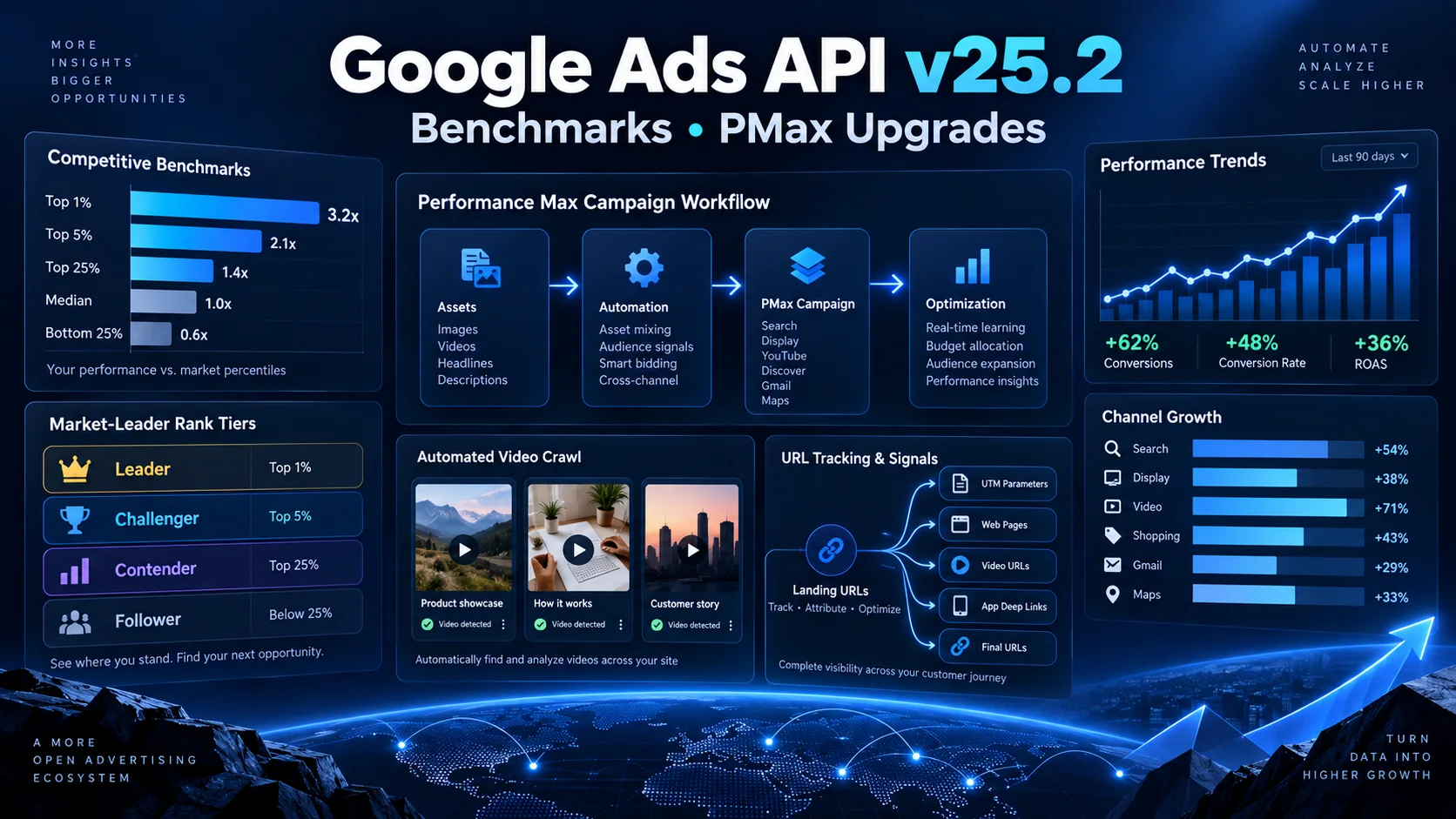
Google Ads API v25.2 में क्या नया है? Competitive Benchmarks और PMax Upgrades को आसान हिंदी में समझें
Google Ads API v25.2 में competitive percentile benchmarks, Performance Max video crawl, asset-group URL tracking और Smart Campaign से PMax draft बनाने जैसे बदलाव आए हैं। Advertisers, agencies और developers के लिए इन updates का practical मतलब आसान हिंदी में समझें।
12 · Read blog
Google AdSense vs Google Ad Manager 2026: Publishers के लिए सही Choice
AdSense और Google Ad Manager में difference, साथ में use करने का workflow, direct campaigns, inventory, line items, reporting और publisher setup की complete Hindi guide।
8 · Read blog
Startup Marketing कैसे करें? Low-Budget Strategy और 90-Day Plan 2026
नई startup के लिए market research, branding, website, social media, content, PR, referrals, email, budget और 90-day marketing roadmap की detailed Hindi guide।
8 · Read blog
Comments 0
No comments yet. Be the first to share a useful thought.
Leave a comment
Your email address will not be published. Comments are reviewed before appearing. Web addresses are displayed as plain text and are never clickable.